
Strong content can fail before a reader ever sees it. A page must be reliably discoverable, crawlable, renderable, indexable, and usable before its copy or backlinks can contribute much. Google's technical documentation emphasizes HTTPS, mobile-friendliness, structured data, redirects, hreflang, sitemaps, and Search Console monitoring, while the scale of the open web makes efficient crawl control more than a theoretical concern. Common Crawl describes an open corpus of 300 billion pages spanning 15 years, which helps explain why clean directives and a manageable crawl surface matter at internet scale. (Google Search documentation, Common Crawl)
Use this technical SEO checklist as a prioritized audit, not a list of disconnected tasks. Start with blocked pages and broken access, then verify indexation, architecture, performance, mobile rendering, schema, international signals, canonicalization, internal links, and page-level metadata. Record every issue with its severity, affected URLs or templates, evidence, owner, proposed fix, and validation date.
Google Search Console, Screaming Frog SEO Spider, PageSpeed Insights, Semrush Site Audit, and server logs are useful evidence sources. They won't decide whether a Fort Myers service-area page deserves indexation, whether two similar pages serve different intent, or whether a redirect preserves business value. That judgment still belongs to the person conducting the audit. For a second opinion, compare your findings with DigiVisi's site audit.
1. Audit Site Structure and URL Architecture
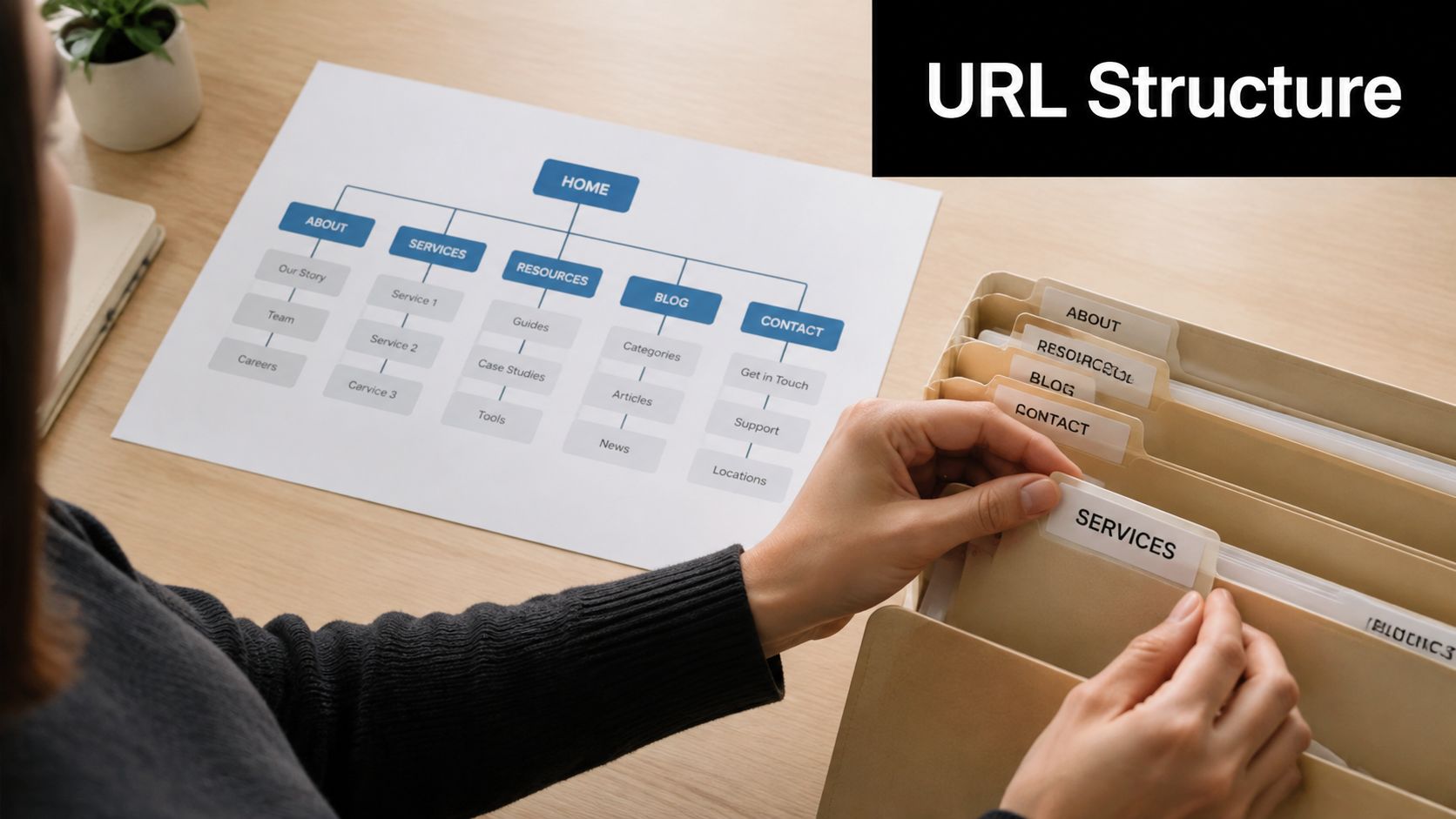
A search engine should be able to infer what a page is about from its position in the site and its address. Review the hierarchy from the homepage through service hubs, individual services, locations, articles, and conversion pages. A Fort Myers roofing company might use /roofing-services/residential-repair, /roofing-services/commercial-installation, /service-areas/fort-myers, and /service-areas/bonita-springs. Those paths communicate different search intents without forcing every page into one flat folder.
For an HVAC contractor, separate /services/ac-repair from /services/emergency-hvac, then connect both to location pages such as /service-areas/fort-myers and /service-areas/cape-coral. A healthcare provider could use /services/family-medicine, /services/pediatrics, /locations/north-fort-myers, and /locations/estero. This structure helps visitors and crawlers distinguish what the business does from where it operates.
Detect the weak points
Crawl the site with Screaming Frog and export URL depth, response codes, canonicals, and internal link counts. Then manually inspect navigation and breadcrumbs. Look for important pages buried behind vague labels, orphaned URLs, inconsistent folders, long slugs, and parameter-heavy addresses such as ?id=123.
Use descriptive words, hyphens, and stable paths. Keep URLs concise where practical, and don't rename established URLs merely to force a keyword into them. If a restructuring is necessary, map old addresses to their closest relevant destinations with 301 redirects and submit an updated sitemap in Search Console.
For a small local business, start with the pages that generate calls and quote requests. A clean service and location hierarchy is more useful than a large blog whose posts don't support those commercial pages.
2. Fix Crawl Errors and Broken Links
A redesign can leave a local business with a polished website that search engines can't reach properly. Crawl the full site and identify 404 responses, server errors, redirect chains, redirect loops, broken internal links, and links pointing to outdated versions of URLs. A cleaning company in Southwest Florida might discover that its Cape Coral and Naples service pages return 404 errors after a folder change. Those missing pages can remove useful entry points for local customers.
Screaming Frog SEO Spider is practical for the first pass. Set the crawler to follow internal links, review the response-code report, and inspect the source URL for every error. Search Console adds another layer of evidence through indexing reports and URL Inspection. Use both rather than treating a single crawler export as final proof.
Match each error to the right fix
- Repair valid destinations: Update navigation, footer links, blog references, and location-page links when the intended page still exists at a new address.
- Redirect permanent moves: Use a direct 301 redirect from the old URL to the closest equivalent page. A deleted service shouldn't automatically redirect to the homepage if a relevant replacement exists.
- Remove intentional dead ends: If a page has no replacement and shouldn't return, remove internal links and let the server return an appropriate not-found response.
- Investigate server failures: Review hosting, CDN, and application logs for recurring 5xx responses or timeouts.
An HVAC contractor might have a chain from /air-conditioning-repair to /ac-services to /ac-repair. Replace that chain with one direct redirect, then update internal links to point straight to /ac-repair.
Check Search Console regularly for newly reported issues and configure available notifications. A broken template can affect many local URLs at once, so don't judge severity by counting individual errors only.

3. Optimize Core Web Vitals and Page Speed
Core Web Vitals turn page experience into measurable engineering work. Google's current thresholds are LCP at or below 2.5 seconds, INP at or below 200 milliseconds, and CLS at or below 0.1, with a passing assessment requiring those targets for at least 75% of page visits. (Google's Core Web Vitals guidance)
The market has improved since these metrics launched, but many sites still miss the ideal range. The cited technical SEO data reports that 32% of mobile sites passed all three thresholds when the metrics launched, compared with 48% of mobile sites and 56% of desktop sites in the 2025 Web Almanac. (Technical SEO statistics) That leaves a majority of mobile sites outside the ideal range, so performance deserves a place near the front of the audit.

Test templates, not just the homepage
Run PageSpeed Insights on the homepage, a core service page, a Fort Myers location page, a contact page, and a blog template. Diagnose the largest content element for LCP, long JavaScript tasks for INP, and shifting images, banners, ads, or embeds for CLS.
A North Fort Myers HVAC site may need compressed hero images, explicit image dimensions, deferred below-the-fold media, caching, and fewer chat or tracking scripts. A local legal practice may get more value from reducing form scripts and server response time than from making minor visual changes.
Compress images before upload, serve responsive dimensions, minify CSS and JavaScript, and defer noncritical third-party code. A CDN can help users far from the origin server, but it won't fix oversized images or inefficient application code. For implementation guidance, review page speed optimization recommendations.
Treat performance as a release check. A one-time improvement can disappear after a new booking widget, theme update, or advertising script goes live.
4. Implement and Validate SSL and HTTPS Certificates
Treat HTTPS as a deployment and monitoring task, not merely a certificate purchase. Check representative URLs across HTTP and HTTPS, including service pages, forms, assets, and canonical versions. Confirm that each HTTP request redirects directly to its HTTPS equivalent, the certificate covers the requested hostname, and renewal is configured. Google Search documentation recommends HTTPS, and browsers may warn visitors when a connection is unsafe. That warning can reduce completed forms for a Fort Myers healthcare provider, law firm, or contractor collecting property details.
Use a certificate from your hosting provider or Let's Encrypt if your business manages its own infrastructure. Verify redirects, hostname coverage, and renewal in a staging environment before applying changes sitewide.
Remove mixed-content problems
HTTPS pages can still request images, stylesheets, scripts, fonts, or embeds over HTTP. Those mixed-content requests may trigger warnings, break page elements, or stop forms and other scripts from working. Crawl representative templates, inspect browser developer tools, and review Search Console's security and HTTPS reports to locate the requests.
Replace hard-coded HTTP references in templates, content, theme settings, databases, and media libraries. Check canonical tags, structured data, internal links, and page source, not just visible navigation. After the migration, regenerate the XML sitemap and confirm that robots.txt points to its HTTPS location.
A cleaning company that secured only its quote pages may still expose HTTP image URLs and menu links in older blog templates. Search every environment and template, submit test forms, and verify that the preferred HTTPS URL appears consistently in redirects, canonicals, and internal references.
Certificate monitoring should alert the hosting team before renewal fails. An expired certificate can block visitors, interrupt form submissions, and make crawling less reliable.

5. Create and Optimize XML Sitemap and Robots.txt
XML sitemaps help search engines find priority URLs, while robots.txt sets crawl permissions. Neither file fixes poor architecture, but both reduce avoidable discovery problems. Submit the sitemap in Search Console, then compare submitted URLs with indexed pages to find gaps.
Build the sitemap from canonical, indexable URLs that return successful responses. A multi-location HVAC company may include /service-areas/fort-myers, /service-areas/cape-coral, and /service-areas/bonita-springs, plus core service pages and useful articles. Exclude duplicate URLs, staging pages, thin content, internal search results, and administrative paths. For a local service site, verify that every Fort Myers-area landing page in the sitemap matches the live canonical URL.
Keep directives narrow
Use robots.txt to control crawling, not as a dependable way to keep pages out of search results. If a staging page must remain private, protect the environment. If crawlers can access the page, a page-level noindex directive can prevent indexing. A robots.txt block may stop crawlers from seeing that directive.
A roofing contractor could disallow /admin, /cart, and /search while leaving service and location folders crawlable. Test the live file at the root of each relevant host and protocol. Check for accidental blocks affecting CSS, JavaScript, images, service folders, or locale folders.
Validate the XML sitemap with Search Console, Bing Webmaster Tools, and Screaming Frog. Compare its URLs with a live crawl and inspect response codes, canonicals, indexability, and redirects. The sitemap should represent the pages you want considered, not every address the CMS can generate.
Practical rule: A URL belongs in the sitemap only when you want search engines to discover and consider that exact canonical version.
Update the sitemap after adding a Fort Myers landing page, launching a service, or retiring a URL. Monitor submitted and indexed patterns, then investigate substantial mismatches instead of repeatedly resubmitting the same file.
6. Audit and Fix Duplicate Content Issues
Duplicate content often begins with harmless-looking systems. Tracking parameters, print views, sorting options, CMS taxonomies, and location templates can create several addresses for substantially the same page. Google treats a canonical URL as the representative URL selected from a duplicate set, so your audit should make the preferred version clear and consistent. (Google's canonicalization guidance)
Use Screaming Frog to export duplicate titles, duplicate or near-duplicate page content, canonical targets, and parameter variants. In Search Console, inspect reports such as “Duplicate, Google selected different canonical,” then test representative URLs manually. A site: search can provide clues, but it isn't a substitute for URL Inspection or a crawl.
Choose consolidation deliberately
A cleaning business might have nearly identical pages at /cleaning-services/fort-myers and /services/residential-cleaning. If those URLs serve the same intent, choose the stronger address, place a self-referencing canonical there, and redirect or consolidate the redundant version when appropriate. If the Fort Myers page targets local needs, availability, service boundaries, and proof specific to that market, it may deserve to remain distinct, but copied city names alone aren't enough.
An HVAC site can also generate duplicate URLs through campaign parameters such as ?utm_source=google. Keep the clean URL as the preferred canonical and ensure parameter versions don't become primary sitemap entries.
Use absolute HTTPS canonicals, keep the preferred hostname consistent, and avoid canonical chains. Each duplicate should point directly to the selected indexable URL, not to a redirect, a noindex page, or another canonical that ultimately points elsewhere.
Don't use robots.txt to solve every duplication problem. Blocking a URL may stop crawling without clearly consolidating its signals. Pair canonicalization with internal-link cleanup, parameter rules where appropriate, redirects, and noindex for pages that shouldn't appear at all.
7. Optimize Mobile Responsiveness and Mobile-First Indexing
Google's mobile-first approach makes the mobile version the version technical teams must protect. A desktop page can look complete while the mobile experience hides the primary service copy, removes internal links, delays contact controls, or renders a different structured-data output. For a Southwest Florida business competing for searches such as HVAC near me or roofing contractor Cape Coral, those omissions affect both discovery and lead generation.
Run Google's mobile testing tools, inspect the rendered page in Search Console, and test real devices rather than relying only on a resized desktop browser. Check the main navigation, forms, phone links, accordions, sticky elements, images, reviews, and location content. Make sure visitors don't need horizontal scrolling or awkward pinch gestures to read or submit information.
Prioritize the contact path
A Fort Myers legal practice should make its phone number tappable with a tel: link and keep the inquiry form usable with a mobile keyboard. An HVAC contractor should expose emergency contact options without forcing a visitor through a desktop-only menu. Required fields should be clear, validation messages should be visible, and form submissions should work on cellular connections.
Review the Mobile Usability report in Search Console for issues such as content wider than the screen, small text, or elements placed too close together. Then compare mobile and desktop source and rendered HTML for important pages. Essential headings, service descriptions, location references, links, and metadata should remain available on mobile.
Responsive design usually simplifies maintenance because one page adapts to different screens. Separate mobile and desktop versions can work, but they create more synchronization points for canonicals, hreflang, content, and structured data. For most small businesses, a responsive implementation with optimized media and restrained scripts is easier to maintain.
Test after every major theme, CMS, or form-plugin update. A mobile fix that improves appearance but hides indexable content isn't a technical SEO improvement.
8. Implement Structured Data Markup with Schema.org
Structured data gives search engines explicit context about a page, but it isn't a replacement for visible content or a guarantee of enhanced search treatment. Google recommends JSON-LD and requires structured-data pages to remain crawlable and indexable. Validate the markup with Google's Rich Results Test and Schema.org tools before deployment. (Structured data guidance)
A Fort Myers cleaning company might mark up its organization details, service information, business address, service areas, and hours, provided those details also appear visibly on the page. An HVAC contractor could use relevant organization and service markup, while a healthcare provider may clarify its organization and available services. Don't add fields just because a plugin exposes them.
Validate the entity and the template
Review the homepage, primary service pages, location pages, and contact page. Check that the business name, address, phone number, hours, logo, and social profile references are consistent with visible information. If several locations exist, don't combine them into one entity unless the business structure and visible details support that relationship.
Use JSON-LD in the page source, then test both syntax and eligibility. Search Console's Enhancements reports can reveal recurring errors after release. A template-level fix is preferable to editing dozens of individual pages, especially when a CMS or schema plugin is generating the markup.
FAQ markup should only describe questions and answers visible on the page. Review markup also requires care. Don't claim ratings, prices, or services that the page doesn't substantiate.
Schema can support clearer interpretation for classic search and emerging AI search surfaces, but accurate, accessible content remains the foundation. If a page is blocked by robots.txt or carries a noindex directive, valid markup won't make it a dependable search result.
9. Conduct an Internal Link Structure Audit and Optimization
Internal links determine how users move through the site and how crawlers discover relationships between pages. Start with the commercial hierarchy: homepage to service hub, service hub to specific service, specific service to relevant location pages, and location pages back to the services they support.
A roofing company might link from the homepage to roofing services, then to residential repairs, then to Fort Myers residential repairs. A healthcare provider can connect a seasonal health article to an immunization service page with a clear call to action. Those links create useful pathways rather than leaving conversion pages isolated behind a generic navigation label.
Find weak and orphaned pages
Crawl the site and export internal link counts, source pages, anchor text, and redirected destinations. Search for orphaned service and location pages, links that return redirects, generic anchors such as “click here,” and mega menus that link to everything without showing a meaningful hierarchy.
- Strengthen priority pages: Link important service and Fort Myers-area pages from relevant hubs, navigation, footer sections, or prominent contextual content.
- Use descriptive anchors: “Emergency HVAC repair in Fort Myers” tells users more than “learn more,” when that wording accurately describes the destination.
- Add breadcrumbs: Breadcrumbs can reinforce hierarchy for users and crawlers when they reflect the actual structure.
- Connect related locations: Link a service page to Cape Coral, Bonita Springs, Estero, or Naples pages only where those destinations are relevant.
Review internal linking best practices for additional implementation ideas. Don't add links merely to increase a count. Too many competing links can dilute attention, slow pages, and make the site's priorities harder to interpret.
After every architecture change, recrawl the site and inspect the affected templates. Confirm that key pages are reachable, that links point directly to final URLs, and that users can reach a quote or appointment path without unnecessary detours.
10. Audit Meta Tags and On-Page SEO Elements
Page-level signals should accurately describe what a visitor will find. Audit title tags, meta descriptions, heading hierarchy, image alt text, canonicals, robots directives, and rendered HTML together. A local service page should identify the service and location when that combination reflects its actual content, not because every page needs the same city inserted into its title.
An HVAC page might use a title such as “Emergency HVAC Repair and AC Service in Fort Myers, FL” when the page covers those services. A cleaning page could describe house cleaning in Fort Myers, Cape Coral, and Bonita Springs if it explains availability and service boundaries for those areas. Avoid copying one template across every city page, because metadata cannot compensate for thin or indistinguishable content.
Build a page-level QA process
Use Screaming Frog or Semrush Site Audit to find missing, duplicated, excessively long, or templated titles and descriptions. Then inspect important pages manually in Search Console and review click data before changing titles that already perform well.
- Write one clear H1: It should describe the page's primary subject and align with the title, copy, and search intent.
- Use headings structurally: H2 through H6 headings should organize sections, not serve as a styling shortcut.
- Describe images accurately: Alt text should explain the image for accessibility and shouldn't become a string of keywords.
- Match metadata to the destination: Don't promise emergency service, pricing, ratings, or locations that the page doesn't support.
- Check rendered output: JavaScript, plugins, or CDN rules can alter title tags, canonicals, and robots directives after the initial HTML loads.
For practical copy guidance, use this guide to writing meta descriptions for SEO. A title change is worth testing when Search Console shows a page earning impressions but failing to attract appropriate clicks, yet rankings and intent should be considered before rewriting blindly.
Technical SEO Checklist, 10-Point Comparison
| Item | Implementation Complexity 🔄 | Resource Requirements ⚡ | Expected Outcomes ⭐📊 | Ideal Use Cases 💡 | Key Advantages ⭐ |
|---|---|---|---|---|---|
| Audit Site Structure and URL Architecture | Medium, planning and potential site restructure; short-term ranking fluctuation possible. 🔄 | Low–Medium, content reorganization, 301 redirects, developer time. ⚡ | Improved crawlability, clearer site hierarchy, better local targeting. ⭐⭐⭐⭐ 📊 | Multi-service or multi-location sites; site launches or major restructures. 💡 | Better indexation, UX, and internal link equity distribution. ⭐ |
| Fix Crawl Errors and Broken Links | Low–Medium, identify issues and implement fixes/redirects. 🔄 | Low–Medium, crawling tools plus possible server/CMS access. ⚡ | Restored indexability, fewer 404s, more efficient crawl budget. ⭐⭐⭐ 📊 | Post-redesign audits, large sites with many pages, routine maintenance. 💡 | Prevents lost traffic/link equity and improves user experience. ⭐ |
| Optimize Core Web Vitals and Page Speed | Medium–High, performance tuning across stack (frontend/backend). 🔄 | Medium–High, developer time, possible hosting/CDN upgrades, image work. ⚡ | Faster load times, lower bounce, improved conversions and ranking signal. ⭐⭐⭐⭐ 📊 | Conversion-focused pages, mobile-first local searches, high-traffic sites. 💡 | Direct UX and SEO benefits; measurable lift in engagement and leads. ⭐ |
| Implement and Validate SSL/HTTPS Certificate | Low, straightforward install but must avoid mixed content. 🔄 | Low, free or paid certificate; minor IT support. ⚡ | Site encryption, trust indicator in browsers, small ranking benefit. ⭐⭐ 📊 | Any site collecting user data, e-commerce, appointment/lead forms. 💡 | Builds trust, meets compliance, required for secure transactions. ⭐ |
| Create and Optimize XML Sitemap and Robots.txt | Low, generate and configure files; submit to search consoles. 🔄 | Low, CMS/tools or sitemap generators; periodic updates. ⚡ | Faster discovery and prioritization of important pages; better indexation. ⭐⭐ 📊 | Multi-location or large sites with limited crawl budget. 💡 | Ensures search engines discover priority pages and avoid low-value pages. ⭐ |
| Audit and Fix Duplicate Content Issues | Medium, audit and apply canonicals/redirects properly. 🔄 | Medium, content review, canonical tags, possible redirects. ⚡ | Consolidated ranking signals and reduced crawl waste. ⭐⭐⭐ 📊 | Multi-location sites with repeated service pages or parameterized URLs. 💡 | Prevents ranking dilution and clarifies preferred page versions. ⭐ |
| Optimize Mobile Responsiveness and Mobile-First Indexing | Medium–High, responsive redesign and testing required. 🔄 | Medium, design/dev work, testing across devices, image optimization. ⚡ | Improved mobile UX, higher mobile rankings, increased mobile conversions. ⭐⭐⭐⭐ 📊 | Local businesses targeting mobile-first searchers (e.g., "near me"). 💡 | Essential for Google indexing and capturing mobile leads. ⭐ |
| Implement Structured Data Markup (Schema.org) | Low–Medium, implement JSON-LD and validate for errors. 🔄 | Low–Medium, developer or plugin work; updates when info changes. ⚡ | Potential rich snippets, higher CTR, improved SERP visibility. ⭐⭐⭐ 📊 | Local businesses seeking knowledge panel, reviews, service snippets. 💡 | Enables rich results and clearer SERP presentation (CTR gains). ⭐ |
| Conduct Internal Link Structure Audit and Optimization | Medium, mapping and targeted content/link edits. 🔄 | Low–Medium, content edits, SEO tools for analysis. ⚡ | Better link equity flow, improved discoverability and conversions. ⭐⭐⭐ 📊 | Service hierarchies, content-rich sites needing prioritized pages. 💡 | Guides search engines/users to high-value pages; reduces orphans. ⭐ |
| Audit Meta Tags and On-Page SEO Elements | Low–Medium, copy updates and tag adjustments at scale. 🔄 | Low, SEO copywriting and CMS edits; monitoring. ⚡ | Improved CTR from SERPs and clearer content hierarchy. ⭐⭐⭐ 📊 | Local landing pages, service pages, and content intended to drive clicks. 💡 | Boosts click-throughs and relevance signals; low implementation cost. ⭐ |
Turn the Checklist Into a Repeatable SEO Routine
A technical SEO audit works best as a sequence of gates. First, identify pages that are blocked, return errors, carry accidental noindex directives, or fail Google's basic eligibility requirements. Google states that a page must not be blocked from Googlebot, must return an HTTP 200 status, and must contain indexable content to be eligible for indexing. Verify those conditions before spending time on internal links, schema, or title refinements. (Google's technical requirements)
Next, examine the paths crawlers and users take. Review robots.txt, XML sitemaps, redirects, canonicals, URL parameters, orphaned pages, and internal-link depth. For a Fort Myers contractor, that means confirming that important service pages and local landing pages are accessible from relevant hubs, listed consistently where appropriate, and not accidentally blocked by a CMS rule or migration setting.
After access and indexation controls are stable, work through architecture and rendering. Compare raw and rendered HTML on JavaScript-heavy templates. Check that mobile pages contain the same essential service information, navigation, links, and structured data as desktop pages. Then test Core Web Vitals on representative templates, not only the homepage. The current benchmarks are LCP of 2.5 seconds or less, INP of 200 milliseconds or less, and CLS of 0.1 or less, measured against the required visit distribution described in Google's guidance. (Core Web Vitals thresholds)
Structured data, international signals, duplication, internal linking, and metadata belong after the fundamental access checks, but they still need systematic QA. For multilingual sites, maintain complete hreflang clusters with self-references, align each canonical with the correct language page, and verify reciprocal locale links. (Hreflang audit guidance) For AI search surfaces, make a deliberate decision about crawler access and Google's Search Console control for Search generative AI. That control can block inclusion in AI Overviews, AI Mode, and AI Overviews in Discover without affecting normal rankings, so AI visibility is now a separate strategic choice from standard search eligibility. (AI search audit checklist)
Document each finding with the URL or template, issue, severity, evidence, owner, fix, and validation date. Add a column for business impact, such as “Fort Myers emergency-service page unavailable” or “quote form blocked on mobile.” This keeps the audit tied to leads rather than abstract technical scores.
Server logs provide the final reality check. Compare Googlebot requests and response codes with crawler findings, then look for wasted paths, repeated errors, unexpected parameter crawling, or important location templates that receive no meaningful bot attention. Monitoring uptime, crawl health, Core Web Vitals, and Search Console alerts turns the checklist into an ongoing operating process instead of a report that becomes outdated after a redesign.
Small and mid-sized businesses can also use a complimentary online analysis and competitor report from Polaris Marketing Solutions to identify technical and local SEO opportunities before committing to a broader plan. Polaris Marketing Solutions offers technical SEO checks that include XML sitemap, robots.txt, and mobile-friendliness review, alongside broader SEO services and local listing support. Use the report as an input to prioritization, then validate every recommended change against your site's architecture, search intent, and business goals.
Polaris Marketing Solutions can review your technical SEO foundation, including crawl controls, sitemap and robots.txt setup, mobile usability, local landing pages, and broader SEO opportunities. Visit Polaris Marketing Solutions to request a complimentary online analysis and competitor report for your Fort Myers or Southwest Florida business.