For small and mid-sized businesses in competitive local markets like Southwest Florida, Facebook Ads can feel like a gamble. You pour money in, but the phone isn't ringing, and calculating a clear ROI is a constant headache. The problem isn't the platform; it's the strategy. Generic advice won't cut it when you're a plumber in Fort Myers or a dentist in Cape Coral trying to reach actual customers within a few specific zip codes.
This guide cuts through the noise. We're breaking down 10 of the most impactful, actionable best practices for Facebook Ads, specifically built for local service and professional businesses. To better understand the advertising ecosystem behind Facebook Ads, it's beneficial to explore the broader strategies of Meta Ads. These tactics go beyond basic setup and address the nuances of attracting local clients.
Forget vague tips. Instead, we are providing concrete examples, step-by-step implementation details, and the exact strategies used to help businesses turn ad spend into measurable growth. You'll learn how to refine your geo-targeting, build powerful Custom Audiences from your existing client list, structure campaigns for conversions, and optimize your budget for maximum efficiency.
By the end of this list, you'll have a clear, prioritized roadmap to build campaigns that attract local customers, lower your acquisition costs, and deliver a return on investment you can finally see. Let's get started.
1. Geo-Targeting and Local Audience Segmentation
For local businesses in Southwest Florida, from a roofer in Cape Coral to a dental practice in Fort Myers, geo-targeting isn't just a feature; it's the foundation of a cost-effective advertising strategy. This approach allows you to show your Facebook ads exclusively to users within specific, pre-defined geographic boundaries. By using a combination of a user's device GPS, IP address, and profile information, Facebook can pinpoint their location with remarkable accuracy, ensuring your budget is spent only on reaching potential local customers.
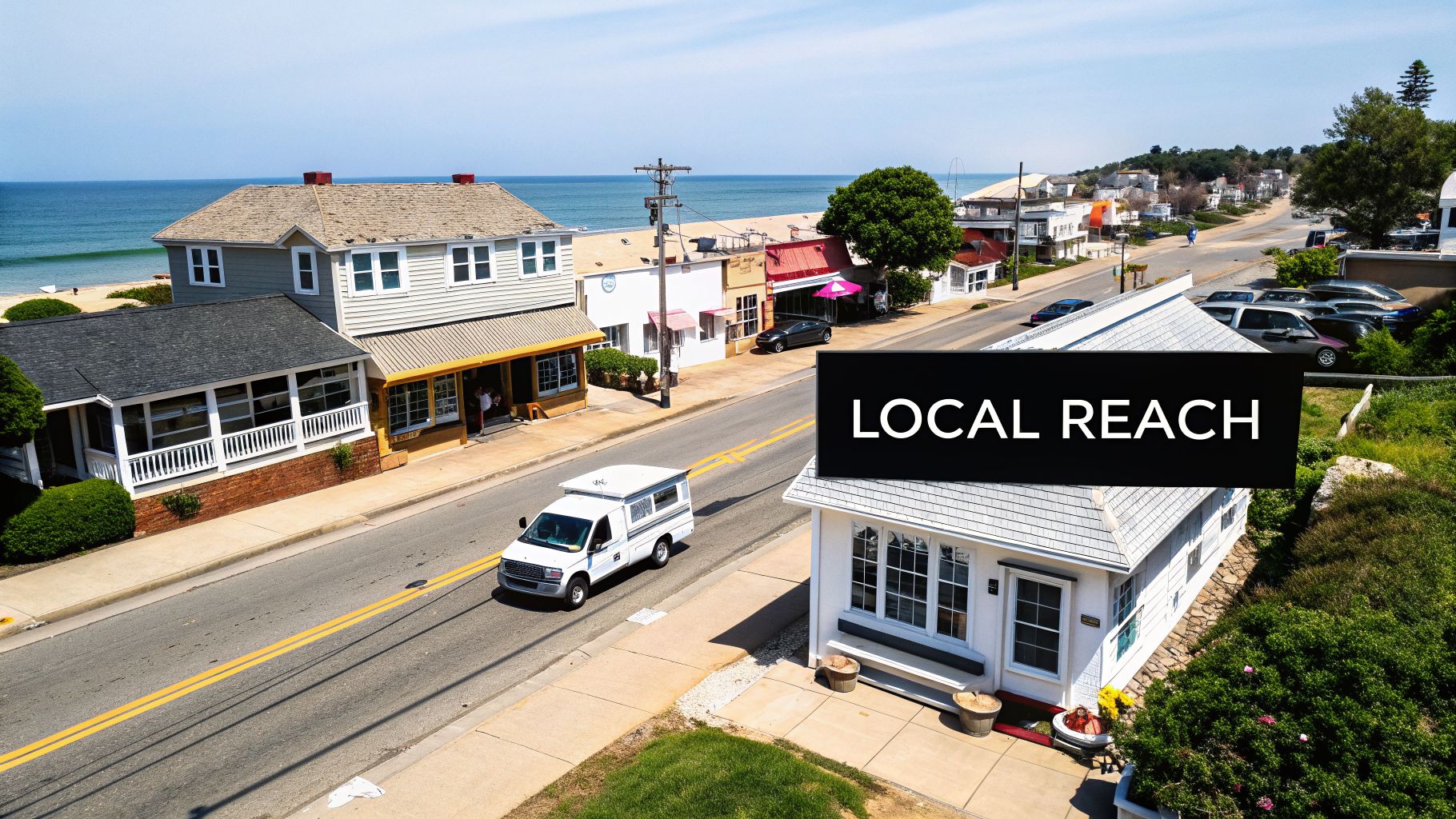
The primary benefit is immediate budget efficiency. A paver in Naples has no need to advertise to someone in Miami. Geo-targeting eliminates that waste, concentrating your ad spend where it counts. This is one of the most critical best practices for Facebook ads because it directly improves relevance, which can lead to higher engagement rates and lower costs per lead.
How to Implement Geo-Targeting
When setting up your ad set in Facebook Ads Manager, the "Locations" section is where you’ll define your service area. You have several options:
- Cities, States, or ZIP Codes: You can input specific locations like "Fort Myers, Florida" or a list of relevant ZIP codes, such as those that experienced recent storm damage. For example, a roofer could target ZIP codes 33901, 33908, and 33919 after a major storm.
- Radius Targeting: Drop a pin on your business address and create a radius around it. For instance, an HVAC contractor might start with a 15-mile radius around their office to cover their primary service area. You can drop multiple pins to create overlapping service zones.
- Exclude Locations: Just as important as including areas is excluding them. If you know a certain neighborhood is outside your service zone, explicitly exclude it to further refine your audience and protect your budget. For example, a plumber in Fort Myers might exclude "Lehigh Acres" if it's outside their service radius.
Key Insight: Start your targeting radius based on real-world data. Analyze your existing customer list to find the average distance they travel or the most common ZIP codes you serve. Use this information as your baseline and test from there.
Actionable Tips for Local Businesses:
- Test Radius Sizes: Begin with a 10 to 15-mile radius and monitor your Cost Per Lead (CPL). If the CPL is too high, try expanding the radius to reach more people. If you get leads from too far away, tighten it. For example, a landscaper might test a 10-mile radius vs. a 20-mile radius to see which one delivers leads at a better price.
- Combine with Demographics: Layer your location targeting with other audience details. A roofer could target homeowners aged 35+ within specific storm-affected ZIP codes. A high-end kitchen remodeler in Naples could target the top 25% of household incomes within a 10-mile radius.
- Post-Storm Targeting: After a hurricane or major storm, a home services business can quickly target affected ZIP codes with messages about roof repair, window replacement, or water damage cleanup. For example: target ZIP codes 33914 and 33993 with an ad that says, "Storm Damage in Cape Coral? We offer 24/7 emergency roof tarping."
2. Custom and Lookalike Audiences
While geo-targeting focuses your ads on where your customers are, Custom and Lookalike Audiences help you find who your customers are. This powerful pairing allows you to move beyond broad demographic or interest-based targeting to connect with people who have either already engaged with your business or share key traits with your best existing customers. It’s a core strategy for maximizing conversions and one of the most effective best practices for Facebook ads available to local businesses.
The advantage is precision and relevance. A local cleaning service in Fort Myers can upload its email list to create a Custom Audience, retargeting past clients with a special offer. More importantly, they can then create a Lookalike Audience to find new homeowners in the area who resemble their most loyal clients, drastically improving the quality of their leads and reducing wasted ad spend.
How to Implement Custom and Lookalike Audiences
In Facebook Ads Manager, you’ll find these options under "Audiences." You can create a Custom Audience from several sources, but the most common for local businesses are:
- Customer List: Upload a list of customer phone numbers or email addresses. Facebook will match these against its user base to find their profiles. An insurance agent could upload a list of all current auto policy holders to upsell them on homeowner's insurance.
- Website Traffic: By installing the Meta Pixel on your site, you can create audiences of people who visited specific pages, like a pricing or services page. For example, create an audience of everyone who visited your "/solar-panel-installation" page in the last 30 days.
- Engagement: Target users who have watched your videos, liked your page, or interacted with your Instagram profile. A great example is creating an audience of people who watched 50% or more of your video testimonial.
Once you have a high-quality "seed" audience (like a customer list), you can create a Lookalike Audience. Facebook's algorithm analyzes the people in your seed audience and finds new users with similar characteristics.
Key Insight: The quality of your Lookalike Audience is directly tied to the quality of your seed audience. Use a list of your highest lifetime value (LTV) customers, not just all customers, to create a Lookalike that finds more people like your very best clients.
Actionable Tips for Local Businesses:
- Start with 1% Lookalikes: When creating a Lookalike Audience, start with the 1% option. This creates the smallest but most similar audience to your seed data, often resulting in the highest quality prospects. For a Fort Myers audience of 500,000 people, a 1% lookalike will find the 5,000 most similar users.
- Clean Your Customer List: Before uploading a customer list, ensure it's properly formatted and remove any duplicates. A clean list provides Facebook with better data for matching. For example, use a tool like Excel's "Remove Duplicates" function and ensure all phone numbers are in a standard format (e.g., +1XXXXXXXXXX).
- Segment Your Website Visitors: Create separate Custom Audiences for different website behaviors. Someone who visited your "Contact Us" page is a hotter lead than someone who only read a blog post. Target them with different ad messages. For example, show an ad with a special offer to the "Contact Us" visitors, and show a video testimonial to the blog readers.
3. Conversion-Focused Campaign Structure and Optimization
For any local business aiming for tangible results like new clients or service bookings, simply driving traffic or getting likes isn't enough. Conversion-focused campaigns are engineered to deliver measurable business outcomes, such as form submissions, phone calls, or appointments. This approach uses Facebook's algorithm to specifically find users most likely to take your desired action, making it one of the most powerful best practices for Facebook ads.
This strategy shifts the focus from vanity metrics to bottom-line impact. It requires proper setup of tracking tools like the Meta Pixel and clear definitions of what a "conversion" means for your business. When done correctly, the system learns who your ideal customer is and actively seeks them out, leading to higher-quality leads and a better return on your investment.
How to Implement a Conversion-Focused Structure
In Ads Manager, your journey begins by selecting the "Leads" or "Sales" campaign objective. This tells Facebook your primary goal is to generate a specific action, not just awareness. From there, you must define the conversion event you want to optimize for.
- Define Your Conversion Event: The key is to choose a high-value action. For an HVAC company, this might be a "Contact Form Submit" on their website. For a dental practice in Fort Myers, it could be a "Schedule Appointment" event triggered when someone books through an online calendar.
- Set Up Tracking: You must have the Meta Pixel correctly installed on your website to track these actions. For phone calls, you can use call tracking software that integrates with Facebook or track "click-to-call" button presses as a custom event. An example would be creating a custom event called "PhoneNumberClick" that fires when someone taps the phone number link on your mobile site.
- Allow for a Learning Phase: Facebook's algorithm needs data to work effectively. You should aim for at least 15-20 conversions within a week before making major changes to your ad set or scaling your budget. Patience during this phase is crucial for long-term success. If you only get 5 conversions in the first week, consider expanding your audience or increasing your budget to exit the learning phase faster.
Key Insight: Assign a real-world monetary value to your conversion events. If you know that one in every ten contact form submissions turns into a $1,500 paving job, you can assign a value of $150 to that lead. This enables value-based bidding, where Facebook will optimize for total profit, not just the number of leads.
Actionable Tips for Local Businesses:
- Track Offline Conversions: If many of your leads convert over the phone or in person, use Facebook's Offline Conversion sets. This allows you to upload customer data to show Facebook which leads turned into actual sales, further refining its targeting. For example, each week, export a list of new customers from your CRM and upload it to Facebook to match them to the ads they saw.
- Monitor Key Metrics: Weekly, review your Cost Per Result (CPR) and Conversion Rate. If your CPR is climbing, it might be time to test new ad creative or audience segments. A real estate agent should track Cost per 'Schedule Showing' and aim to keep it under a target like $75.
- Start with Your Highest-Value Action: Don’t dilute your efforts by optimizing for multiple, low-value events at once. Focus the campaign on the one action that most directly leads to revenue, like a "Request a Consultation" for a law firm, instead of optimizing for a lower-value action like a "Newsletter Signup."
4. Ad Creative Testing and Variation Strategy
Guessing which ad creative will perform best is a recipe for wasted ad spend. Ad creative testing is a systematic method of trying different images, videos, ad copy, headlines, and calls-to-action to identify the highest-performing combinations. This strategy recognizes that your creative quality directly impacts click-through rates, conversion rates, and overall campaign profitability. For a small business with a limited budget, this is one of the most essential best practices for Facebook ads because it enables data-driven decisions rather than relying on assumptions.
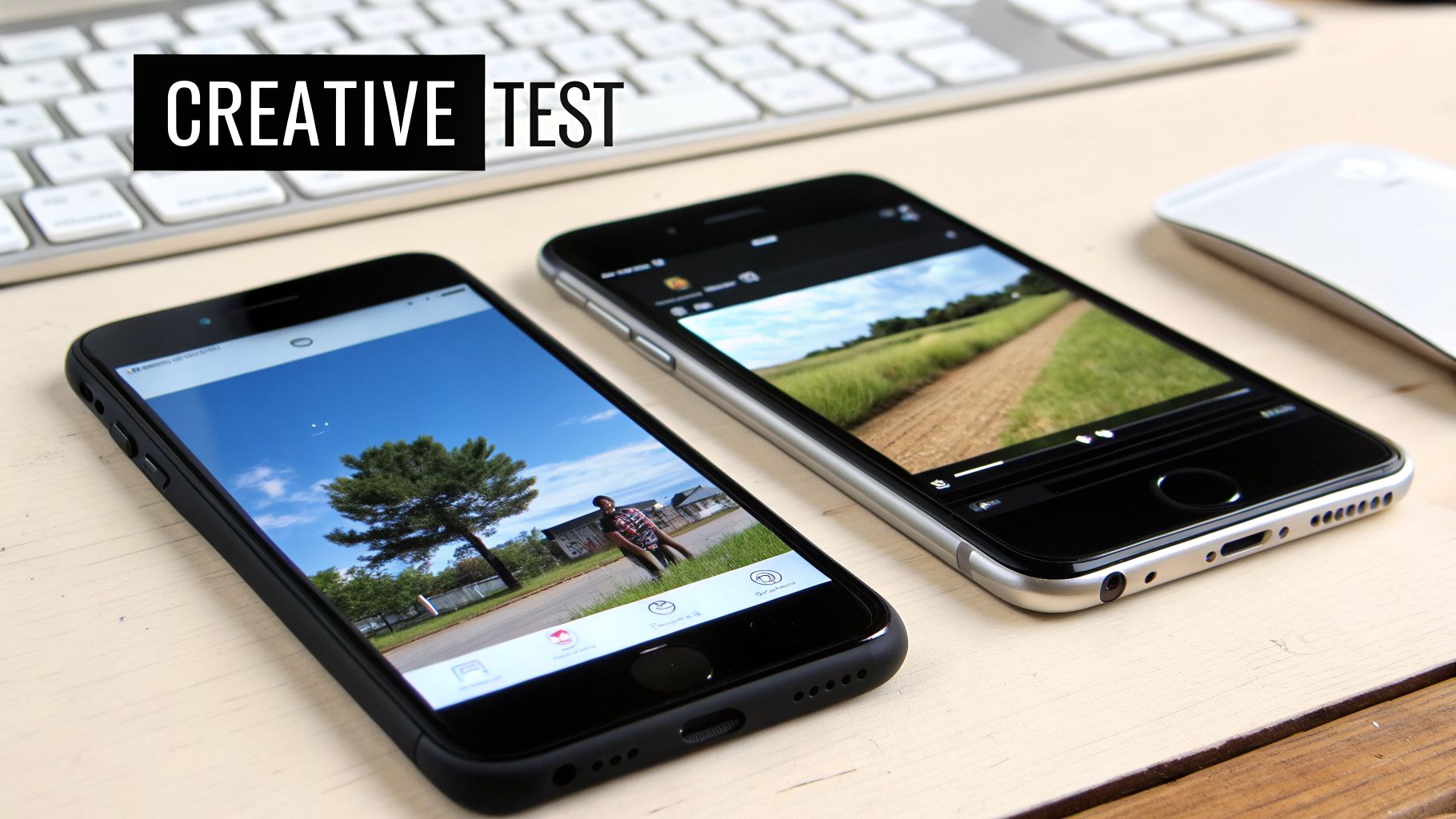
The benefit is discovering what truly motivates your audience to act. For example, a local cleaning service might find that a before-and-after photo of a sparkling kitchen outperforms a lifestyle image of a smiling family. An HVAC contractor could test a "Call Now" button against a "Get Free Estimate" button and learn that the "Free Estimate" offer generates more qualified leads. This process removes guesswork and lets customer behavior guide your creative direction.
How to Implement Ad Creative Testing
In Ads Manager, you can create multiple ads within a single ad set, each with a different creative element. This allows Facebook to automatically distribute your budget towards the top-performing ad. You can also use the built-in A/B test feature to run a more controlled experiment.
- Isolate Variables: To get clear results, change only one element at a time. Test two different images with the exact same headline and ad copy. Once you find a winning image, use it to test two different headlines. For example, a dentist could test an image of the smiling staff vs. an image of the modern office interior, keeping all text identical.
- Prioritize by Impact: Start by testing the elements that have the biggest influence on performance. The typical order is: Image/Video > Headline > Primary Text > Call-to-Action. Test a video against a static image first, as this often yields the biggest performance difference.
- Use Facebook's Tools: The A/B test feature in Ads Manager lets you formally compare audiences, placements, or creatives to determine which strategy performs best based on your chosen metric, like Cost Per Result. For example, you could run a test comparing a Lookalike Audience to a broad interest-based audience to see which one delivers cheaper leads.
Key Insight: Document everything. Create a simple spreadsheet to track what you tested (Image A vs. Image B), the date, the budget, and the key results (CTR, CPL). This creates an invaluable knowledge base for all future campaigns.
Actionable Tips for Local Businesses:
- Run a Fair Test: Allow your tests to run for at least 3-5 days with a consistent daily budget to gather enough data for a statistically significant result. Don't declare a winner after just one day of data, as user behavior can vary.
- Think Mobile-First: Since over 90% of users see ads on mobile, test vertical images and videos that fill the screen and use high-contrast visuals that pop in a fast-scrolling feed. For example, a roofer could use a vertical drone shot of a finished roof for a Reels ad.
- Stay Relevant: Test locally-focused imagery. A picture of the Fort Myers pier or a familiar Cape Coral landmark can stop the scroll far more effectively than a generic stock photo. For example, a restaurant in Naples could test an ad with a generic food photo against one with the same dish on a table with the Naples Pier in the background.
- Combat Ad Fatigue: Plan to refresh your winning creatives every 2-4 weeks. Even the best ads lose their effectiveness over time as the same audience sees them repeatedly. For example, if your "before and after" image has been running for a month, swap it out for a new video testimonial to keep the campaign fresh.
5. Video Advertising and Native Content Strategy
In Facebook’s mobile-first ecosystem, video isn’t just another content type; it's the dominant force for capturing attention and driving action. Video ads consistently produce higher engagement, click-through rates, and conversions compared to static images. This strategy works because it aligns with Facebook's algorithm, which favors native video content that keeps users on the platform longer. For a local service business, from a cleaning service in Naples to a law firm in Fort Myers, video is the most effective medium to tell a story, demonstrate value, and build trust quickly.
The power of video lies in its ability to show, not just tell. A roofing contractor can use a 15-second clip to display a dramatic before-and-after storm damage repair, conveying results far more powerfully than a photo ever could. This is one of the most vital best practices for Facebook ads because it connects with viewers on an emotional level, showcasing authenticity and expertise in a format they prefer to consume.
How to Implement a Video Ad Strategy
Your video content should be designed for the way people use Facebook: on their phones, often with the sound off, and with very short attention spans.
- Hook Immediately: The first three seconds are everything. Start with the most impactful shot, like the "after" of a home renovation or a compelling customer testimonial. For a power washing business, start with the jet of water hitting a dirty surface to create immediate visual impact.
- Design for No Sound: A large majority of users watch videos without audio. Use clear, bold on-screen text or captions to communicate your message. For a testimonial video, burn the captions directly into the video so viewers can read what the client is saying.
- Embrace Authenticity: Polished, high-production videos are not necessary. Authentic clips featuring your actual team on a job site or a real Southwest Florida customer sharing their experience often perform better. A plumber can use their iPhone to shoot a quick video explaining a common issue, which feels more genuine than a slick studio production.
- Optimize for Mobile: Prioritize a vertical (9:16) aspect ratio for Stories and Reels. This format fills the entire mobile screen and creates a more immersive experience. A square (1:1) format also works well for the News Feed. For example, edit your landscape-oriented video into a vertical format specifically for your Reels ads.
Key Insight: Keep your videos short and to the point. Aim for 6-15 seconds for News Feed ads and up to 30 seconds for Stories. The goal is to deliver your core message and call to action before the viewer scrolls away.
Actionable Tips for Local Businesses:
- Showcase Transformations: A cleaning service can create a fast-paced video showing a cluttered room becoming spotless. A paver can show a dirt patch turning into a beautiful new patio. A landscaper could create a time-lapse video of a full garden installation.
- Use Local Testimonials: Feature a satisfied client from Fort Myers or Cape Coral talking about their positive experience. Seeing a neighbor endorse your business builds immense credibility. For example, "Hi, I'm Susan from the Whiskey Creek neighborhood, and [Your Company] did an amazing job on our new lanai."
- Educate Your Audience: A legal firm can create a short video explaining the first steps to take after a car accident, establishing authority and providing immediate value. Include a strong call to action like "Call for a Free Consultation." A financial advisor could do a 30-second video on "3 Mistakes to Avoid When Retiring in Florida."
6. Audience Exclusion and Negative Audience Strategy
Knowing who to target is only half the battle; knowing who not to target is where precision and profitability truly begin. Audience exclusion is the practice of preventing your ads from being shown to specific groups of people, such as existing customers, unqualified leads, or unengaged users. For a small business with a finite budget, this negative targeting is one of the most powerful best practices for Facebook ads, as it stops you from spending money on people who will not convert.
The core benefit is radical budget optimization. A Fort Myers cleaning service running a "New Customer Discount" campaign gains nothing by showing that ad to a loyal, weekly client. Exclusions ensure your acquisition budget is spent purely on acquisition, improving your cost per lead and overall return on ad spend. This strategy is critical for separating new customer acquisition efforts from customer retention or upsell campaigns.
How to Implement Audience Exclusions
In the ad set level of Ads Manager, under the "Audience" section, you will find an "Exclude" option. This is where you will add custom audiences, lookalike audiences, or detailed targeting segments that you do not want to see your ads.
- Custom Audiences: Upload a list of your existing customers' emails or phone numbers. Facebook will match these to user profiles, allowing you to exclude them from lead-generation ads. For example, a gym running a "First Month Free" ad should exclude a Custom Audience of all current members.
- Website Visitors: Create audiences based on website activity. You can exclude everyone who has visited your "Thank You" page after booking an appointment. For instance, a dental practice should exclude anyone who has landed on the
yoursite.com/appointment-confirmedpage in the last 180 days. - Engagement Audiences: Exclude people who have recently engaged with your Facebook or Instagram page if your goal is to reach a completely new audience. For an awareness campaign designed to find new people, you might exclude everyone who has visited your Instagram profile in the last 90 days.
Key Insight: Treat your exclusion lists as living documents. You should be updating your customer lists and converter audiences at least monthly to ensure your targeting remains sharp and efficient as your business grows.
Actionable Tips for Local Businesses:
- Exclude Recent Converters: Always exclude people who have recently filled out a form, made a purchase, or booked a consultation. A good starting point is to exclude anyone who converted in the last 90-180 days. A real estate agent should exclude anyone who submitted a lead form in the past 90 days from their lead generation ads.
- Separate Acquisition vs. Retention: Create a campaign specifically targeting new customers and exclude all of your existing customer lists. Then, run a separate campaign for current customers with offers for upsells or new services. For example, a landscaping company can show a "New Lawn Care" ad to a Lookalike audience while excluding their current client list.
- Filter Out Uninterested Users: Create an audience of people who have visited your website but haven't engaged in the last 60 days. Excluding this "stale" audience can prevent ad fatigue and wasted spend. You could create a website custom audience for visitors in the last 180 days and then exclude visitors from the last 60 days to isolate this group.
7. Budget Allocation and Campaign Pacing Strategy
Strategic budget allocation is how a business decides where and when to spend its advertising dollars to get the best possible return. It involves distributing your budget across different campaigns and ad sets, and over specific time periods, to maximize results. For a small business with a finite budget, making smart allocation decisions is a critical best practice for Facebook ads that directly influences profitability and prevents wasted spend.
This approach recognizes that not all campaigns perform equally and that real-world factors like seasonality, day-of-the-week patterns, and even campaign learning phases affect optimal spending. An HVAC contractor in Naples knows demand skyrockets in July, so their budget should reflect that reality. Effective online advertising for small businesses is about putting money where it generates the most activity.
How to Implement a Budgeting Strategy
In Facebook Ads Manager, you set budgets at either the campaign level (Campaign Budget Optimization) or the ad set level. The key is to monitor performance and remain flexible.
- Campaign Budget Optimization (CBO): You set one central campaign budget, and Facebook automatically distributes it to the best-performing ad sets in real-time. This is great for hands-off optimization. For example, set a $50/day CBO budget on a campaign with three ad sets: one Lookalike Audience, one interest-based audience, and one retargeting audience. Facebook will shift spend to the one getting the cheapest leads.
- Ad Set Budgets: This method gives you manual control, allowing you to assign a specific daily or lifetime budget to each audience segment. This is useful for testing or when you need to guarantee spend for a particular audience. For example, you might set a firm $10/day budget on a new test audience to ensure it gets a fair shot.
- Daily vs. Lifetime Budgets: Use daily budgets for steady, ongoing campaigns or short-term promotions where consistent daily spend is important. Use lifetime budgets for campaigns with a fixed end date, as this allows Facebook to pace spending more effectively over the entire period. For a week-long "Black Friday Sale," use a lifetime budget to let Facebook spend more on high-traffic days.
Key Insight: Treat your advertising budget like a financial portfolio. Allocate the majority to proven "blue-chip" campaigns that consistently deliver results, but set aside 15-20% for "growth stock" tests on new audiences, creatives, or offers.
Actionable Tips for Local Businesses:
- Plan for Seasonality: An HVAC company should plan to increase its budget by 30-40% during peak summer and winter months. A roofer should have a contingency budget ready to scale up immediately after a major storm. A tax preparer should allocate 70% of their annual budget to the January-April period.
- Set a Minimum Threshold: Allocate at least $5-$10 per day for any ad set you want to optimize. Anything less starves the algorithm of the data it needs to learn and find your customers. If you have a $20 daily budget, it's better to test two ad sets at $10/day each than four ad sets at $5/day.
- Pace by Day of Week: If you find that your dental practice gets most of its appointment calls on Mondays and Tuesdays, use ad scheduling to concentrate your budget on those peak conversion days. You could set ads to run from 8 AM to 6 PM, Monday through Friday, when your office is open to take calls.
- Scale Winners, Cut Losers: When a campaign is performing well below your target cost-per-lead, increase its budget by 20% at a time. Conversely, shift funds away from underperforming campaigns that exceed your cost targets. For example, if your "Lookalike Audience" ad set is getting leads for $20 and your "Interest Targeting" is at $50, pause the interest ad set and move its budget to the lookalike.
8. Landing Page Optimization and Post-Click Experience
Getting the click on your Facebook ad is only half the battle. The post-click experience, where a user lands after showing interest, is where conversions happen or fall apart. Landing page optimization ensures the destination fulfills the promise of your ad, removes friction, and guides the user toward a single, clear action. For a service business in Southwest Florida, this is a critical best practice for Facebook ads because it directly impacts lead quality and conversion cost.
The primary benefit is a dramatic increase in conversion rates. A user who clicks an ad for "Emergency AC Repair in Bonita Springs" and lands on a generic homepage is likely to leave. A dedicated landing page that immediately confirms the service, location, and provides a clear "Call for Service" button will convert far more effectively, maximizing your return on ad spend. To dive deeper into this topic, you can learn more about how to improve website conversion rates and turn more visitors into leads.
How to Implement Landing Page Optimization
A great landing page is focused and purpose-built for one goal. It should be a seamless continuation of the ad itself, reinforcing the message and making it incredibly easy for the user to take the next step.
- Message Match: The headline of your landing page should almost exactly match the headline of your Facebook ad. This reassures the user they are in the right place and reduces bounce rates. If your ad says "50% Off Your First House Cleaning," the landing page headline must say the same thing.
- Single Call-to-Action (CTA): Remove all distractions. Eliminate the main website navigation menu and any secondary links. The page should feature one prominent button or action, such as "Get a Free Quote" or "Schedule Your Consultation." For example, the only clickable button should be your lead form submission button.
- Minimalist Forms: Only ask for the information you absolutely need. For a lead, this is often just a name, phone number, and email. Every extra field you add increases the chance a user will abandon the form. Instead of asking for "Street Address," "City," and "Zip," just use one field for "Service Address."
Key Insight: Your landing page's load speed is a major conversion factor. A page that takes more than three seconds to load on a mobile device can lose nearly half of its visitors. Use fast hosting and optimize your images to ensure a snappy experience.
Actionable Tips for Local Businesses:
- Build Trust Instantly: Prominently display trust signals like your contractor license number, "A+" BBB ratings, Google reviews, or industry certifications above the fold. A roofer's landing page should have their Florida license number clearly visible near the top.
- Show, Don't Just Tell: Include 2-5 high-quality customer testimonials, ideally with names and photos. For a real estate agent, this could be photos of a specific listing. For a law firm, it could be client reviews about a specific case type. For example: "John and his team helped me after my accident. They handled everything." – Sarah P., Fort Myers.
- Mobile-First Design: A clickable phone number should be one of the largest and most obvious elements for mobile users. Design and test your page on a smartphone first, as most Facebook users will be on mobile. The phone number
(239) 555-1234should be a link that opens the phone's dialer when tapped.
9. Retargeting and Sequential Messaging Strategy
Not everyone who visits your website is ready to become a customer on the first click. Retargeting is the practice of showing ads specifically to people who have already interacted with your business online-visited your website, watched a video, or engaged with your Facebook page. Sequential messaging takes this a step further by delivering a series of different ads over time, guiding a warm lead through their decision-making process instead of just showing them the same ad repeatedly.
For service businesses in Southwest Florida with a longer sales cycle, like a solar installer in Naples or a financial advisor in Bonita Springs, this is one of the most powerful best practices for Facebook ads. It acknowledges that high-value decisions require trust and education. By nurturing interested users with helpful content before asking for a commitment, you dramatically increase conversion rates and build stronger customer relationships from the start.
How to Implement a Retargeting Sequence
The foundation of retargeting is the Facebook Pixel, a piece of code you must install on your website. Once installed, it tracks user actions and allows you to build custom audiences in Ads Manager.
- Segment Your Audiences: Create different audiences based on behavior. Someone who visited your "Services" page is different from someone who visited the "Contact Us" page but didn't submit the form. The latter is a high-intent lead and should see a more direct offer. For example, create an audience of "Contact Page Visitors – Last 7 Days" for an aggressive offer.
- Build a Messaging Flow: Map out a sequence. For example, a real estate agent could first show a video of the neighborhood to people who viewed a specific listing, then an ad with client testimonials, and finally an ad inviting them to a scheduled open house.
- Days 1-3: Show an ad with a video testimonial.
- Days 4-7: Show an ad highlighting your 5-star Google reviews.
- Days 8-14: Show an ad with a limited-time offer like "Schedule a Consultation This Week & Get a Free Quote."
- Set Time Windows: Use short retargeting windows (e.g., 7-14 days) to keep your messaging relevant. Someone who was researching HVAC repair a month ago may have already solved their problem. For an emergency service like plumbing, the retargeting window should be very short, maybe only 3-5 days.
Key Insight: Structure your sequence around the customer's mindset: Awareness → Education → Social Proof → Offer. Don't immediately ask for the sale. First, provide value and build trust with content that answers their questions and overcomes their objections.
Actionable Tips for Local Businesses:
- Target High-Intent Actions: Prioritize retargeting for users who visited your pricing page, added a service to a cart, or started filling out a contact form. These are your warmest leads. For example, create an audience of people who triggered the "InitiateCheckout" event but not the "Purchase" event.
- Use Video Viewers: Create an audience of people who watched 25% or more of your educational or introductory video. These users are already engaged and are prime candidates for a follow-up ad. For example, show a "Request a Quote" ad to people who watched at least 15 seconds of your "How Solar Panels Work" video.
- Exclude Converters: Make sure to create an audience of people who have already converted (e.g., submitted a lead form) and exclude them from your retargeting campaigns to avoid wasting ad spend and annoying new customers. For example, in your retargeting ad set, you would include "Website Visitors – 30 Days" and exclude "Lead Form Submitters – 180 Days."
10. Cost Control and Bid Strategy Optimization
Managing how your budget is spent is one of the most crucial best practices for Facebook ads, yet it’s often overlooked. Your bid strategy and cost controls tell Facebook's algorithm how to bid in the ad auction. Selecting the right strategy ensures your budget is used effectively to achieve your specific business goals, like getting the lowest-cost leads or hitting a precise return on ad spend, without overpaying for each result.
The primary benefit of a well-defined bid strategy is budget efficiency and predictability. For example, a cleaning service just starting out might use automatic bidding to get as many leads as possible, while a more established HVAC contractor might set a target cost of $45 per lead to maintain profitability. This control prevents a few expensive clicks from draining your entire daily budget and helps you achieve consistent performance. To optimize your ad spend and ensure profitability, it’s essential to understand the distinction between distinguishing between ROI and ROAS.
How to Implement Bid Strategies
You'll choose your bid strategy at the ad set level under the "Optimization & Delivery" section. The best choice depends on your campaign's maturity and goals.
- Lowest Cost (Automatic Bidding): This is the default setting where Facebook aims to get you the most results for your budget. It's ideal for new campaigns to gather data during the learning phase. For example, a new law firm would use this to see what their initial cost-per-lead is.
- Cost Per Result Goal: This tells Facebook to aim for an average cost per result. An HVAC company might set a $45 target cost per lead, allowing the algorithm to bid higher or lower for certain users as long as the average stays near $45. This helps maintain profitability.
- Bid Cap: This sets a maximum bid you are willing to pay in any auction. A real estate agent might use a bid cap to avoid overpaying for low-intent leads in a competitive market. If you know you're not profitable paying more than $80 for a lead, you could set a bid cap of $80 to prevent any single lead from costing more than that.
Key Insight: Start new campaigns with the "Lowest Cost" strategy to allow the algorithm to learn and gather at least 15-20 conversions per week. Once performance is stable, switch to a "Cost Per Result Goal" to gain more control over your profitability.
Actionable Tips for Local Businesses:
- Set Realistic Targets: Base your cost per result goal on your historical data. If you don't have any, start with an educated guess and adjust it weekly as you monitor performance. If your first week's average cost per lead is $50, setting a target of $20 is unrealistic. A better goal would be $45.
- Use a Bid Cap Safety Net: When using a cost per result goal, consider setting a bid cap at 1.5x to 2x your target cost. This prevents the algorithm from bidding excessively high for a single conversion. For a $50 cost goal, setting a bid cap of $75 ensures you never pay an extreme amount for one lead.
- Adjust for Seasonality: A roofer in Cape Coral may need to increase their cost target during hurricane season when competition is high and then lower it during the off-season. You might accept a $100 cost per lead in August but lower your target to $60 in February.
- Consider Professional Help: For complex campaigns or high-value conversions, a professional PPC management service for small businesses can help you select and refine the ideal bid strategy.
Top 10 Facebook Ads Best Practices Comparison
| Strategy | Implementation Complexity 🔄 | Resource Requirements ⚡ | Expected Outcomes 📊⭐ | Ideal Use Cases 💡 | Key Advantages ⭐ |
|---|---|---|---|---|---|
| Geo-Targeting and Local Audience Segmentation | Low–Moderate: set radii, exclusions, location filters | Low: minimal creative, moderate budget for testing | 📊 Higher local ROI; reduced wasted spend; limited scale in sparse areas | Local service providers (HVAC, dental, contractors) in defined service areas | Precise local reach; complements SEO; cost-efficient lead targeting |
| Custom and Lookalike Audiences | Moderate: upload lists, configure Pixel/engagement audiences | Moderate: clean customer data, Pixel setup, audience management | 📊⭐ High conversion rates; scalable prospect expansion via lookalikes | SMBs with customer data; e‑commerce and service businesses growing audience | Predictable targeting from real customers; lowers CAC over time |
| Conversion-Focused Campaign Structure and Optimization | Moderate–High: Pixel/events, conversion definitions, tracking | Moderate: technical setup, enough conversion volume for learning | 📊⭐ Measurable ROI; algorithmic optimization after learning period | Lead-gen businesses tracking appointments, purchases, calls | Automated conversion optimization; clear attribution and ROAS |
| Ad Creative Testing and Variation Strategy | Moderate: A/B/multivariate setup and test governance | Medium: multiple creatives, design time, budget for variants | 📊 Improved CTR/CR; data-driven creative decisions; requires impressions | SMBs refining messaging; campaigns needing higher engagement | Identifies top-performing creative; boosts profitability without higher bids |
| Video Advertising and Native Content Strategy | Moderate: produce mobile-first video; format optimization | Higher: production resources or authentic footage; editing | 📊⭐ 2–3x engagement vs static; better brand recall; higher CPM justified | Service businesses showing transformations, testimonials, demos | Strong storytelling; favored by algorithm; higher conversion potential |
| Audience Exclusion and Negative Audience Strategy | Low–Moderate: maintain exclusion lists and rules | Low: CRM lists, ongoing list hygiene | 📊 Reduced wasted spend; improved cost-per-conversion; risk of over-excluding | Campaigns avoiding existing customers or irrelevant segments | Protects budget; increases ad relevance and reduces wasted impressions |
| Budget Allocation and Campaign Pacing Strategy | Moderate: set budgets, bids, seasonal pacing rules | Moderate: historical data, regular monitoring, reallocation overhead | 📊 Better ROI via right-sized budgets; avoids under/overfunding | Multi-campaign accounts; seasonal or time-sensitive promotions | Prioritizes high-performers; provides predictable spend framework |
| Landing Page Optimization and Post-Click Experience | Moderate–High: page design, hosting, CRO, message match | Higher: web dev, hosting, testing tools, content assets | 📊⭐ Large lift in conversion rate; lower cost-per-conversion | Lead capture pages for services (appointments, quotes, calls) | Maximizes post-click conversion; improves quality scores and analytics |
| Retargeting and Sequential Messaging Strategy | Moderate–High: segment audiences, build sequence flows | Moderate: sustained traffic volume, multiple creatives | 📊⭐ Higher conversion rates for warm audiences; lower CPMs; watch frequency | Long consideration cycles (legal, roofing, healthcare) | Nurtures prospects through funnel; cost-effective conversions from warm traffic |
| Cost Control and Bid Strategy Optimization | Moderate: select bidding type, set caps/targets, monitor | Moderate: sufficient conversion data, ongoing performance reviews | 📊 More predictable costs and improved ROAS when tuned | SMBs focused on CAC and profitability across campaigns | Prevents overspend; enables value-based optimization and predictable budgeting |
From Best Practices to Best Results: Your Next Step
Moving beyond simply running ads to executing a strategic campaign is what separates stagnant businesses from growing ones. The detailed list of best practices for Facebook Ads we've explored isn't just a checklist; it's a blueprint for building a predictable, profitable lead-generation machine. From the foundational precision of geo-targeting in Fort Myers to the advanced nuance of sequential retargeting, each element works together to turn your ad spend into a direct investment in your company’s growth.
The core theme connecting all ten practices is a shift away from a "set it and forget it" approach. True success with Facebook advertising demands a mindset of continuous, data-driven improvement. It means treating every campaign not as a final product, but as an experiment designed to teach you more about your ideal local customer.
The Most Important Takeaways
If you only remember a few key concepts from this guide, let them be these:
- Audience is Everything: Your creative can be brilliant and your offer unbeatable, but if you're showing it to the wrong people, your budget will evaporate with nothing to show for it. Mastering Custom Audiences from your client list and using Lookalike Audiences to find similar prospects in Southwest Florida is your most powerful tool.
- The Click is Just the Beginning: A fantastic ad that leads to a slow, confusing, or broken landing page is a wasted opportunity. The post-click experience is just as important as the ad itself. Ensure your landing page is mobile-friendly, loads quickly, and provides a clear, simple path for a lead to contact you.
- Test, Measure, Repeat: Never assume you know what will work best. Consistently test different ad creatives, headlines, and audience segments. Use Facebook's reporting tools to understand your Cost Per Lead and other key metrics, then use that data to refine your strategy. This iterative process is the engine of effective advertising.
Your Actionable Next Steps
Feeling overwhelmed? That's a normal reaction. The key is to start small and build momentum. Here is a practical plan to put these concepts into action:
- Conduct an Audience Audit: Before you spend another dollar, export your customer list (email and phone numbers). Go into your Facebook Ads Manager and create a Custom Audience from this list. This is now your highest-value audience for retargeting and the perfect source for building a powerful Lookalike Audience.
- Review Your Post-Click Journey: Open your website's primary landing page on your smartphone. How fast does it load? Is your phone number immediately visible and clickable? Is the contact form short and easy to complete? Fix any friction points you find.
- Launch a Simple A/B Test: Take your current best-performing ad. Duplicate it into a new A/B test campaign. Change only one variable, for example, test an image of your team versus an image of a completed job. Run it for a week with a modest budget and see which one delivers a lower cost per lead.
Mastering these best practices for Facebook Ads is not about becoming a social media expert overnight. It is about committing to a structured process of testing, learning, and optimizing. For a roofer in Cape Coral, this might mean discovering that video testimonials outperform images of new roofs. For a dental practice in Naples, it could be realizing that a Lookalike Audience based on their high-value cosmetic dentistry patients generates leads at half the cost of broad interest targeting. Each small win, each data-driven insight, builds upon the last, creating a powerful and sustainable marketing advantage.
Putting these strategies into practice requires time and dedicated expertise that most local business owners simply don’t have. At Polaris Marketing Solutions, we specialize in managing these complex, data-driven campaigns for service businesses across Southwest Florida, turning best practices into real-world results. If you’re ready to implement a professional advertising strategy that delivers a clear return on investment, contact Polaris Marketing Solutions for a complimentary analysis of your online presence.