
A Fort Myers contractor can receive a busy stream of calls, see Google Ads report a healthy number of conversions, and still finish the month with no corresponding improvement in booked work. The problem is often not the campaign. It's the signal being sent back to Google. A form thank-you page may fire repeatedly, a tracking number may count short calls as leads, while the qualified jobs that produce revenue never reach the account.
That's why Google Ads conversion tracking has to be treated as a measurement system, not a tag installation task. The setup must connect ad clicks to completed website actions, phone outcomes, CRM records, and, where necessary, carefully modeled measurement. The practical standard is simple: Google should optimize toward the customer actions that matter to the business, not the easiest events to count.
What Conversion Tracking Really Tells You
A Fort Myers HVAC company can see a strong month of reported calls while revenue remains flat. The account may be counting every call that passes a duration threshold, duplicate form submissions, or inquiries that never become booked service. The report looks active, but it does not show which leads produced work.
Google Ads conversion tracking records actions after an ad interaction, including form submissions, calls, purchases, applications, store visits, and offline events. These actions do not all serve the same reporting purpose. The Conversions column includes selected primary conversion actions used for bidding and optimization. All conversions includes primary and secondary actions, along with sources such as view-through conversions. Google's conversion tracking documentation also explains that reporting may include modeled conversions when Google cannot directly observe every result.
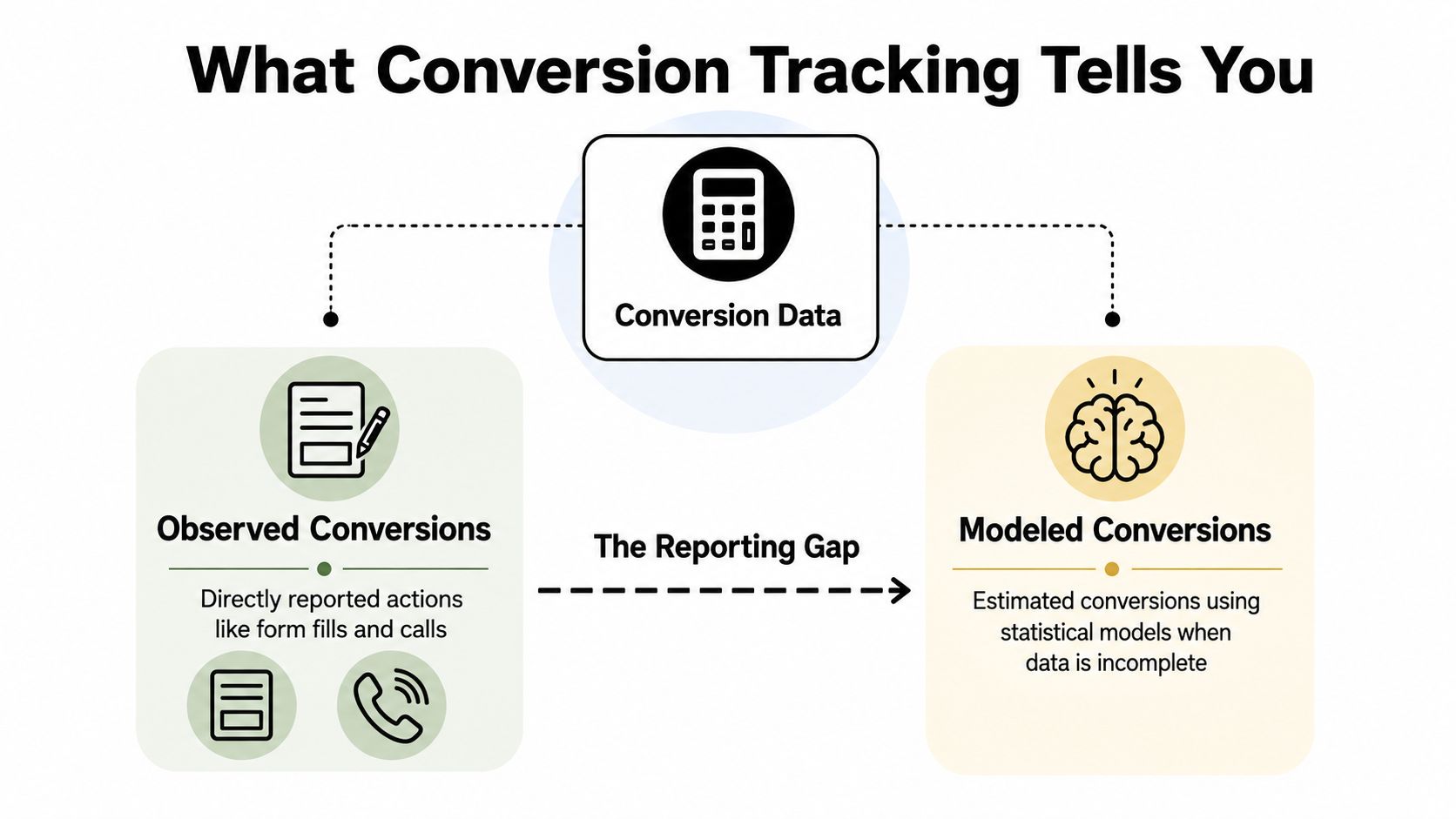
Observed and modeled are different signals
An observed conversion is recorded directly through a tag, an imported record, or another connected measurement source. A modeled conversion is an estimate used when privacy controls, missing cookies, device changes, or technical limits prevent Google from connecting the ad interaction to the later action directly.
Modeled conversions can help fill reporting gaps, but they are not identical to witnessed events. Google applies modeling when it has sufficient confidence and may not use it when an account lacks enough information. Smaller local accounts with limited lead volume can therefore show less stable reporting.
The configuration decision is practical. Use observed website events to verify implementation, then compare them with modeled reporting instead of treating both as equally certain. For home services, a form submission or call is still an early signal until the CRM records a qualified opportunity, booked estimate, or completed job.
GA4 imports introduce another timing consideration. When a Google Analytics key event is imported into Google Ads, conversion data can take up to 24 hours to appear, according to Google's conversion measurement guidance. A status check can confirm that the event is working before the reporting layer finishes processing it.
Practical rule: Before changing bids, identify which actions appear in Conversions, which appear only in All conversions, and which outcomes are modeled or imported.
A stronger review connects campaign activity with revenue and qualified outcomes. The framework in how to measure marketing ROI applies here: a conversion count matters only when the business can explain what happened after the tracked action. That may require enhanced conversions for first-party data, offline imports from the CRM, and attention to the available 90-day window for importing offline outcomes.
Setting Up the Tracking Foundation
The foundation determines whether Google can connect an ad click to a later action. Start with the Google tag, then protect the click identifier, and only after that configure individual conversion events.
Build the base layer first
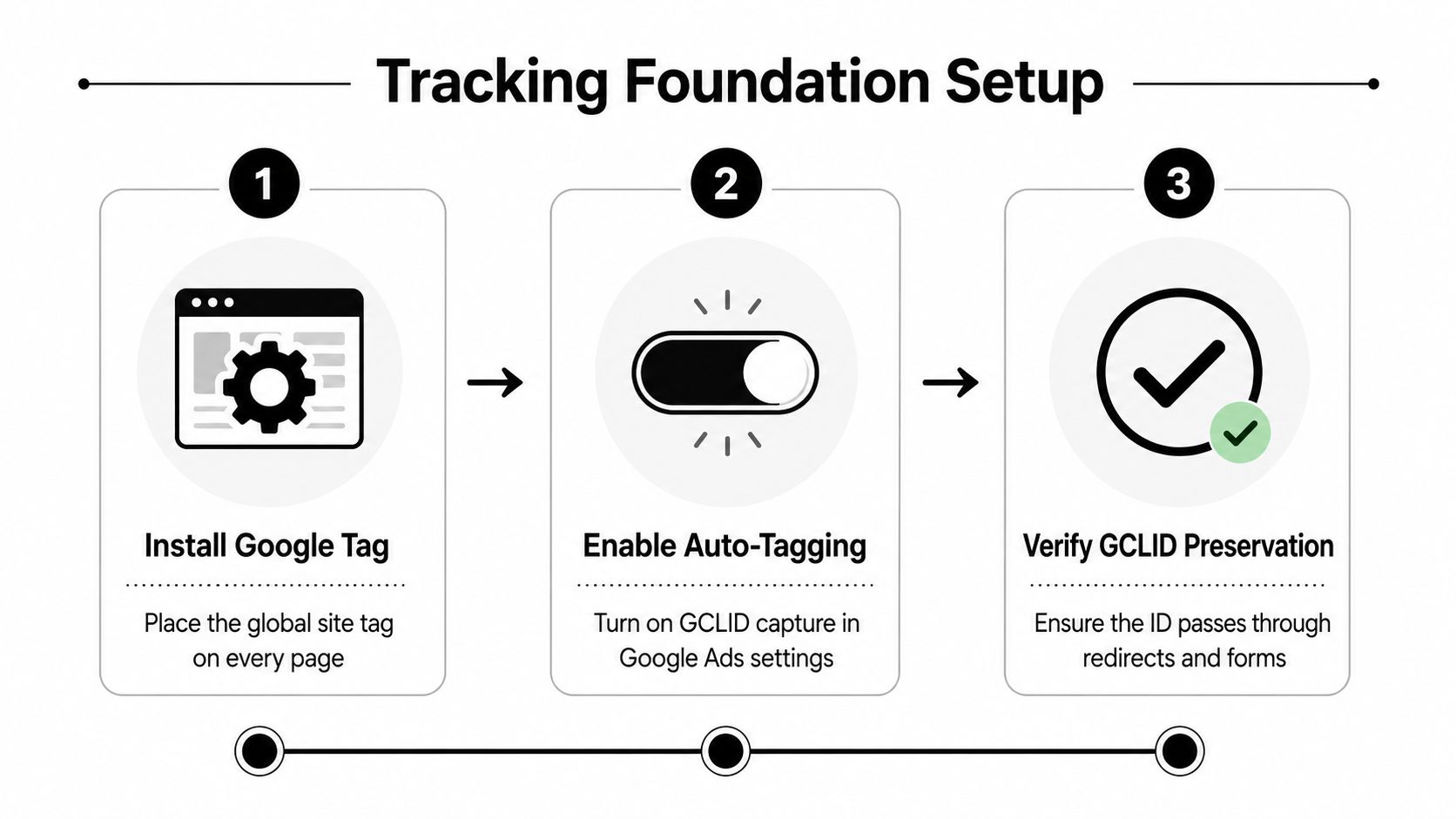
Install the Google tag on every page, normally in the site's <head> section. The tag establishes the measurement foundation and helps Google read the identifier created when someone arrives from an ad. Google recommends sitewide installation because a visitor may land on one page, browse another, and convert later.
Next, enable auto-tagging in Google Ads. Auto-tagging appends the GCLID, or Google Click Identifier, to the landing-page URL. That identifier is the thread connecting the ad interaction to the later conversion. If a call-tracking script, redirect, form handler, or landing-page system strips the GCLID, the conversion tag may fire without being able to attribute the action correctly.
Use this implementation pattern:
- Install the Google tag sitewide: Add it to every page, not only the landing page.
- Enable auto-tagging: Confirm the Google Ads account is appending click identifiers.
- Preserve the GCLID: Test redirects, tracking links, forms, and CRM handoffs.
- Fire the event after completion: Trigger the conversion only after the visitor reaches a real confirmation state.
Google specifically advises against relying on a pixel-only setup or removing the JavaScript conversion code. Its guidance on Google tag implementation and conversion measurement also covers cross-browser measurement, call tracking, forwarding numbers, and the conditions needed for reliable website-call reporting.
Handle cross-domain journeys deliberately
If the conversion page lives on another domain, the identifier has to survive the move. For example, a roofing company may send visitors from its main website to a separate scheduling platform. In that situation, configure the domain linker so the GCLID can pass between the domains instead of disappearing at the handoff.
Test the entire path, not just the landing page. Click a live ad, follow every redirect, submit the form, and inspect whether the confirmation event fires once. A useful supplementary resource is the Big Moves Marketing checklist, which offers a broader campaign-review structure that can help teams catch tracking dependencies before launch.
Choosing the Right Conversion Actions
A service business rarely has one meaningful conversion. It has a sequence of actions with different levels of business value. A quote request, a phone call, a booked appointment, and a completed job shouldn't all teach Smart Bidding the same lesson.
Start with the action, then choose its role
For a local service account, create separate conversion actions for the major pathways:
- Website form submission: Fire when a valid lead reaches a confirmation page or triggers a confirmed success event. Don't fire on the form button click, because validation errors and abandoned submissions can inflate the count.
- Calls from ads: Enable call reporting and use Google forwarding numbers where required. Google uses a minimum call length for call reporting, but duration alone doesn't prove that the caller was qualified.
- Calls to website numbers: Configure website-call measurement separately and test the number replacement, mobile behavior, and landing-page experience.
- Purchase or completed application: Fire after the completed transaction, not when the user begins checkout. For purchases, Google's setup example uses a “Thank you for your order” page as the conversion point. Google's conversion setup documentation supports the practical pattern of placing the Google tag sitewide and firing the conversion event only on the final confirmation page.
Use primary actions for the outcomes you want campaign bidding to pursue. Keep useful but weaker signals, such as raw calls, partial forms, or page interactions, as secondary actions when they help analysis without polluting the optimization signal.
| Action Type | Setup | Primary or Secondary | Best For |
|---|---|---|---|
| Website form submission | Confirmation-page event or validated success event | Primary when it represents a genuine lead | Quote requests and appointment inquiries |
| Call from an ad | Call reporting with Google forwarding numbers and a minimum call length | Secondary until qualified outcomes are imported | Measuring ad-generated phone activity |
| Call to a website number | Website-call measurement and number replacement | Secondary when quality isn't confirmed | Comparing landing-page call paths |
| Purchase or completed application | Event after the final confirmation page or completed application | Primary | Revenue and completed applications |
The interface and terminology can change, so use NiKa Consulting Group's Auckland Google Ads insights as an additional perspective when reviewing account structure and conversion strategy. The principle remains stable: define what counts, then decide what Google should optimize toward.
Connecting Google Tag Manager and GA4
Many Southwest Florida businesses already have Google Tag Manager and GA4 installed, but installation alone doesn't create trustworthy Google Ads reporting. The account needs a deliberate relationship between the website event, the GA4 key event, the Google Ads conversion action, and the consent behavior that governs data collection.
Choose one clear implementation path
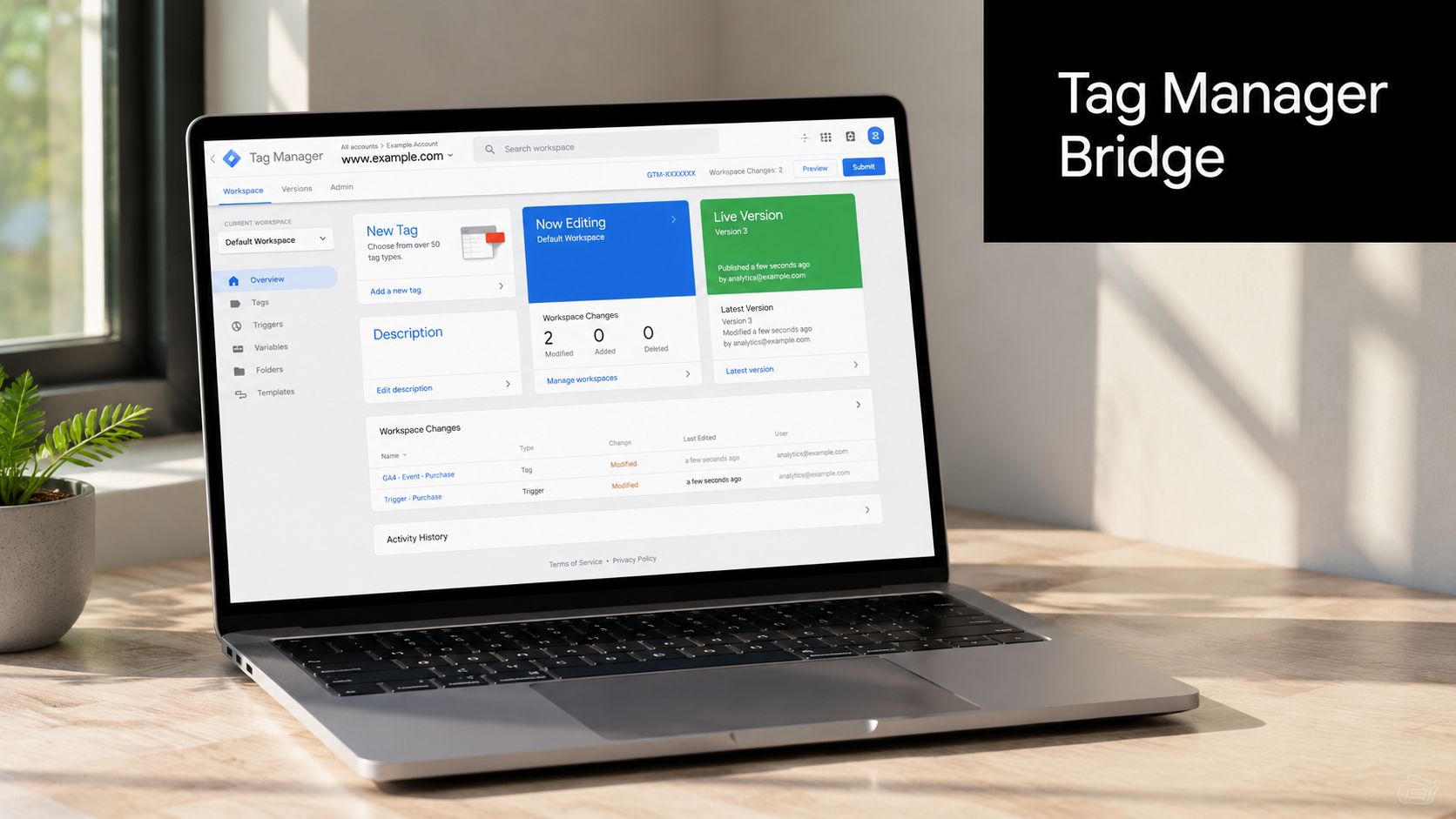
There are two practical approaches. You can send conversions directly through a native Google Ads conversion tag in Google Tag Manager, or you can mark meaningful GA4 events as key events and import them into Google Ads. Both can work, but running both independently for the same action often creates duplicated or conflicting reports.
For a site already organized around GA4, use this sequence:
- Link the active GA4 property: Connect the property that measures the website to the Google Ads account that owns the conversion actions.
- Define the successful event: For example, submit a valid quote request and push a clear event into the data layer.
- Mark the event as a GA4 key event: Avoid treating every click or page view as a business conversion.
- Import the key event into Google Ads: Confirm the imported action has the intended primary or secondary role.
- Test before publishing: Use Tag Manager preview and a real confirmation path, then inspect Google Ads diagnostics.
Google's guidance on linking Google Analytics and Google Ads emphasizes aligning the active Analytics property with the Google Ads account responsible for the website conversion actions. That alignment prevents a common local-business problem, where the website team owns one property while the advertising account imports events from another.
Use Tag Manager for controlled firing
In Tag Manager, the Google tag should load across all pages. A conversion tag should use a narrow trigger, such as a confirmation-page view or a data-layer event that fires only after successful form processing.
A practical lead-form setup looks like this:
- A visitor submits the form.
- The form system validates and accepts the submission.
- The site displays a dedicated confirmation state.
- The data layer pushes a lead event.
- Tag Manager fires the Google Ads conversion tag once.
- GA4 records the corresponding key event if that path is being used.
- Google Ads receives the conversion through the native tag or the GA4 import, not two duplicate paths.
If a business uses a separate booking domain, test the domain linker and the GCLID across the full journey. If the booking platform cannot preserve the identifier, the account may show successful bookings without reliable campaign attribution.
Understand reporting delays and modeling
Google Ads can report both directly observed and modeled conversions. Its All conversions column may also surface cross-device and cross-browser conversions, which matters when a customer searches on a phone, returns on a laptop, and submits a form later. Browser privacy controls, consent choices, device switching, and offline lead handling can reduce the number of conversions Google observes directly.
That's why totals can shift after the original click or change between reporting views. A GA4 key event import may take up to 24 hours to appear in Google Ads, and modeled measurement can add inferred conversions when Google has sufficient confidence. In lower-volume accounts, Google may lack enough information to model conversions at all.
Stronger privacy compliance can make the first report look worse. It can still produce a more reliable optimization signal because the remaining observed data reflects valid consent and the imported outcomes are handled deliberately.
Consent mode also changes how the platform interprets missing signals. Don't treat an apparent reporting decline as proof that campaigns stopped working until you've checked consent behavior, tag firing, GCLID preservation, and CRM outcomes. A clean setup may report fewer raw events while giving the bidding system a clearer connection to qualified actions.
For account access and property permissions, use this practical guide on giving access to Google Analytics. Access errors can prevent the right people from validating the implementation, even when the tags themselves are present.
Tracking Phone Leads and Offline Sales the Right Way
A call isn't automatically a lead, and a lead isn't automatically revenue. Home services, legal practices, healthcare providers, and other local businesses often close the sale after the website interaction has ended. The CRM contains the information that Google Ads needs, including whether the caller was qualified, booked, hired, or lost.
Google separates calls from ads, calls to website numbers, and offline call imports. Call extensions and duration thresholds can help identify activity, but they can also count low-intent callers and miss the business result. The cleaner approach is to import the qualified outcome from sales records whenever the CRM can store the original ad identifier.
Protect the click-to-CRM handoff
Capture the GCLID with the lead record when the form is submitted or the call is logged. Store the source details with the contact, then send the qualified outcome back to Google Ads through an offline conversion import.
There's a strict timing constraint. Google Ads won't import an offline conversion uploaded more than 90 days after the associated last click, and Google states that the GCLID is retained for 90 days in this context, as described in its offline conversion import FAQ. If a sales cycle can exceed that window, the CRM and attribution plan need to account for it before the record ages out.
Example: a customer clicks an ad, calls the company, and signs a service agreement 45 days later. The team should upload that qualified conversion before day 90, with the stored click information and the correct conversion action.
Improve matching with consented first-party data
Enhanced conversions let advertisers send hashed, first-party user-provided data from website or imported offline leads. Google can use that information to match records to signed-in Google Accounts that interacted with ads, as explained in Google's enhanced conversions documentation.
A practical form example is straightforward:
- The form collects a consented email address or phone number.
- The implementation hashes the value before transmission.
- Google uses the hashed identifier to improve matching for the web conversion.
- The CRM retains the lead and its ad-click details.
- The later qualified outcome can be imported as an offline conversion.
This approach is more useful than reporting every call as a success. It gives Google a path from initial contact to a verified business result.
For local visibility work that supports the same lead journey, businesses can also review Google Business Profile setup. Local listings and paid campaigns answer different measurement questions, so keep their conversion definitions distinct.
Bidding on Qualified Outcomes Instead of Vanity Leads
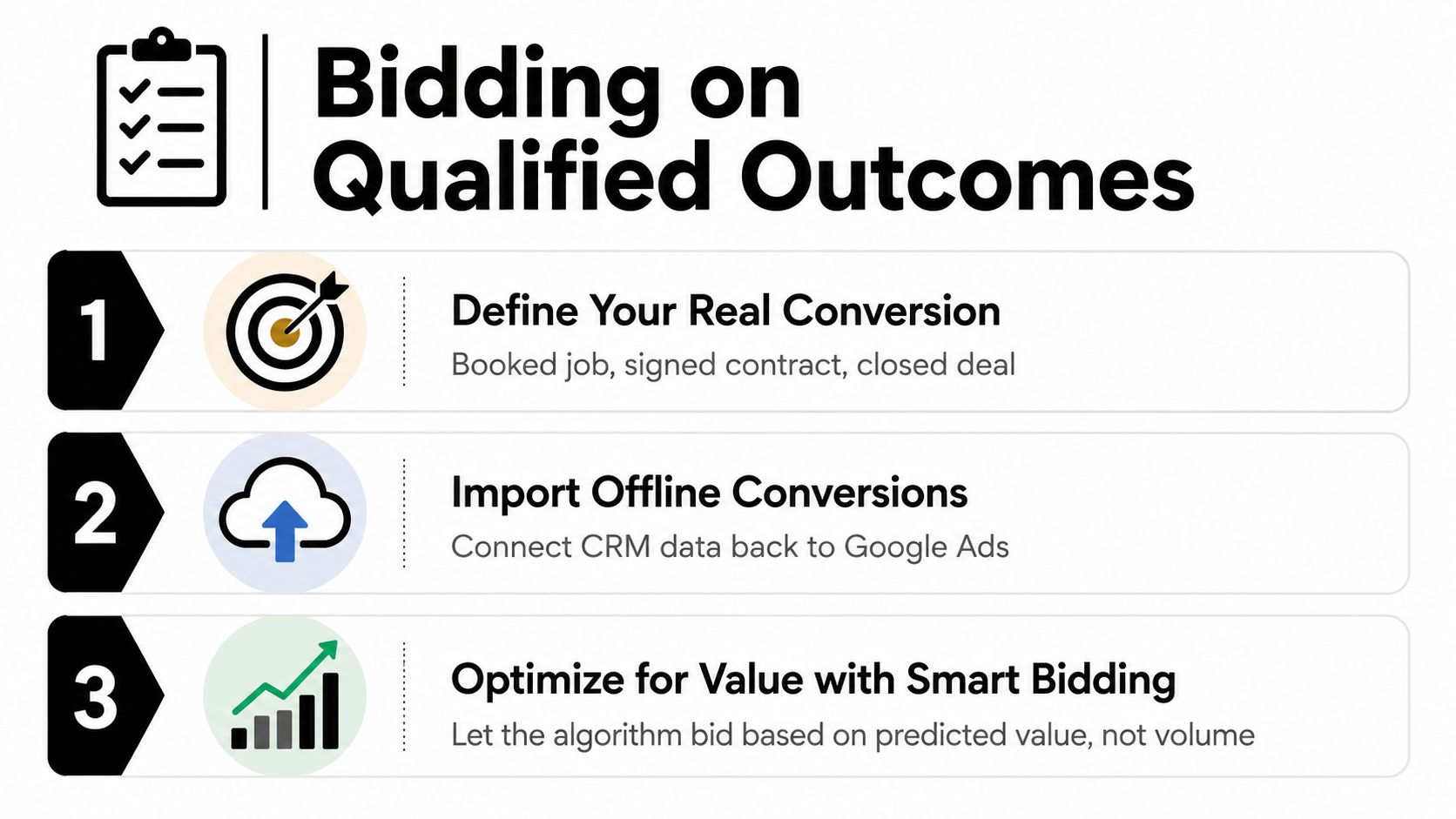
Raw call volume is easy to celebrate because it appears quickly in a report. A booked job is slower, harder to import, and much more valuable. If Smart Bidding receives every short call and every unqualified form as a primary conversion, it can learn to pursue more of those inexpensive signals instead of the searches that produce profitable work.
Define the business result
For a cleaning company, the primary outcome might be a booked recurring service. For a roofer, it could be a qualified inspection or signed contract. For a law firm, it might be an accepted consultation. Each business needs a conversion action that reflects the point where a lead becomes commercially meaningful.
Use the CRM as the source of truth:
- Raw form submission: Keep it available for diagnostics and lead-volume analysis.
- Answered call: Track it as an observation unless the business can verify quality.
- Qualified lead: Import it when staff confirms fit and intent.
- Booked appointment: Use it as a stronger primary outcome when appointment records are reliable.
- Closed deal: Import it when the sales cycle and 90-day click window permit.
- Revenue value: Send value when the CRM can associate a defensible amount with the outcome.
This doesn't mean deleting upper-funnel actions. It means separating measurement from optimization. A form fill can reveal landing-page performance, while a booked job teaches bidding which searches deserve more budget.
Apply attribution thoughtfully
Google says Data-driven attribution uses historical conversion data to distribute credit across the conversion path and is the default attribution model for most conversion actions. Existing conversion actions can be switched to Data-driven in the Conversions settings or through the Attribution area, as described in Google's attribution documentation.
For example, a local service campaign may include search ads, remarketing, and branded searches before an appointment is booked. A last-click view can assign all credit to the final interaction, while Data-driven attribution can evaluate the broader path using the conversion data available to the account. Use the model as a way to improve interpretation, not as permission to ignore CRM validation.
Troubleshoot the five common failures
| Symptom | Likely cause | One-line fix |
|---|---|---|
| Conversions appear only from a landing page | The Google tag isn't sitewide | Install the Google tag on every page |
| Clicks arrive without usable attribution | Auto-tagging is off or the GCLID is lost | Enable auto-tagging and test every redirect |
| A lead count grows faster than real inquiries | The tag fires on page load or every refresh | Trigger only on the confirmation event |
| A cross-domain booking isn't attributed | The identifier doesn't survive the domain change | Configure and test the domain linker |
| Offline records reject or remain unmatched | The upload misses the click window or required identifier | Check the last-click date, stored GCLID, and upload status |
Google Ads provides conversion-status fields, diagnostics, and reporting endpoints that help confirm whether an action is recording, whether a tag has been verified, and whether an upload was accepted. Check those diagnostics before changing campaign bids.
The 90-day import rule deserves a second check during every CRM review. Rejected records may be too old, may have a missing or invalid GCLID, or may not match the conversion action configured for the upload.
The practical sequence is:
- Capture the click identifier and consented first-party data.
- Record the actual sales stage in the CRM.
- Import qualified outcomes before the click window closes.
- Keep raw forms and calls secondary.
- Let bidding use the primary outcome that aligns with revenue.
A short visual walkthrough can help teams understand how the pieces connect:
Best Practices and Your Monthly Tracking Review
Conversion tracking isn't a one-time installation. Websites change, forms get replaced, redirects are added, consent settings are updated, and CRM workflows evolve. A monthly review keeps the account from optimizing against a signal that stopped working.
Run a focused audit
Use this order so technical checks come before strategic interpretation:
- Confirm sitewide coverage: Verify that the Google tag still loads across the website, including new landing pages.
- Check click capture: Confirm auto-tagging remains enabled and test that redirects preserve the GCLID.
- Review Tag Manager: Make sure the conversion linker or equivalent Google tag configuration still supports the current journey.
- Validate confirmation logic: Submit a test form and confirm the conversion event fires once, only after success.
- Check the GA4 connection: Confirm the active property remains linked to the Google Ads account using imported key events.
- Inspect diagnostics: Review conversion status, tag verification, warnings, and recent activity.
- Reconcile CRM uploads: Compare accepted and rejected records, then check every offline conversion against its last-click date.
- Review primary actions: Make sure Smart Bidding is using qualified outcomes, not raw call duration or unverified form activity.
- Review attribution: Check whether Data-driven attribution remains appropriate for the primary actions.
The owner's most useful question isn't “How many calls did we get?” It's “Which ad interactions produced qualified work, and can Google identify those outcomes?” That question shifts the monthly review from vanity reporting to revenue accountability.
For Southwest Florida businesses, the strongest setup usually combines sitewide tagging, carefully defined primary actions, consent-aware measurement, enhanced conversions where appropriate, and CRM imports for qualified outcomes. The reporting may not always look as large as a raw lead count, but it will be far more useful for deciding where the next dollar of advertising should go.
Polaris Marketing Solutions helps Southwest Florida businesses audit Google Ads conversion tracking, connect website and CRM outcomes, and build reporting around qualified leads instead of raw form fills. Visit Polaris Marketing Solutions to request a practical online analysis and competitor report for your business.