

You can have a sharp-looking website, solid service pages, and a steady flow of Google reviews, yet still lose leads before the phone rings. That happens all the time with local businesses in Fort Myers, Cape Coral, Estero, and Naples. The site looks fine in a desktop preview, but on a real phone with real signal strength, it loads late, buttons lag, and the page jumps while someone tries to tap “Call Now.”
That hidden friction is exactly where core web vitals optimization matters. For a service business, this isn't a vanity score. It affects whether someone stays on your site long enough to request an estimate, book an appointment, or choose you over the next company in local search.
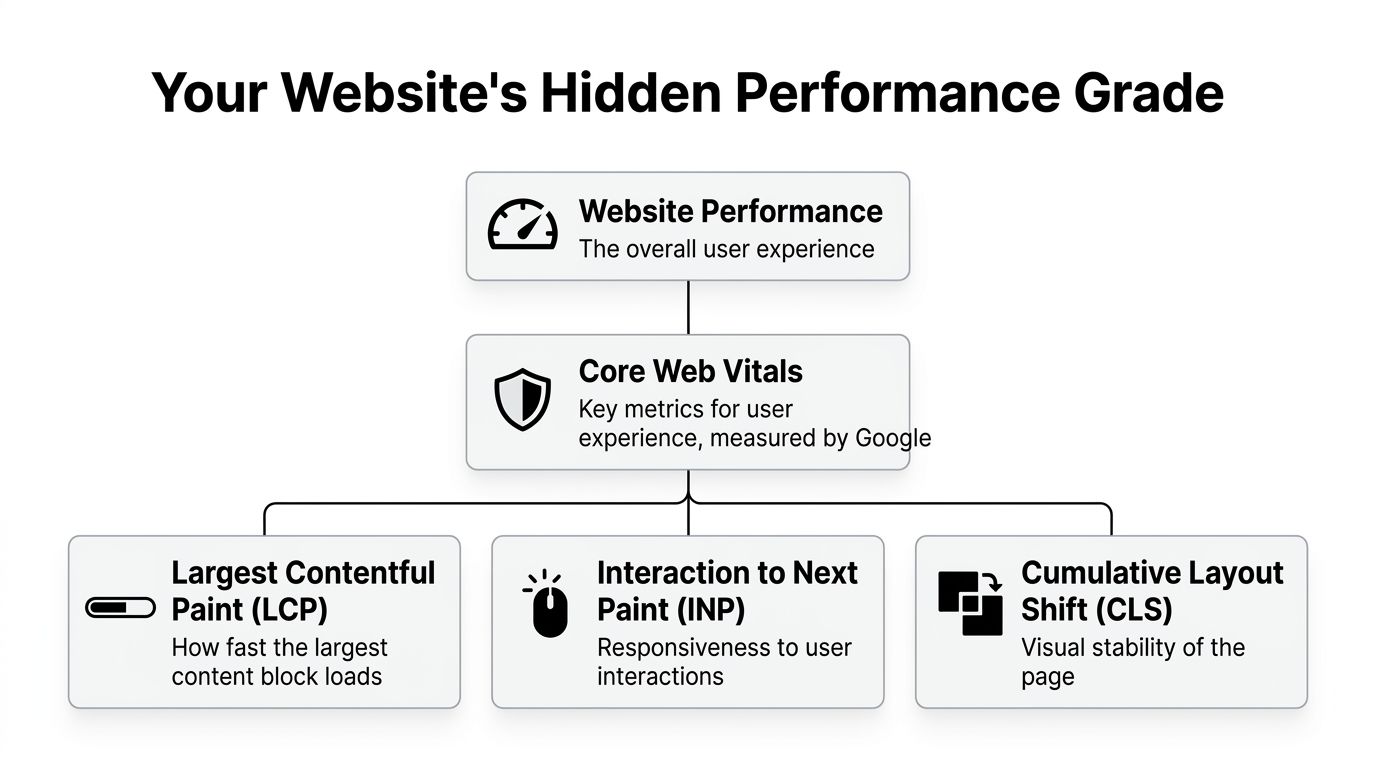
Your Website's Hidden Performance Grade
A common situation goes like this. A roofer or HVAC company launches a redesigned site with strong photos, polished branding, and better copy. A few weeks later, traffic hasn't improved much, and lead quality feels inconsistent. The owner assumes the issue is SEO or ads. Often, the site itself is the problem.
Google measures how your website feels to actual visitors through Core Web Vitals. These metrics focus on three things: how quickly the main content appears, how quickly the page responds when someone taps or clicks, and whether the layout stays stable while it loads. That sounds technical, but it maps directly to human behavior. If the page feels slow or sloppy, people leave.
Why this matters in local markets
A local customer usually isn't browsing for fun. They need a dentist, an attorney, a pressure washing company, or a plumber. They search, skim, tap, and decide fast. If your page hesitates, they go back to search results or Google Maps and call someone else.
As of January 2026, only 55.7% of website origins globally passed all three Core Web Vitals thresholds, which means nearly half of websites still fail Google's baseline for a good experience, according to these Core Web Vitals statistics. That creates a real opening for local businesses that treat site performance as a ranking and lead-generation advantage.
Practical rule: A website can look premium and still perform poorly where it counts, on a mobile phone in a hurry.
If you want a plain-English explanation of the impact of Core Web Vitals, that resource does a good job connecting site speed and usability to search visibility. For businesses trying to improve performance without rebuilding from scratch, a focused approach to page speed optimization services is usually more effective than another cosmetic redesign.
What Google is really grading
Think of Core Web Vitals as a hidden performance grade with three pass/fail questions:
- Can visitors see the main content quickly
- Can they interact without delay
- Can they use the page without things shifting around
If your competitors ignore those basics, and many still do, a faster, steadier site can help you pull ahead without publishing ten more blog posts or spending more on ads.
Connecting Vitals to Local Leads and ROI
Traffic only matters if it turns into calls, form fills, and booked jobs. That's why the business case for core web vitals optimization is straightforward. Better performance improves the experience people have at the exact moment they're deciding whether to trust you.

What each metric means for a service business
Largest Contentful Paint (LCP) is about when the main content becomes visible. On a home page, that's often the hero section. On a service page, it may be the headline, lead image, or first content block. If that part loads late, the visitor doesn't feel progress. They feel waiting.
For a Fort Myers service business, that usually means one thing: lost mobile attention. Someone searching from a parking lot, jobsite, or waiting room won't give your page much patience. A fast LCP keeps them engaged long enough to read your offer.
Interaction to Next Paint (INP) measures responsiveness. This is what happens when someone taps “Request a Quote,” opens your menu, or tries to call from mobile. A slow INP makes the site feel broken, even if the page technically loaded.
Cumulative Layout Shift (CLS) measures visual stability. If a button moves while someone tries to tap it, trust drops immediately. For local businesses, trust isn't abstract. It affects whether a visitor thinks your company is professional enough to contact.
Why the ROI is easier to justify than most SEO work
Some SEO improvements are hard for owners to feel. Core Web Vitals are different. They improve the customer experience first, then support visibility.
Sites that improve their Core Web Vitals from "Poor" to "Good" see an average increase of 15-25% in organic traffic over 90 days, according to this Core Web Vitals and SEO analysis. For small and mid-sized businesses in Fort Myers, that increase can mean more qualified local leads rather than just more sessions.
Slow pages don't just rank worse. They also waste the traffic you already earned.
There's also a practical local angle. Mobile performance still trails desktop in broader market data, which lines up with what many agencies see on small business sites. That matters because local intent is heavily mobile. If your phone experience is weak, your best prospects feel the problem first.
A useful companion to this discussion is how user experience affects SEO. It helps frame performance as part of lead generation, not just as a developer checklist.
A simple way to judge business impact
Ask three questions on your most important pages:
- Home page: Can a first-time visitor see what you do right away?
- Service page: Can they tap your CTA without lag?
- Contact page: Does anything move while they're trying to call or submit a form?
If any answer is no, your website is creating friction at the exact point where local buyers decide.
How to Audit Your Website's Vitals in 10 Minutes
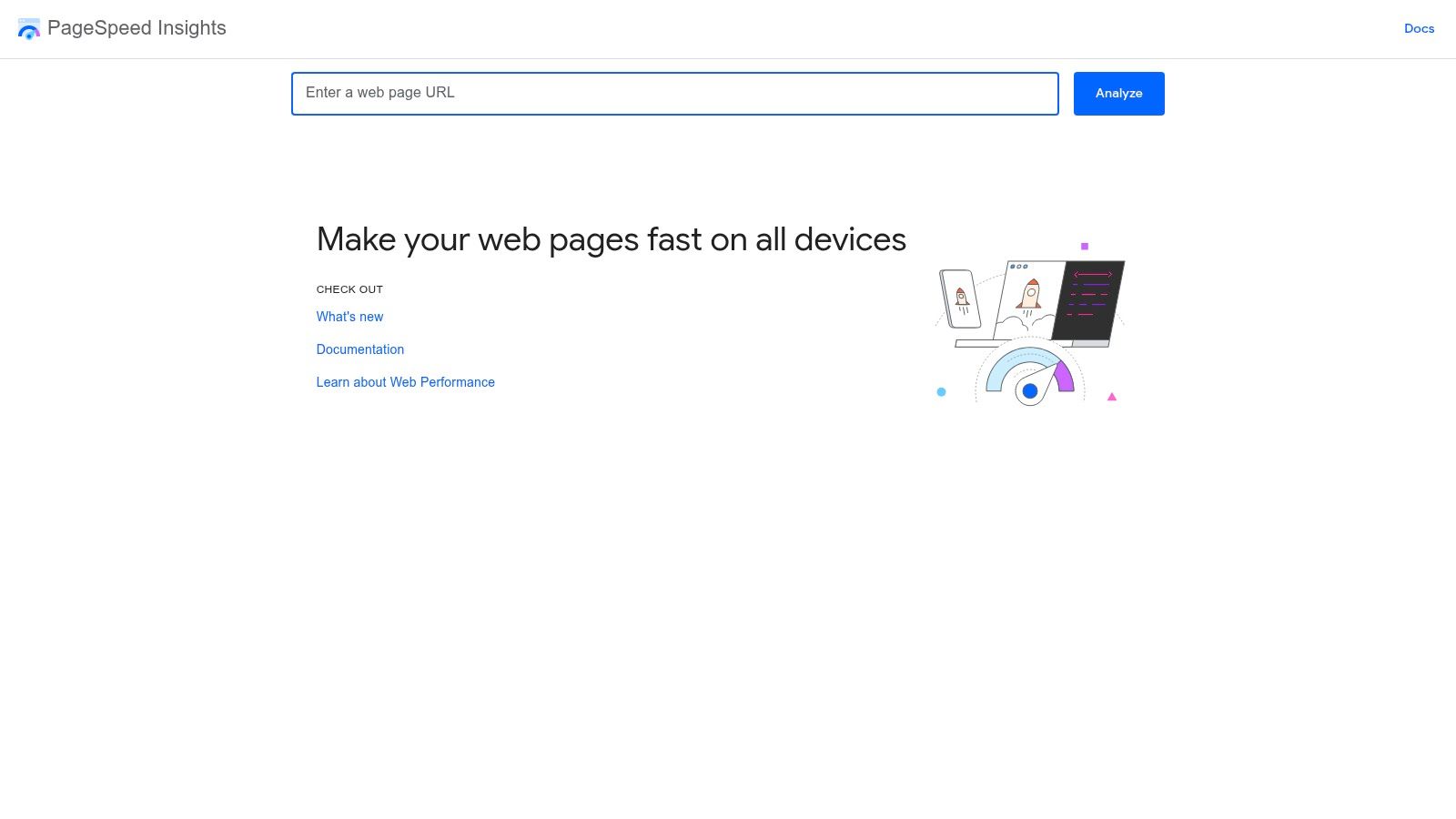
You don't need to read code to get a useful website performance diagnosis. Start with PageSpeed Insights. It's free, fast, and good enough to spot the problems that hurt most small business sites.
Use your homepage first. Then test your top service page and contact page. Those three usually tell you enough to set priorities.
Start with the pages that matter most
Don't audit your privacy policy before your revenue pages. Look at:
- Homepage because it shapes first impressions and often earns branded traffic.
- Main service page because that's where local SEO traffic often lands.
- Contact or quote page because that's where friction directly costs leads.
A reliable framework for this process is Measure, Diagnose, Fix, Budget, and Automate, and one important diagnostic pattern stands out: 78% of pages failing LCP thresholds do so because of unoptimized largest contentful paint resources, typically large images or fonts, based on this Core Web Vitals methodology breakdown.
How to read the report without overthinking it
PageSpeed Insights gives you two views that matter:
- Field Data shows how real users experienced the page.
- Lab Data shows a controlled test that helps you spot likely causes.
Field Data is the more important one for business decisions because it reflects actual visitors. Lab Data is still useful because it helps your developer or marketing partner reproduce the problem.
Look first for the labels Google uses:
- Poor means the issue needs attention now.
- Needs Improvement means the page works, but friction is still present.
- Good means the page meets the target threshold.
If Field Data is bad and Lab Data looks decent, trust the real users. Your customers aren't browsing in a perfect test environment.
What to look for in each metric
For LCP, ask what the biggest visible element is. On SMB sites, it's often a giant hero image, slider, background video, or oversized headline section. If that asset loads late, the page feels slow before the visitor even starts reading.
For INP, look for anything script-heavy. Common offenders include chat widgets, review carousels, cookie tools, popups, scheduling embeds, and bloated themes. If the page hesitates after a click, the browser is usually busy doing too much at once.
A helpful walkthrough is below if you want to see the tool in action before digging into your own site.
For CLS, watch the page while it loads. If text jumps down, buttons move, or an image space suddenly expands, you've found the issue. This is common on pages with missing image dimensions, late-loading banners, or embedded maps and reviews.
Turn the report into an action list
Don't try to fix everything in the diagnostics panel. Build a short punch list:
- Find the biggest element first and ask whether it can be compressed, resized, or loaded more intelligently.
- List every third-party script and decide whether it belongs on every page.
- Check moving elements manually on mobile, especially forms, CTA buttons, maps, and embedded reviews.
If you want a tool that complements manual review, Automated SEO Audit & Fixes can help surface issues faster. It's useful when you need a broader on-page view while you work through performance items one by one.
The High-Impact Fixes Most SMB Websites Need
A Fort Myers roofing company does not lose leads because a report says its LCP is 3.4 seconds. It loses leads because a homeowner taps the site from Google, waits through a bloated hero banner and chat widget, then calls the competitor whose page loads cleanly and lets them request an estimate right away.
That is why the best Core Web Vitals fixes are usually business decisions first. Keep what helps the page rank and convert. Cut or streamline what slows the visit down without adding real revenue.
Fix the pages that drive calls, forms, and map actions
For service businesses, the highest-return pages are usually the homepage, top service pages, and top location pages. Start there. Those pages influence local rankings, ad efficiency, and lead volume more than a low-traffic blog post ever will.
The pattern is consistent across SMB sites:
| Metric | Common Cause on SMB Sites | Highest-Impact Fix |
|---|---|---|
| LCP | Large hero images, sliders, background videos, slow server response, render-blocking assets | Prioritize the main above-the-fold asset, compress and properly size images, improve caching and hosting, preload the key LCP resource |
| INP | Heavy plugins, chat tools, review widgets, map embeds, bloated JavaScript, theme features loading everywhere | Remove unnecessary scripts, load widgets only on relevant pages, defer non-critical JavaScript, reduce long main-thread tasks |
| CLS | Images without dimensions, embedded maps or videos, late-loading banners, layout-based animations | Set explicit width and height, reserve space for embeds, avoid layout-shifting animations, stabilize above-the-fold sections |
A short list of targeted fixes beats a long cleanup project every time.
LCP fixes that help local pages start working sooner
On many SMB websites, the slowest element is the hero section. It is often a full-width image that is far larger than needed, a homepage slider with three to five heavy images, or a background video that looks impressive in a mockup and underperforms in search traffic.
For a local service business, this is not just a speed issue. It affects the first impression and the path to a lead. If the headline, trust signals, and call button show up late, the visitor has to wait before they can act.
Good LCP work is usually straightforward:
- Replace sliders with one strong static image
- Serve the hero image in the right dimensions for mobile and desktop
- Compress images before upload
- Preload the main above-the-fold image when appropriate
- Improve hosting and page caching if server response is slow
A practical example. A plumbing company does not need a rotating banner, stock city skyline, and animated water effect above the fold. It needs a clear service promise, one relevant image, and a visible phone button.
If your team uploads whatever image comes out of Canva or a phone camera, fix that process first. This guide to optimizing images for the web is a good starting point for file sizing, formats, and dimensions that prevent oversized assets from dragging down key pages.
INP fixes that make the site feel reliable
INP problems are common on local business sites because owners keep adding tools that each seem reasonable on their own.
The usual stack looks like this:
- Chat widget
- Review carousel
- Call tracking
- Popup
- Appointment scheduler
- Cookie tool
- Heatmap
- Embedded map
- Theme effects and animations
Now put that on a mobile device with average reception. The page loads, but taps lag. Buttons hesitate. The menu opens late. The form feels broken, even when it technically works.
That lag costs leads.
The fix is usually restraint. Put scripts only where they support the goal of the page. A map can live on the contact page. A scheduling embed may belong on a booking page, not every service page. A review widget does not need to run in the footer sitewide if a static testimonial section can do the job faster.
I also look hard at anything that duplicates another tool. Many SMB sites are running two analytics layers, multiple popups, or several conversion tools that all fire on page load. That is expensive from a performance standpoint and rarely justified by the results.
For WordPress sites, Refact's WordPress speed tips offer a useful checklist for trimming plugin bloat and simplifying theme-level scripts.
CLS fixes that protect trust on the first visit
Layout shift is one of the fastest ways to make a business look sloppy. A visitor tries to tap "Call Now," then the page jumps because a review embed, font, banner, or image finishes loading and pushes everything down.
That hurts more than aesthetics. It creates hesitation right at the moment of action.
The common fixes are simple:
- Add explicit width and height to images
- Reserve space for maps, videos, and review widgets
- Keep banners from injecting above existing content after load
- Avoid animations that move layout boxes into place
- Test mobile pages manually, especially near buttons and forms
Service businesses feel this problem most on pages with trust elements near the top. Team photos, financing banners, coupon bars, badges, and review modules often load late and shift the layout. If those elements matter, give them a stable container from the start.
The broader point is simple. Core Web Vitals work pays off fastest when it is tied to revenue pages and buyer actions. Fix the assets, scripts, and layout problems that delay calls, form fills, and location-page engagement, and the performance gains start showing up where they count.
Practical Tips for WordPress and Shopify Sites
Platform matters because the same Core Web Vitals issue shows up differently in WordPress and Shopify. The fixes are similar in principle, but the implementation usually depends on themes, apps, plugins, and how much control you have over the stack.
WordPress sites
WordPress can perform very well, but it's easy to overload. Most speed problems come from stacking features without thinking about the combined cost.
Start with the basics:
- Caching plugin: Tools like WP Rocket are popular because they simplify page caching, file optimization, and lazy loading settings in one place.
- Image optimization: Plugins such as ShortPixel can help compress uploads and streamline media handling.
- Theme cleanup: Disable homepage sliders, animation effects, icon packs, and font variations you aren't using.
- Plugin review: If two plugins do similar things, keep one. If a plugin only supports a minor visual feature, remove it.
A practical example: a contractor site might use Elementor, a popup plugin, a review slider, a chatbot, and a scheduling embed. That setup can work, but only if those features are loaded selectively. If every script appears on every page, performance slips fast.
Shopify stores
Shopify handles much of the infrastructure well, but merchants still run into performance problems through theme choices and app sprawl.
Look closely at these areas:
- Theme choice: Pick a fast, clean theme before adding visual extras.
- App discipline: Remove apps you tested and forgot about. Many continue loading assets even after the feature stops mattering.
- Product imagery: Keep images crisp but not oversized. Large media galleries and autoplay elements often hurt more than they help.
- Homepage restraint: Resist loading every promo banner, review snippet, social feed, and popup at once.
Shopify stores also need to think carefully about layout stability on collection and product pages. If badges, promotional bars, or recommendations appear late, the page feels less trustworthy right when the buyer is evaluating a purchase.
The platform-specific shortcut
The fastest path usually isn't a custom rebuild. It's choosing fewer moving parts.
For WordPress, that means fewer plugins, a lighter theme, and smarter asset loading. For Shopify, it means fewer apps, disciplined theme customization, and tighter control over what appears above the fold.
A site gets faster when you stop asking it to do unnecessary work.
Tracking Your Progress and Reporting on Success
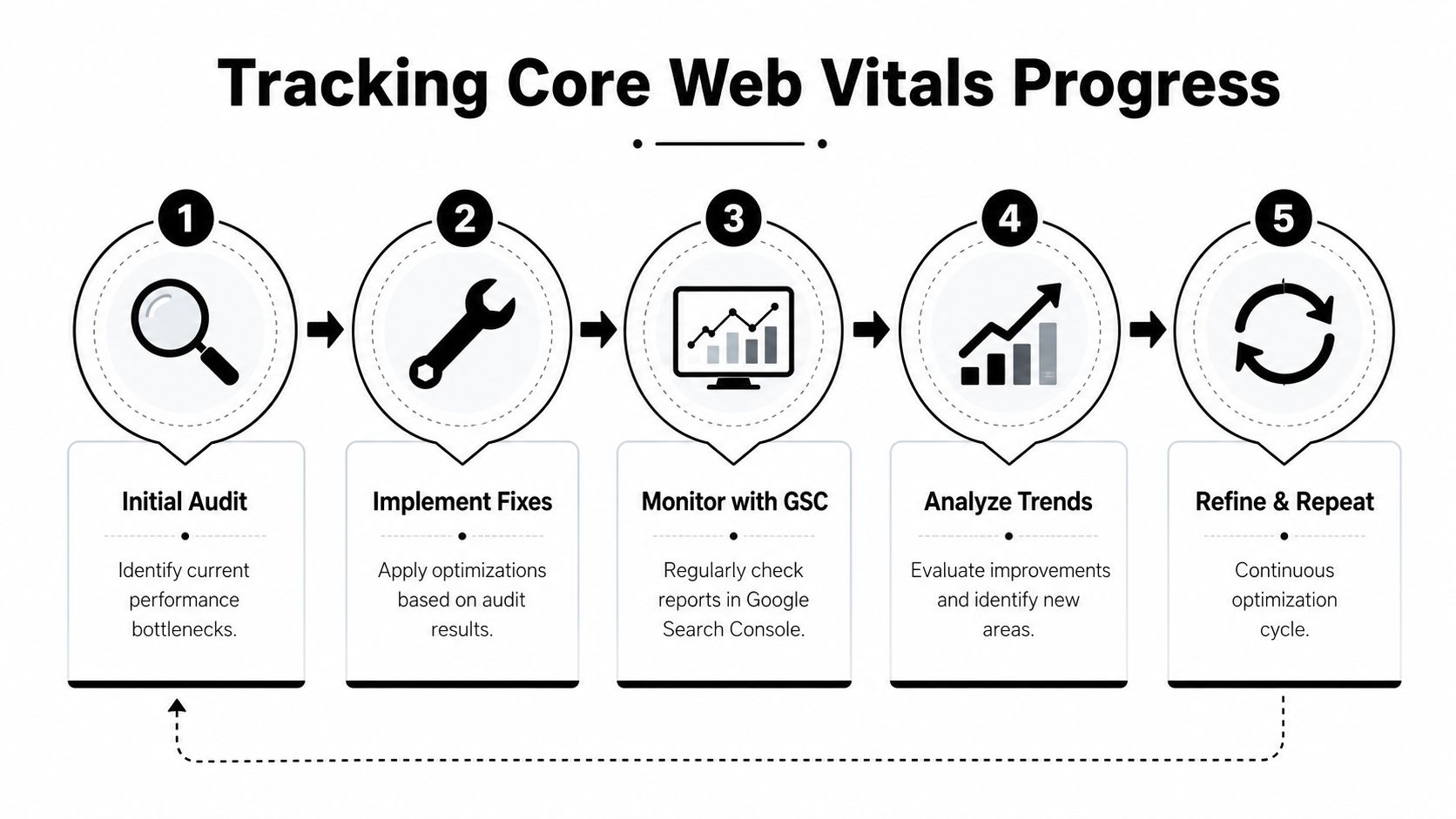
Performance work isn't finished when the page score improves. What matters is whether the gains hold and whether they show up on pages that generate calls, quote requests, and booked appointments.
Google Search Console gives you the clearest ongoing view for this. After making changes, watch the Core Web Vitals reports for mobile and desktop, then monitor the page groups tied to your key issues. After fixing issues, start a 28-day validation session in Google Search Console to confirm the problem does not reappear, as explained in this guidance on Core Web Vitals validation and prioritization.
What to monitor each month
Don't build a report around vanity scores alone. Tie the technical work to business outcomes on your highest-value pages.
Track these items together:
- Core Web Vitals status by page group so you can see whether the issue is improving or recurring
- Organic traffic trends on priority pages because those pages carry the most business value
- Lead actions such as contact form submissions, booked consults, or tap-to-call interactions
- Page-level behavior including whether visitors stay engaged long enough to act
How to present success to a business owner or team
Keep the report simple. Use a before-and-after view for a small number of important pages.
A strong report might show:
- the homepage moved from poor responsiveness to a healthier user experience
- the main service page stabilized visually after media dimensions were fixed
- the contact page became easier to use on mobile after reducing third-party clutter
Performance reporting works best when every fix is tied to a page, a user action, and a business outcome.
That approach changes the conversation. Core Web Vitals stop looking like a technical side quest and start looking like what they really are: operational improvements to your digital storefront.
If your website feels slower than it should, ranks below competitors in Fort Myers, or turns solid traffic into too few leads, Polaris Marketing Solutions can help you identify the performance issues that matter and fix them in a way that supports SEO, user experience, and real business growth.