
A Fort Myers roofer can finish a strong month of work and still watch estimate requests go to competitors because the company's Google Business Profile is unclaimed, incomplete, or pointed at the wrong service area. Homeowners searching for “roof repair near me,” “HVAC contractor open now,” or a paving company in Cape Coral often make a decision before they ever reach a contractor's website.
That's why a Google Business Profile for contractors needs to be treated as an active sales channel, not a directory listing. The profile influences what a homeowner sees in Maps, how quickly they can call, whether they trust the photos and reviews, and whether Google understands the services and communities you cover.
Why Contractors Cannot Afford to Ignore Their Google Business Profile
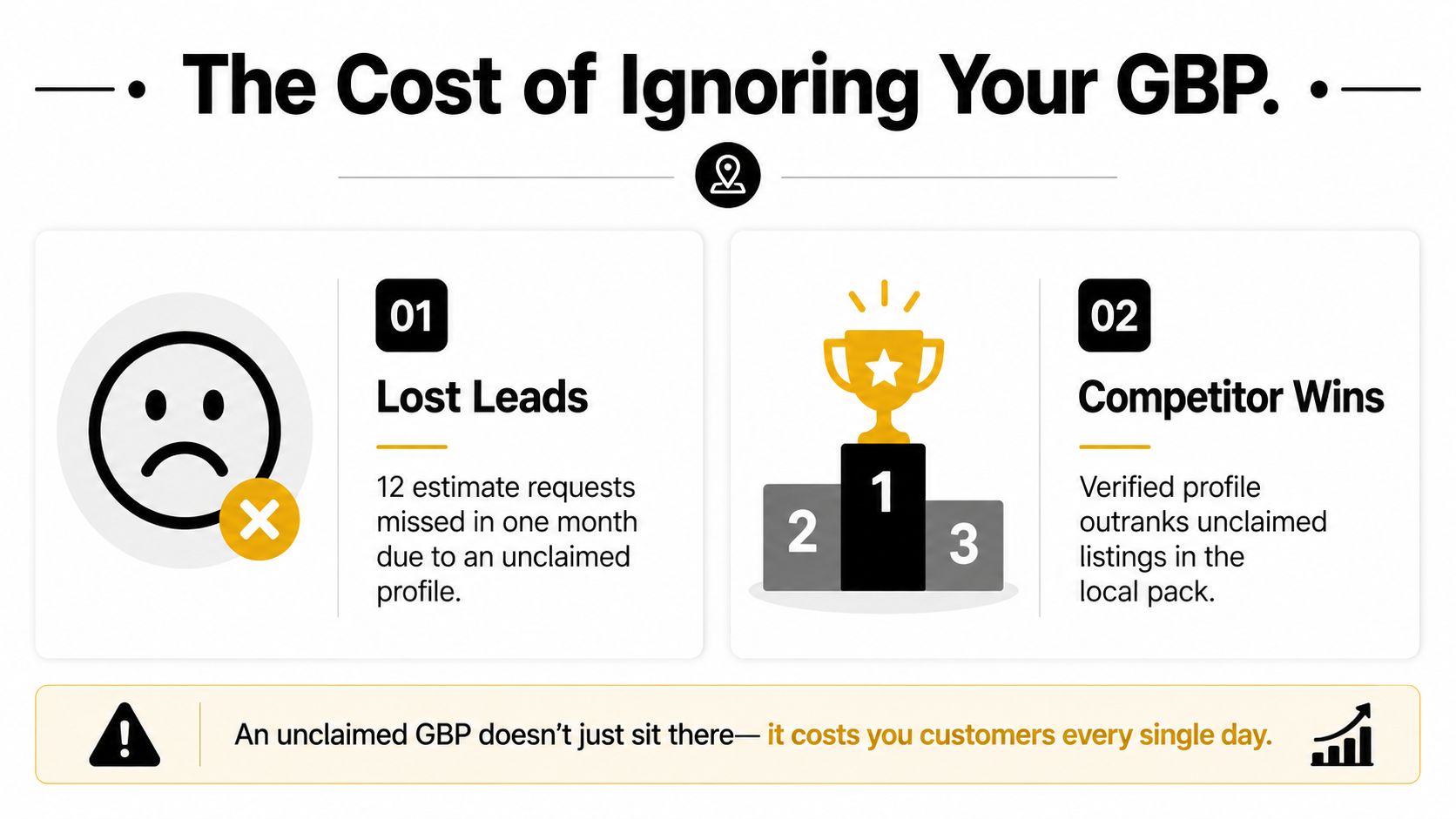
A Cape Coral roofer recently noticed that estimate requests had slowed. The company was operating, answering the phone, and serving the same neighborhoods as before, but its profile was unclaimed and barely populated. A competitor with a verified profile, current photos, and visible reviews appeared in the local pack instead. The roofer didn't lose work because the crew suddenly became less capable. The business lost visibility at the exact moment homeowners were ready to act.
I'm careful about assigning a precise lead loss to an individual contractor unless the call records support it. The practical issue is clear, though. Google Business Profile is often the first ranking asset a homeowner sees when searching locally. One industry summary reports more than 200 million business listings worldwide, with about 76% verified and roughly 28,000 new profiles created each day (industry data on Google Business Profile usage). An unclaimed profile gives Google and potential customers less reliable information to work with.
The four moments that shape the decision
Google's local results generally reflect proximity, relevance, and prominence. Proximity depends on where the searcher and business are located. Relevance comes from categories, services, profile content, and the relationship between the search and the business. Prominence is the area contractors can influence most directly, through reviews, accurate information, photos, website signals, citations, and consistent activity.
Your profile affects the buying journey in four practical places:
- The Map Pack: Homeowners compare names, ratings, service descriptions, hours, and photos here before clicking.
- The knowledge panel: A complete profile can answer basic questions without forcing the customer to hunt through your website.
- The directions request: A homeowner may check your location or service coverage before deciding whether you're truly local.
- The phone call: Accurate hours, a working local number, and a clear service offer reduce friction when the problem is urgent.
Google's own documentation says owners can review profile performance data, including views, search queries, calls, messages, bookings, and direction requests (Google Business Profile performance guidance). That makes the listing measurable. You can see whether visibility is producing actions, not just impressions.
Practical rule: Treat every profile field as part of the sales process. If a customer could use the information to decide whether to call, keep it accurate and current.
The rest of this guide addresses the problems that repeatedly cost contractors visibility: incorrect business type, verification delays, weak categories, vague services, thin photos, stale reviews, outdated Q&A advice, and ignored Google Posts. Those are fixable operational issues, not mysteries reserved for large companies.
Creating and Verifying Your Profile the Right Way
Start with ownership, not optimization. Sign in to a personal Google account that the business controls, go to business.google.com, select “Add your business,” and choose the business type that matches how customers interact with you.
A shop, showroom, or material yard where homeowners visit can use a storefront setup. A roofer, HVAC company, paver, pool builder, or similar trade that travels to customers should generally choose service-area business. If customers visit a genuine location and you also travel to jobs, the profile may need to represent both functions accurately.

Enter information Google can verify
Use the legal business name that matches your registration, signage, invoices, vehicles, and customer paperwork. Don't add phrases such as “Best Cape Coral Roofer” unless those words are part of the real-world business name. Keyword stuffing in the name field can trigger suspension and creates inconsistencies across the web.
For the phone field, use the primary local business number during verification rather than a call-tracking number. You can evaluate calls through other tracking methods later, but the main number should be consistent with the company website and important listings.
A storefront profile should use the exact address where the business operates and receives customers. A service-area business should hide the address when customers don't visit it and define the communities it serves. Google doesn't let service-area businesses set coverage as a radius. Use cities, ZIP codes, or other specific areas instead, as explained in this service-area business guidance for contractors. For Southwest Florida, that may mean selected markets in Lee, Collier, and Charlotte counties, rather than an oversized circle that implies coverage you can't deliver.
Plan for the verification window
Google may offer verification by postcard, phone, or email, depending on the business and category. Use the available methods in this practical order:
- Postcard: Confirm that the mailing address can receive it and allow the review process to take up to 5 business days, as stated in Google Business Profile verification guidance (verification timing and service-area instructions).
- Phone: Choose this only when Google makes it available for the profile.
- Email: Use it as a fallback when the option appears and the inbox is controlled by the business.
Avoid changing the core name, phone, address, or category while verification is pending. If the listing is suspended, remove keyword additions from the name, delete duplicate profiles, correct the address and phone details, and ensure the business type reflects reality before requesting another review. Contractors who create separate profiles for every city often create a duplicate pattern instead of gaining coverage.
For a deeper implementation checklist, review this resource on how to optimize your business profile for local search. You can also compare your setup against this Google Business Profile optimization checklist.
Choosing Categories, Services, and a Description That Converts
The primary category is one of the highest-impact choices in a contractor profile because it tells Google what the business does. A roofer should look for Roofing Contractor, a paver should consider Paving Contractor, and an HVAC company should use HVAC Contractor when those categories accurately describe the main operation.
“Contractor” is usually too broad when a more specific category exists. The primary category should reflect the service that drives the business, not every service the crew happens to perform.
Build the profile around a service catalog
Add relevant secondary categories after reviewing legitimate competitors in the same ZIP code. Don't copy every category you see. A roofing company that also handles gutters and siding may have reasons to add related categories, while a focused HVAC installer shouldn't add categories for services it doesn't provide.
Write each service as an action phrase:
- Tile roof repair: Inspection and repair of cracked, displaced, or failed roof tiles.
- Driveway resurfacing: Preparation and resurfacing for worn residential concrete or paved driveways.
- AC system installation: Replacement and installation of residential cooling systems selected for the property.
- Storm damage assessment: On-site inspection and documentation after severe weather.
- Paver sealing: Cleaning and sealing that helps maintain the appearance of installed pavers.
Add a short, useful description to each service. Where the market allows it, include a starting price range only if the range is honest and regularly maintained. A misleading low price may attract clicks but create poor calls and erode trust.
Use the description to clarify fit
A roofer might write:
ABC Roofing serves homeowners in Cape Coral, Fort Myers, North Fort Myers, Estero, and nearby Southwest Florida communities. We provide tile roof repair, shingle roof replacement, inspections, leak response, storm-damage assessments, and gutter work. Our team explains the condition of the roof, outlines practical options, and schedules work based on the property's needs. Contact us for an evaluation and a clear scope of work.
A paver could use:
ABC Paving serves Cape Coral, Fort Myers, Naples, Bonita Springs, and surrounding Lee and Collier County communities. We install and repair driveways, walkways, patios, pool decks, and paver surfaces, including resurfacing, joint sand replacement, cleaning, and sealing. We help homeowners choose materials and layouts suited to the property, then provide a defined project scope before work begins.
An HVAC company might write:
ABC HVAC serves homeowners and small businesses in Fort Myers, Cape Coral, Estero, Bonita Springs, Naples, and nearby communities. We handle AC system installation, replacement, maintenance, troubleshooting, ductwork, indoor-air-quality services, and emergency cooling calls when available. Our technicians explain the issue clearly and recommend practical repair or replacement options for the building.
Keep your name, address, and phone number consistent across the description, services, website, and citations. This table gives a starting framework:
| Trade | Primary Category | Sample Services | Description Keywords |
|---|---|---|---|
| Roofing | Roofing Contractor | Tile roof repair, roof replacement, inspections, storm-damage assessment | Roof repair, tile roofing, leak response, Cape Coral, Fort Myers |
| Paving | Paving Contractor | Driveway resurfacing, paver installation, sealing, walkway repair | Driveways, pavers, patios, resurfacing, Naples, Bonita Springs |
| HVAC | HVAC Contractor | AC installation, maintenance, ductwork, emergency cooling | HVAC, air conditioning, replacement, service, Estero, Fort Myers |
Photos and Portfolio That Build Instant Trust
Stock crew photos and supplier images don't prove that your company completed real work. A homeowner comparing contractors wants evidence of the people, vehicles, equipment, and finished projects they'll encounter.
Start with a simple photo mix:
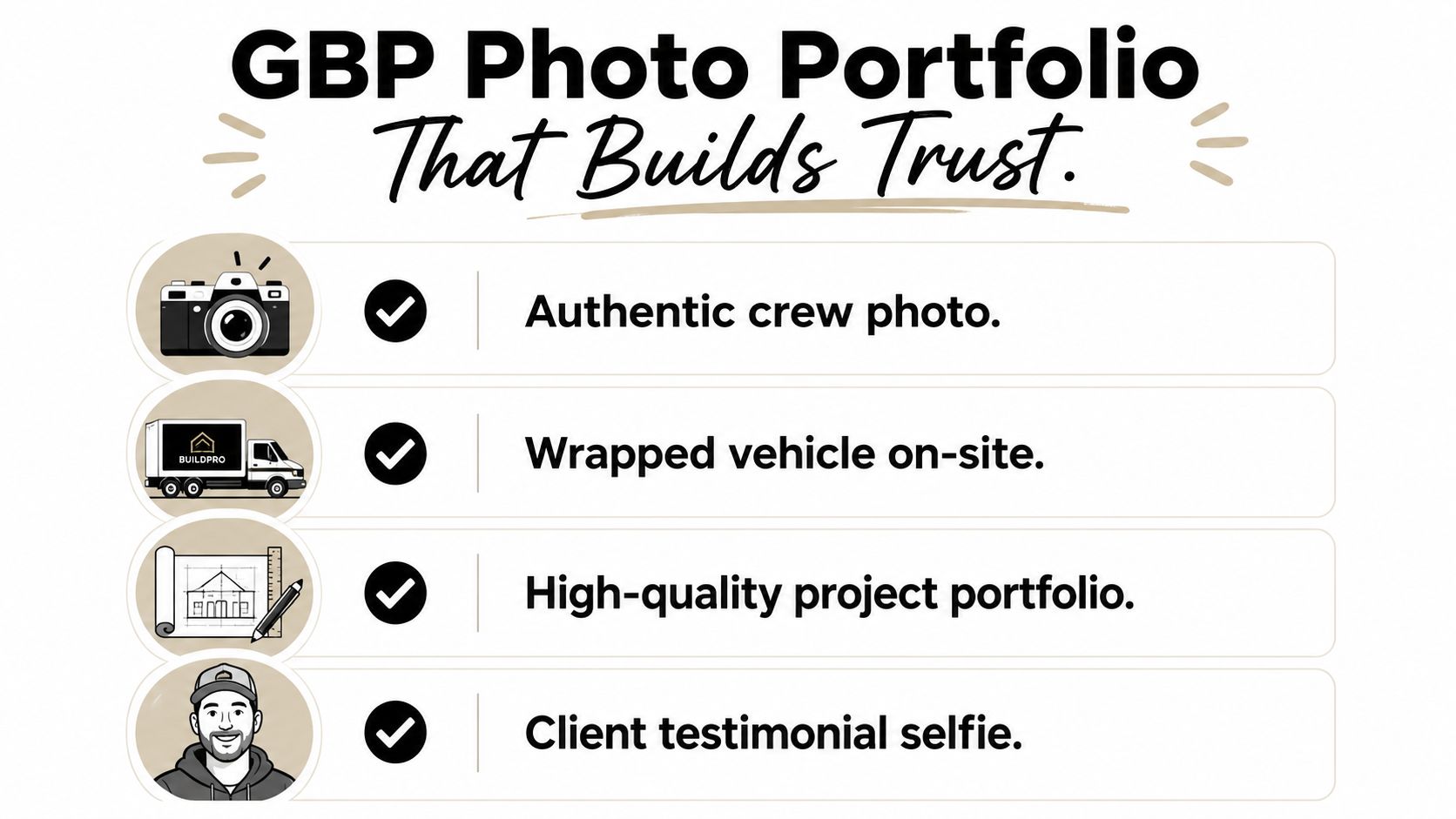
- Crew photo: Show the actual team in branded shirts or at a job site.
- Branded vehicle: Photograph wrapped or decaled trucks with the business name visible.
- Location signal: Capture the storefront, yard sign, office, or legitimate operating location.
- Project portfolio: Organize before-and-after images by service, such as tile roofs, driveways, patios, or AC installations.
- Work in progress: Show preparation, installation, cleanup, and the completed result.
Upload clear, high-resolution images, with 2,400 pixels as the minimum target for the long dimension when the source photo supports it. The first images you upload may receive more attention because they appear earlier in the profile, so lead with your strongest proof rather than a logo.
Make the library usable
Use a naming convention that helps your team retrieve images later:
2026-08-Cape-Coral-Tile-Roof-Repair-Before-01.jpg
That format identifies the date, location, service, stage, and image number. It also prevents the common situation where a contractor has hundreds of files called IMG_4821 and IMG_4822.
A solo roofer can maintain the profile by uploading recent job photos in a sustainable monthly batch. A five-truck paving crew can assign one photo collection responsibility to each project lead and send selected images to a shared folder. The point isn't to create a perfect gallery overnight. It's to keep the portfolio tied to current work.
Don't upload photos taken from supplier websites or other contractors' portfolios. Google's policy framework applies to profile photos and videos, and policy violations can lead to content removal or temporary loss of reviews and ratings (Google Business Profile policy considerations for contractors).
A portfolio tab or clearly labeled album structure is more useful than dumping unrelated images into one gallery. Group “Roof Repairs,” “Driveway Resurfacing,” “AC Installations,” and “Team and Vehicles” separately so a homeowner can find relevant proof quickly.
A Review Strategy Built Around Recency, Not Just Volume
A contractor with a large archive of old reviews may look established, but that alone doesn't answer whether the business is still active. In a study of 500 contractor profiles, the time since the latest review correlated at -0.41 with ranking position, while total review count correlated at -0.22 (contractor Google Business Profile study). The figures don't prove that reviews are the only ranking factor. They do support a practical conclusion: fresh review activity deserves more attention than an impressive but inactive total.
A separate benchmark reported that the top profile averaged 404 reviews, compared with 375 for the second profile. It also associated each additional review with 600+ search impressions, 80+ website visits, 63+ direction requests, and 16+ phone calls (Google review benchmark for contractors). Those associations should be treated as directional benchmarks, not guaranteed outcomes for every market.
Build a request sequence crews can actually follow
Ask shortly after the customer confirms the work is complete. A workable process looks like this:
- At completion: The project lead confirms satisfaction and explains that an honest Google review helps future customers evaluate the company.
- Within 48 hours: Send a text containing the direct Google review link.
- Follow-up email: Send the same link with a brief reminder and the project contact's name.
- Quarterly refinement: Encourage customers who choose to elaborate to mention the service performed, such as tile repair, driveway resurfacing, or AC replacement. Never script praise or offer incentives.
The relevant target in competitive markets is steady freshness. The contractor study's practical workflow recommends monitoring whether new reviews appear every 1 to 3 weeks, rather than waiting for a large batch after a long silence.
Respond to every review. Keep positive responses specific, mention the completed service naturally, and avoid copying the same sentence repeatedly. For a negative review, acknowledge the concern, avoid discussing private details, invite the customer to contact the business directly, and move the resolution offline. Don't argue about invoices or blame the homeowner in a public reply.
Google removed the public GBP Q&A feature in late 2025, so old advice about seeding questions there is outdated (updated contractor GBP guidance). Put that effort into service details, current photos, review responses, messaging, and clear website content instead.
| Review Velocity | Avg. Reviews/Month | Avg. Map Pack Position | Notes |
|---|---|---|---|
| Steady recent activity | Not established in the verified data | Recency showed a stronger correlation in the contractor study | Aim for consistent requests after completed jobs |
| Irregular bursts | Not established in the verified data | Not established in the verified data | Bursts don't replace ongoing activity |
| Long inactive periods | Not established in the verified data | Older reviews can weaken freshness signals | Rebuild the request process rather than chasing volume |
Use this review acquisition workflow for contractors to document who asks, when the link is sent, and whether responses are completed.
Turning Posts, Services, and Insights Into a Weekly Routine
Google Posts, the service menu, and Insights work better as one operating routine than as isolated features. The service menu tells Google and customers what you offer. Posts provide timely reasons to engage. Insights shows which searches and actions deserve your next update.
A practical Monday routine
Set aside 20 minutes on Monday morning:
- Check Insights: Review the previous week's search queries, calls, messages, website visits, and direction requests. Look for services customers searched for that aren't represented clearly in recent posts.
- Publish one post: Use a real job, seasonal need, service explanation, or company update. Add a relevant photo and a clear action.
- Refresh one service: Update a description or pricing information that no longer matches how the team sells the service.
- Record the action: Note what changed so you can compare future activity with calls and website visits.
A Fort Myers roofer can publish a storm-response update after completing emergency repairs, using a photograph from the job and a call button. An HVAC company can promote heat-pump tune-ups in October, while a paver can show the transformation from a worn driveway to a completed installation in Naples.
Choose the post format for the job
Google Posts can support several formats:
- Updates: Best for completed projects, team news, and useful maintenance information.
- Offers: Useful when the business has a genuine promotion with clear terms.
- Events: Appropriate for an actual event, workshop, or community activity.
- What's new: A flexible format for seasonal services, project highlights, and operating updates.
Posts that include a relevant image, concise explanation, and direct next step are more likely to support clicks than vague “we're available” notices. Offers can generate action when the terms are clear, but they shouldn't replace proof of completed work. Events are worthwhile only when customers can attend or participate.
The strongest posting decisions come from Insights. If searches cluster around emergency roof repairs, write about that service. If calls relate to AC replacement rather than maintenance, make the replacement service more visible. Don't fill the profile with generic content to appear active. Match the update to customer behavior.
Southwest Florida Local SEO Checklist and Troubleshooting
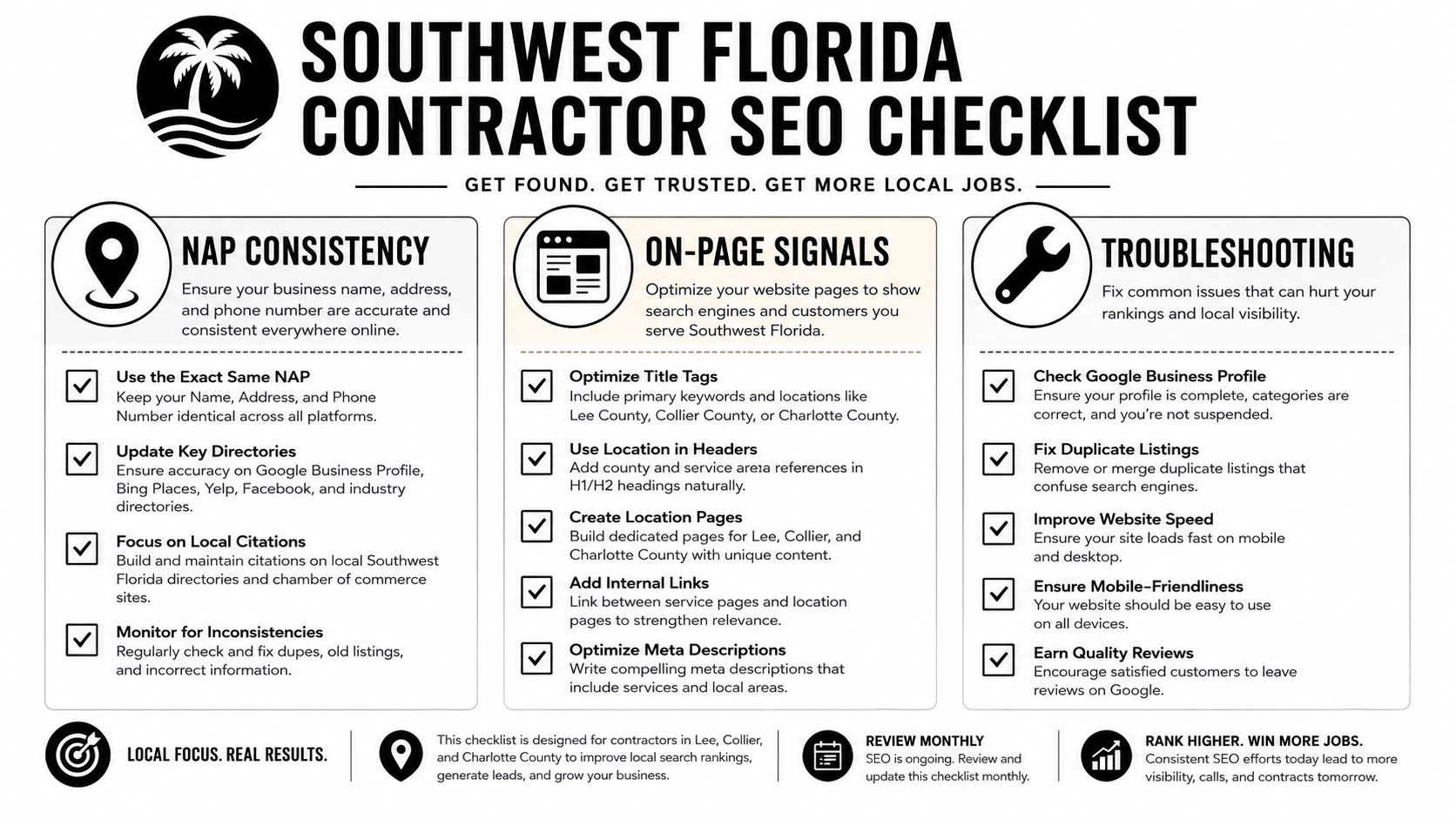
A contractor can complete every profile field and still struggle if the rest of the local footprint contradicts it. Start with the company's name, address, and phone number across the website, major directories, trade associations, social profiles, and local listings. Remove old phone numbers, duplicate addresses, and outdated names rather than adding more listings blindly.
Your website should reinforce the same relevance signals as the profile. Give each major service its own page, make the contact information easy to find, and publish location-specific pages for legitimate markets such as Cape Coral, Fort Myers, North Fort Myers, Estero, Bonita Springs, and Naples. A contractor serving multiple counties should explain the actual work performed in each area rather than publishing thin pages that swap city names.
Print-ready troubleshooting checklist
- Verification: Confirm the mailing address, request the available verification method, and allow the stated review window before escalating.
- Service area: List cities, ZIP codes, or communities you serve. Don't use an imaginary radius or claim every Southwest Florida market.
- Business name: Match the real-world name. Remove service keywords and promotional claims.
- Duplicates: Search Maps for existing listings before creating another profile for the same company.
- Address quality: Don't use a virtual office or an address where the business doesn't operate.
- Evidence: Keep registration documents, signage photos, invoices, and licensing information available if Google requests clarification.
- Suspension appeal: Explain what changed, identify the violation risk, provide supporting documents, and request review without making unsupported claims.
If a postcard never arrives, confirm postal access, check whether the address is eligible, and use Google's support process instead of repeatedly requesting codes. Repeated edits and duplicate submissions can make the review harder to resolve.
The old public Q&A feature is no longer the place to invest effort. Replace it with accurate services, current project photos, thoughtful review responses, messaging, and location pages. Google's own performance reporting can then show whether those changes lead to more calls, messages, bookings, or direction requests.
A focused 30-day action plan
Days 1 through 5: Claim or create the correct profile, fix the business name, select the business type, enter the primary phone, define the service area, and begin verification.
Days 6 through 10: Choose the primary category, add legitimate secondary categories, build the service catalog, write the description, and check the website link.
Days 11 through 20: Upload authentic crew, vehicle, location, and project photos. Set up the post-job review request process and respond to existing reviews.
Days 21 through 30: Publish weekly content, review Insights, correct NAP inconsistencies, and identify missing service or location pages. Use this local SEO framework for contractors to coordinate the profile with the rest of your local search presence.
Polaris Marketing Solutions helps Southwest Florida contractors improve Google Business Profiles, local citations, review processes, and location-specific website content. Visit Polaris Marketing Solutions to request a complimentary online analysis and competitor report, then use the findings to turn your profile into a more reliable source of qualified calls.