
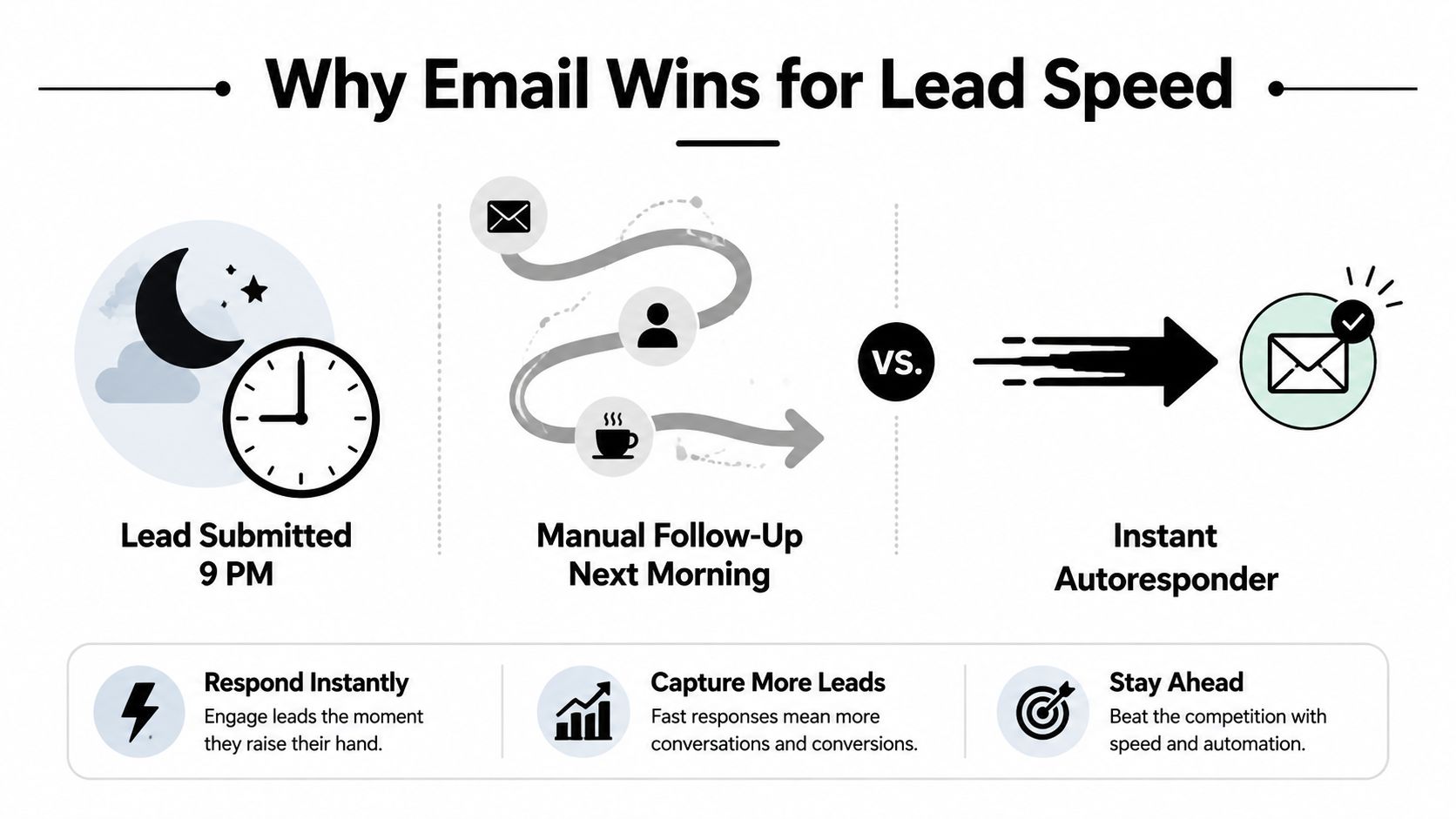
You can feel the lag before you can measure it. A homeowner in Cape Coral fills out a roofing estimate form at 9 p.m., then waits until morning for a reply because the contractor's autoresponder never fired. By the time the office opens, three other companies have already reached that lead, and the first one to respond usually wins the conversation.
That's the primary reason email marketing for lead generation still matters in local business. It isn't about blasting a list and hoping someone bites. It's about speed, relevance, and a system that turns a form fill, referral, or ad click into a productive sales conversation before the lead cools off.
Why Email Still Wins for Local Lead Generation
The local businesses I work with in Southwest Florida don't need another channel that looks busy. They need one that reliably turns interest into booked estimates, consultations, and jobs. Email keeps winning because it combines direct access with low cost, and marketers still rank it above other lead sources, with 48% calling email the top lead-generation method in one 2026 survey, ahead of website landing pages at 44% and content marketing at 43% according to EmailToolTester's lead generation statistics.
For a roofer, cleaning company, or law firm, that matters more than social reach. Email gives you a path from inquiry to follow-up without depending on an algorithm or a platform update, and the same source reports email returns about $36 for every $1 spent, with some studies placing ROI between $10 and $42 per dollar invested. That's why email keeps its place in the mix when paid ads get more expensive and social gets noisier.
The timing problem is usually the real problem
A lot of local lead-gen failures look like bad marketing, but they're really bad timing. A form fill from Google Business Profile, a Facebook ad, or a referral can be valuable, yet if nobody replies fast, the lead leaks out to a competitor who did.
Practical rule: if the lead has already raised their hand, your job is no longer to “nurture” slowly. Your job is to make contact while intent is still warm.
That's why email sits so well beside the channels local companies already use. Google Business Profile drives discovery, paid ads create demand, referral traffic brings trust, and email converts those touches into actual next steps. If you're trying to build a simple system, the easiest starting point is to pair your forms and landing pages with tools for lead generation marketers that make instant follow-up possible without a developer on call.
For Southwest Florida service businesses, the advantage is easy to explain internally. Email is measurable, affordable, and predictable enough that owners can compare it against paid social or direct mail without guessing. That's the budgeting argument that holds up when you're trying to protect margin and still keep the pipeline moving.
Building a Compliant List That Actually Converts
List quality beats list size every time, especially for local businesses. A few hundred qualified homeowners in Lee County who asked to hear from you will outperform a huge scraped list because those contacts are more likely to open, click, and reply. The practical rule is simple, build a permission-based list and protect deliverability from the start.
Start with acquisition sources that make sense for a two-to-ten-person team. Website opt-ins, Google Business Profile calls to action, referral asks, and event sign-ups are all manageable because the prospect already knows who you are or has shown interest. Buying a list is the fast way to create a deliverability headache, and how to clean email lists is the kind of resource that becomes useful only after people have already made list quality a problem.
Keep the consent trail clean
Double opt-in is worth the small extra friction because it confirms the contact wants your emails. Use clear consent language, keep the signup form short, and run regular audits so inactive addresses don't drag down sender reputation. The earlier section's timing lesson only works if your messages reach the inbox in the first place.
CAN-SPAM basics still apply, and small businesses should treat them as table stakes. Include a physical mailing address, an obvious unsubscribe link, and honest subject lines that match the message. If your website collects leads, the privacy policy should be easy to find, and this internal reference can help owners review that requirement in plain English: do I need a privacy policy for my website.
Clean acquisition feels slower at first, then becomes the reason your follow-up actually lands.
The deliverability math is the whole point. A smaller list made of real prospects gets better engagement, and that engagement helps future messages keep reaching the inbox. For a local business, that usually matters more than chasing subscriber count.
Lead Magnets That Pull Local Leads In
A lead magnet only works if it feels useful to the person filling out the form. A good checklist, quote calculator, photo gallery, or short walkthrough gives someone a reason to trade an email address for something they can use today. A bad one looks like marketing dressed up as help, and that's where opt-ins stall.
For a Fort Myers cleaning company, a short checklist usually works better than a long guide because the buyer wants clarity, not homework. For roofers, before-and-after photo galleries and estimate calculators tend to match the buying process better because homeowners want proof and rough pricing context. For law firms and other professional services, a concise guide or short intake worksheet often works better because the prospect is trying to understand whether the issue is even worth a conversation.
Match the format to the buyer's intent
If the prospect is early in the process, a simple checklist reduces friction. If they're comparing vendors, a calculator or gallery gives them something concrete to evaluate. If they're already worried about a specific problem, a short video walkthrough can feel more human than a PDF and may get shared internally.
| Industry | Best Lead Magnet | Why It Works |
|---|---|---|
| Cleaning company | Short checklist | Easy to scan, solves a quick problem, and doesn't feel like a sales pitch |
| Roofer | Before-and-after gallery | Shows proof and helps the buyer judge workmanship fast |
| HVAC company | Estimate calculator | Gives a rough range and frames the service conversation |
| Personal injury firm | Short intake guide | Helps the prospect sort the issue before making contact |
| Law firm | Case-fit worksheet | Filters serious inquiries and saves intake time |
The headline matters almost as much as the offer. Specificity, time, and outcome beat vague promises every time. “Get Your Roof Replacement Estimate Checklist in 3 Minutes” is easier to act on than “Download Our Guide.”
Placement matters too. Put the form on the relevant service-area page, not hidden on the homepage where the wrong visitor might stumble on it. If the page already answers a high-intent question, the form should feel like the natural next step rather than a pop-up interrupting the flow.
Landing Pages and Welcome Emails That Convert
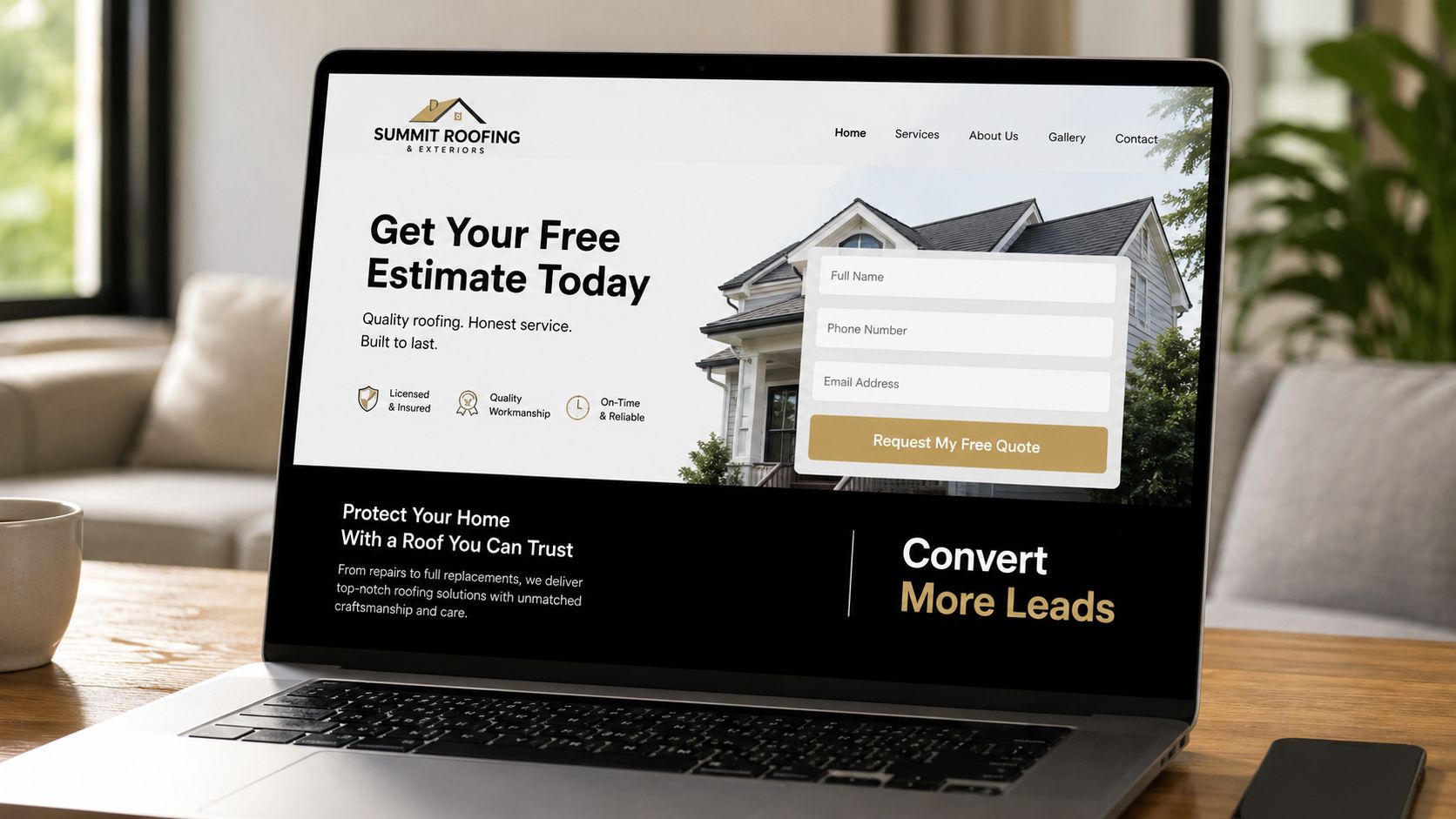
Most local landing pages fail for simple reasons. They ask for too much, talk too broadly, or use a CTA that sounds like it was written by somebody who's never spoken to a homeowner. The page needs one job, get the lead to raise their hand without second-guessing the offer.
A good page is single-column, mobile-first, and easy to skim on a phone. That matters because roughly 60% of email opens occur on mobile devices according to HubSpot's email marketing best practices, so the whole handoff from email to landing page needs to work on a small screen. Keep the headline tied to the outcome, keep the form to three or four fields max, and make the CTA sound like a reply, not a brochure request.
Here's the version that usually performs best for a local business:
- Headline: Name the result clearly, such as a quote, estimate, or consultation.
- Form fields: Ask only for what the team needs to qualify the lead.
- CTA: Use language that sounds conversational, like “Send My Estimate” or “Get the Callback.”
- Body copy: Keep it short and direct, with one clear reason to submit the form.
A helpful benchmark for page structure can be found in this vs Jotform comparison, especially if you're trying to keep forms simple without overbuilding them. The core idea is to reduce friction at the exact moment the lead is ready to talk.
The welcome email should feel like a person at the company typed it, because in a local market that's often the truth. It should confirm receipt, set expectation for response time, and give one next step. If the form came from a service page, the email can say the team has the request and will respond shortly, then offer a direct reply path if the prospect wants to add details.
You can also use this internal example library for structure ideas: 7 examples of high-converting landing pages. The useful lesson isn't design flair, it's that clarity beats cleverness when the prospect is on a phone and wants a fast answer.
Segmentation and Personalization Without Spreadsheets
Segmentation doesn't have to mean complicated software or a spreadsheet nightmare. For a small business, it usually means grouping people by service interest, geography, and lifecycle stage, then sending a message that matches what they asked for. That's enough to make one list behave more like five without multiplying the workload.
The practical structure is straightforward. A cleaning lead in Naples shouldn't get the same email as a commercial roofing lead in Fort Myers, even if both came from the same website. Likewise, a first-time inquiry needs a different message from someone who already requested an estimate and hasn't responded.
Keep tags simple and usable
Use a few tags that your team can understand at a glance. Service type, city or neighborhood, and lead stage are usually enough to keep follow-up relevant.
- Service interest: Roofing, cleaning, HVAC, legal intake, or whatever the person asked about.
- Geography: Fort Myers, Cape Coral, Estero, Bonita Springs, Naples, or a tighter neighborhood if that helps.
- Lifecycle stage: New lead, estimate requested, proposal sent, or inactive.
Personalization should stay practical. A first name in the subject line can help, and a neighborhood reference in the body can make the message feel local without sounding forced. Shorter send windows can also matter, especially when homeowners are checking email between work and dinner.
Personalization works best when it makes the next step easier to understand, not when it just decorates the email.
What doesn't help is stuffing the footer with badges, stock-photo signatures, or generic “valued customer” language. Those touches can make a small business feel less real, not more. The message should sound like it came from the company that's ready to solve the problem, not from a template library.
Segmentation also keeps follow-up from drifting into the wrong conversation. A homeowner who asked for a roof inspection should get practical next-step language, while a law firm lead should get a more measured, service-specific response. That one distinction saves time and improves the odds that the first reply feels relevant.
Drip Sequences and Re-Engagement Campaigns
A short, disciplined sequence beats a bloated one for most local lead generation. The goal isn't to keep sending emails until somebody gives in. The goal is to stay present long enough for the prospect to reply, while giving the sales team a clean handoff to a real conversation.
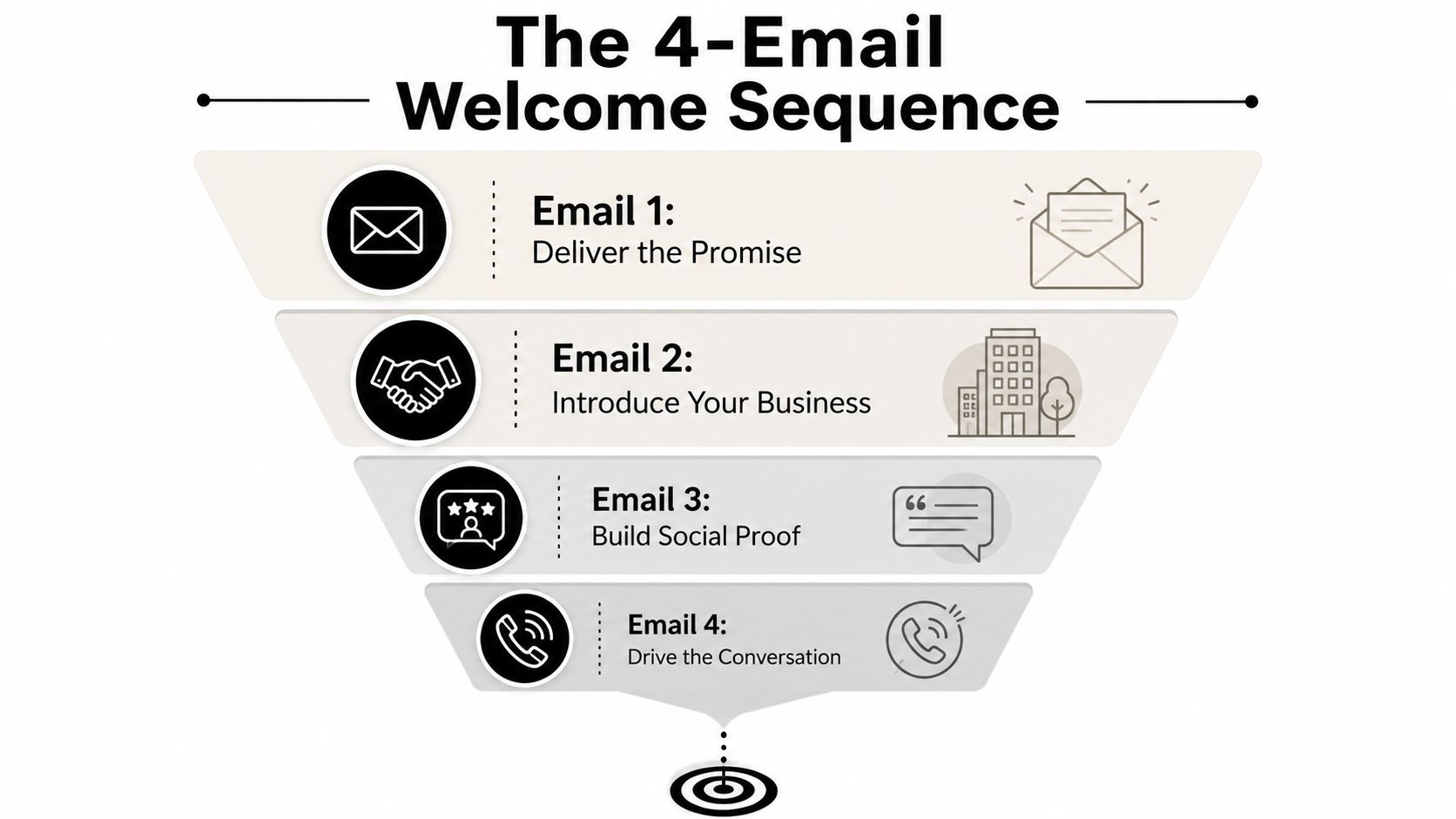
The first sequence should be four emails for new leads. Email 1 delivers the promise and confirms the request. Email 2 introduces the business and explains what happens next. Email 3 adds proof, like a short testimonial or example of similar work. Email 4 makes the conversation easy by inviting a reply or call.
Keep each email to one job
A welcome sequence works because each email has a single purpose. If one message tries to educate, persuade, upsell, and close, it usually does none of those things well.
- Email 1, Deliver the Promise: Send immediately, confirm the request, and offer a direct reply path.
- Email 2, Introduce Your Business: Share who will respond, what the process looks like, and how fast the team typically follows up.
- Email 3, Build Social Proof: Use a short testimonial or a relevant project example to reduce hesitation.
- Email 4, Drive the Conversation: Ask for the call, the reply, or the next appointment.
For cold subscribers, a three-email re-engagement sequence is usually enough. Start with a simple check-in, follow with a useful reminder of what they asked for originally, then end with a low-pressure prompt asking if they still want to hear from you. If they don't respond, let them go quiet and protect list quality.
There's also a contrarian truth here. More automation isn't always better. For high-intent local leads, a fast human reply plus a short sequence often outperforms a dense workflow because the buyer wants momentum, not a nurture maze. One lead-generation source says a lead is 21 times more likely to enter the sales process if you reply within the first five minutes compared with 30 minutes, and another says 70% of marketers stop after sending one email, potentially missing 76% of their total leads, from EmailVendorSelection's lead-generation statistics.
Tracking KPIs and Picking the Right Low-Cost Tools
Open rate is the metric everyone watches and almost nobody should optimize for by itself. A local business cares more about replies, booked appointments, and signed jobs than inbox vanity. That's why the most useful numbers are the ones tied directly to revenue, not the ones that merely prove an email was opened.
Start with deliverability, reply rate, cost per lead, and lead-to-customer rate. The earlier data points matter here too, because email conversions are reported around 2.4% to 2.8% for both B2B and B2C audiences in Email Marketing for Business statistics, which is why it's smarter to compare cost per lead against paid social instead of judging the campaign on opens alone. If the cost to get a booked lead is lower, the channel is doing its job.
Track the numbers that owners actually need
A monthly report for a small business doesn't need to be fancy. It needs to answer three questions, did the emails reach people, did people respond, and did those replies turn into booked work.
- Reply rate: Shows whether the message created actual interest.
- Cost per lead: Shows whether the acquisition channel is efficient.
- Conversion rate: Shows whether clicks turned into appointments or signed cases.
- List growth rate: Shows whether the channel is still feeding future demand.
The cheapest useful stack is usually simple. One email platform, one landing page tool, one basic CRM, and one reporting dashboard can cover most needs without pushing the monthly bill into enterprise territory. The key integration is form fill to sales inbox, because the fastest lead response still comes from a real human seeing the request right away.
If the sales inbox doesn't light up instantly, the automation isn't finished.
For owners, send a short report with the number of new leads, the number of replies, and the number of booked conversations. That keeps the discussion focused on business impact, not dashboard noise. If you need a practical framework for the financial side, this internal guide helps translate marketing activity into business terms: how to measure marketing ROI.
If you want a local email system that turns inquiries into booked work, Polaris Marketing Solutions can build the landing pages, automations, and reporting around your real sales process. We work with Southwest Florida businesses that need lead generation to be practical, trackable, and tied to revenue, not just open rates. Visit Polaris Marketing Solutions to get a plan built around your market, your team, and the leads you can actually close.