
For any business in Fort Myers, from Cape Coral all the way down to Naples, your Google Business Profile is your digital welcome mat. It’s the first—and most critical—introduction you’ll have with local customers searching for exactly what you offer. Getting this profile set up and optimized is the single most important first step toward winning in the Southwest Florida market.
Why Your GBP Is Your Best Local Marketing Tool
Your Google Business Profile (GBP) isn't just a pin on a map—it's your most powerful, free tool for pulling in local customers. For a business here in Southwest Florida, a well-tended profile is your digital storefront, lead generator, and primary communication channel, all rolled into one. It’s often the very first impression a potential customer gets of your brand.
This is about more than just showing up. An optimized profile gives searchers the critical information they need to make a quick decision and take action.
- Business Hours: So they know you're open.
- Phone Number & Website: For instant, one-click contact.
- Services & Photos: To prove you're the right pro for the job.
- Customer Reviews: To build immediate trust and credibility.
The Impact on Your Fort Myers Business
Before we dive into the "how-to," it's worth taking a moment to appreciate just how much a great Google Business Profile matters. We're not talking about small gains here; we're talking about a fundamental shift in how local customers find and choose businesses.
The table below breaks down the core benefits, backed by 2026 data, showing why this free tool is a non-negotiable for any serious Fort Myers business owner.
Google Business Profile At A Glance Why It Matters
| Feature/Benefit | Impact on Your Fort Myers Business (2026 Data) |
|---|---|
| Local Search Visibility | Appears in the "Map Pack" for "near me" searches, putting you in front of high-intent customers from Punta Gorda to Marco Island. |
| Lead Generation | Businesses with complete, active profiles get up to 7 times more clicks and 70% more location visits than those with missing info. |
| Customer Trust | 97% of people search online for local businesses. A profile rich with positive reviews and photos builds instant social proof. |
| Direct Engagement | Features like Q&A and Google Posts let you answer questions and share updates, directly controlling your brand narrative. |
| Zero-Cost Marketing | It's a free, high-impact tool. A fully optimized profile can drive more leads than some paid advertising channels. |
As you can see, the numbers tell a powerful story. In a competitive market like Southwest Florida, a neglected profile is a gift to your competition.
To truly turn your Google Business Profile into a lead-generating machine, you need a solid Google Maps Marketing strategy behind it. Your profile is the engine, and Maps is the road that brings customers right to your door.
Think about it this way. Imagine two local plumbers. One has a bare-bones profile with just a name and number. The other has a complete profile showcasing weekly Google Posts with project photos from a job in Estero, dozens of 5-star reviews, and a detailed list of services like "leak detection" and "water heater installation."
When a homeowner in Bonita Springs frantically searches for "plumber near me," who do you think Google's algorithm is going to trust and recommend? It’s a no-brainer. Your GBP is the primary signal you send to Google about how relevant and authoritative you are in your local service area.
Claiming and Verifying Your Fort Myers Business Profile
Alright, enough talk. Let's roll up our sleeves and get your business on the map—literally. Creating and claiming your Google Business Profile is the first real step to getting found by customers searching in Fort Myers, Cape Coral, and across Southwest Florida.
Getting these initial details right is more than just busywork. It's about laying a solid foundation. A few extra minutes here can save you from major headaches and frustrating verification delays down the line.
Getting Started The Right Way
First things first, head over to the Google Business Profile Manager. You'll need to sign in with a Google account, and I always recommend using a dedicated business account (like info@yourcompany.com) instead of your personal Gmail. It keeps your business assets clean, professional, and secure.
Once you’re in, Google will ask for your business name. Type it in carefully. If a profile already exists, you’ll see an option to claim it. If not, you’re creating one from scratch.
This simple setup is the start of a powerful customer journey—from a local search right to your phone.
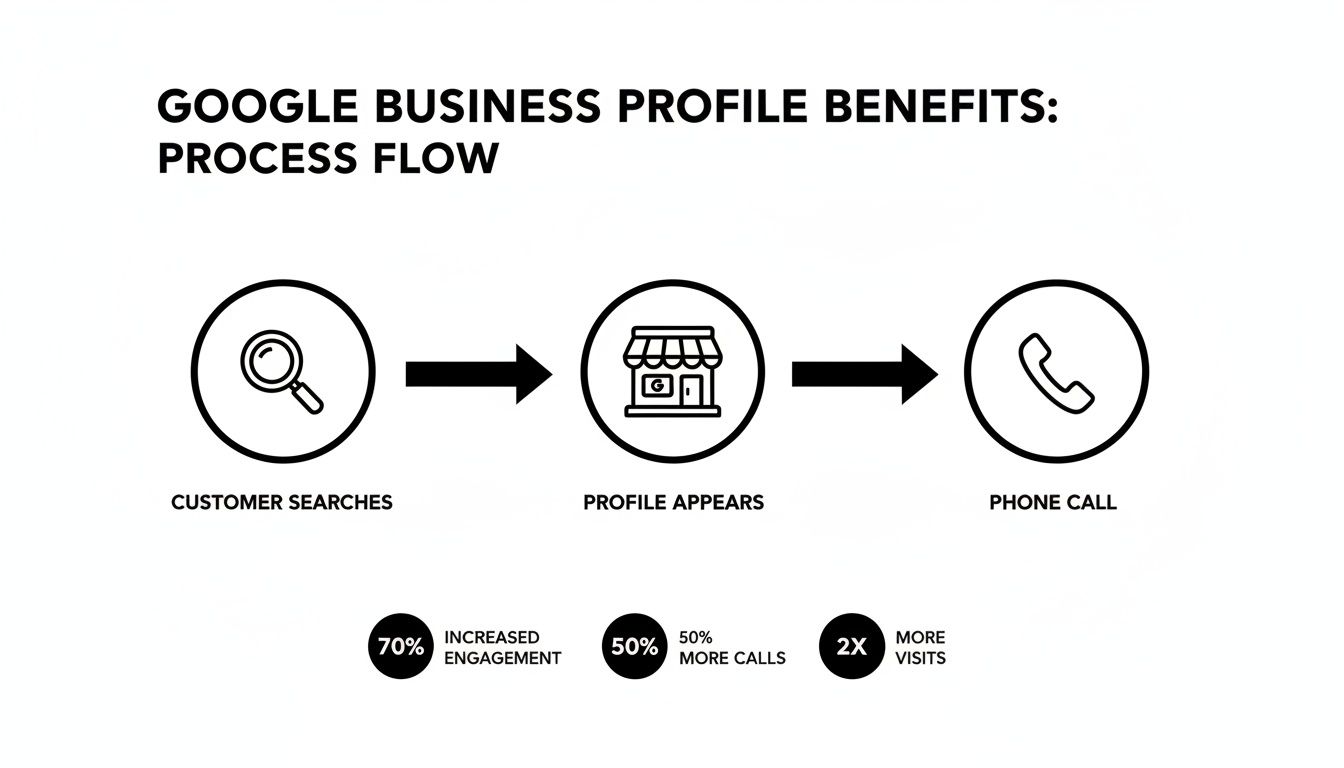
It’s a direct line between a potential customer's need and your solution.
The Critical Role of Your Primary Category
Next up is your primary business category. Pay close attention here, because this is one of the single most important factors for your local SEO. It’s how you tell Google exactly what you do, which directly impacts the searches you show up for.
You have to be specific. Pick the category that best represents the core of your business. Don't rush this part.
Actionable Example: A Fort Myers roofing company
Choosing "Roofer" or "Roofing Contractor" is miles better than a generic category like "General Contractor." That specific choice immediately tells Google you’re the right answer for someone searching "roofer near me" after a storm rolls through.
Actionable Example: A Bonita Springs law firm
If the firm focuses on estate planning, they should choose "Estate Planning Attorney," not just "Law Firm." That kind of precision brings in qualified clients looking for that exact service and filters out the wrong calls.
You can add more categories later, but your primary one carries the most weight in Google’s algorithm. Make it count.
Nailing Your NAP for Google’s Trust
After your category, you'll enter your business's core information: Name, Address, and Phone number—or NAP. When it comes to local SEO, consistency with your NAP is non-negotiable. Google is like a detective, cross-referencing this info across the web to confirm you are who you say you are.
Your NAP needs to be 100% identical everywhere it’s listed, from your website to your Facebook page and other online directories.
- Name: Use your real, registered business name. Don't try to stuff keywords in there like "Best Fort Myers Plumber"—that's a fast track to getting your profile penalized.
- Address: Enter your actual physical address where you do business. If you work from home or on the road, we'll get to that in just a moment.
- Phone: Use your main business line, ideally with a local 239 area code to reinforce your local presence.
Even a small difference, like "St." versus "Street," can confuse Google and hurt its trust in your business, pushing you down in the rankings. For any business serious about its online footprint, getting this consistent is a must. If you need a hand cleaning up your listings across the web, a local citation building service is a smart investment.
Pro Tip for Service Area Businesses (SABs)
This one’s for all the SWFL contractors, plumbers, mobile detailers, and other pros who work at their customers' locations, not a storefront. When Google asks if you have a location customers can visit, select "no." This allows you to set a service area instead of showing your home address. You can list cities like "Fort Myers," "Cape Coral," and "Naples," or even entire counties. It keeps your private address private while making sure you still show up for customers in the areas you serve.
Demystifying The Verification Process
The final hurdle is verification. This is how you prove to Google that your business is real and that you’re the rightful owner. Google offers a few different ways to do this, and sometimes you only get one option.
Here are the most common methods you might see:
- Postcard by Mail: This is the old-school, most common method. Google mails a postcard with a verification code to your business address, which usually takes up to two weeks to arrive. A word of warning: don't touch or edit your profile information while you wait, or you could invalidate the code.
- Phone or Text: The quickest and easiest way. Google will call or text a code to your business number. This option isn't always available, but it's a blessing when it is.
- Email: Just as fast, a code gets sent to your business email (e.g.,
you@yourdomain.com). This is typically only an option if Google can already link your domain to the business. - Video Verification: This is a newer method. You'll hop on a live video call with a Google rep and have to show proof of your business, like your storefront signage, company vehicle, tools of the trade, or business licenses. Be prepared with your documents before you start the call.
Patience is key here. Verification can be frustrating if there are delays, but it's almost always due to inconsistent NAP info or last-minute profile edits. Follow these steps, double-check your data from the start, and you’ll make the whole process a lot smoother.
Turning Your Profile Into A Customer Magnet
So, you've got your Google Business Profile verified. Great. But the work isn't done—it's just begun.
Think of that basic profile as an empty storefront in Fort Myers. You have the keys, but to bring people in, you need to stock the shelves, design the window displays, and make it obvious you're open for business. Let's get to work turning your simple listing into a magnet that pulls in customers from Cape Coral, Naples, and all over Southwest Florida.
This is more than just filling out a few fields. It's about strategically showing both local customers and Google's algorithm exactly who you are and what you do best. We'll zero in on the high-impact details that turn searchers into callers.
Go Beyond Your Primary Business Category
You already picked a primary category—that's the single most important signal you send Google about your business. Now it's time to layer on secondary categories to cast a much wider net. This is how you show up for related searches without watering down your main focus.
Think through every single service you provide. If you’re a Fort Myers HVAC company, your primary category is likely "Air Conditioning Contractor." Smart secondary categories would be:
- Heating Contractor: You have to be ready for those rare SWFL cold snaps.
- Air Duct Cleaning Service: A common and profitable add-on service customers search for directly.
- Thermostat Repair Service: This captures a very specific, high-intent search.
Adding these tells Google you’re not a one-trick pony. You're the complete solution for home comfort, which drastically increases your chances of showing up for all kinds of local searches.
Build A Keyword-Rich Service List
The "Services" section is probably the most overlooked—and most valuable—part of a Google Business Profile. It's a goldmine for local SEO. This is your chance to get hyper-specific and target the exact phrases your customers are typing into Google.
Don't just put "AC Repair." Build out a detailed menu of every single thing you do.
A complete and detailed service list doesn't just tell customers what you offer; it educates Google. You're essentially handing Google a cheat sheet of all the keywords you want to rank for, making your profile the most relevant answer for very specific searches.
Actionable Example: For a Fort Myers HVAC company
Instead of a single service for "AC Repair," create individual entries like:
- Emergency AC Repair in Estero: Targets both a service and a specific location.
- New Air Conditioner Installation: A high-value service you want to be known for.
- Ductless Mini-Split System Maintenance: Catches a niche but very profitable customer base.
- Smart Thermostat Installation: Appeals to modern, tech-savvy homeowners.
For every service you add, Google lets you write a short description. Use it. Briefly explain the service, mention the areas you cover (like Cape Coral or Bonita Springs), and use the language your actual customers use. This level of detail can be a game-changer for your visibility.
Write a Compelling Business Description
You have 750 characters for your business description. Make them count. This is your elevator pitch to Southwest Florida. It’s your chance to tell your story, build immediate trust, and weave in crucial local keywords. Ditch the corporate jargon and write with some local flavor.
A powerful description does three things:
- Says what you do and who you serve. Be direct.
- Highlights what makes you different. Are you family-owned? Offer 24/7 emergency service? Fully licensed and insured in Lee County? Say so.
- Includes local keywords naturally. Mentioning Fort Myers, Naples, or other service areas reinforces your local authority.
Actionable Example: A Cape Coral Pressure Washing Company
- Weak Description: "We offer professional pressure washing services. We are dedicated to customer satisfaction and use the best equipment."
- Strong Description: "Transforming homes across Cape Coral and Fort Myers, our family-owned team specializes in safe, effective pressure washing. From lanai cage cleaning in Bonita Springs to paver sealing in Naples, we restore your property's curb appeal. Fully licensed and insured in Lee County with free, no-obligation estimates. Let us make your property shine!"
See the difference? The second one is packed with local context, specific services, and trust signals. It feels personal and speaks directly to a SWFL homeowner.
Master Your Visual Strategy With Photos
In a visual world, photos are non-negotiable. Profiles with a steady stream of new photos get significantly more engagement—more clicks, more calls, and more requests for directions. Pictures are the best way to show customers what you’re all about, not just tell them.
They build trust, prove the quality of your work, and help people picture themselves hiring you. You want a mix of high-quality images that tell your business’s complete story. For a deeper dive, you can explore a comprehensive Google My Business optimization checklist that covers visuals in more detail.
Your goal is to have photos in every category Google offers. Here’s your must-have checklist:
- Logo and Cover Photo: Your brand's signature. Make them crisp and correctly sized.
- Team Photos: Show the real people behind the business. A friendly team shot humanizes your brand and builds an instant connection.
- Exterior and Interior Shots: If customers visit you (like a retail shop or law office), show them what to expect. Make them feel comfortable before they even arrive.
- "At Work" Photos: Capture your team in action. For a roofer, that means your crew safely working on a roof in Naples. For a cleaning company, it's your team making a Fort Myers office sparkle.
- Before-and-After Photos: These are pure gold, especially for service businesses. A filthy, algae-covered roof next to a photo of the clean, finished job is incredibly persuasive.
- Photos of Your Vehicles: Got branded company trucks or vans? Photos of them on the road in your service area reinforce your local presence and professionalism.
By consistently adding fresh photos, you're signaling to Google that your business is active and relevant. That regular activity, paired with strategic categories and a detailed service list, is what transforms your profile from a static listing into a dynamic, lead-generating powerhouse.
Using Your Profile to Build Trust and Drive Engagement
Getting your Google Business Profile verified and optimized is just getting in the game. If you want to win in the competitive Southwest Florida market, you have to master the interactive features that build real trust and drive engagement.
Think of your profile as a living, breathing part of your business. It's where you move beyond just listing your hours and start turning casual searchers into loyal customers. It's where the real relationship-building happens.
Master the Art of Google Reviews
For any local business, reviews are the currency of trust. They’re often the first thing a potential customer from Fort Myers or Naples looks at when deciding whether to call you or the other guy down the street.
A steady stream of positive reviews is one of the most powerful signals you can send to both customers and Google's algorithm. The data shows that businesses typically need at least 10–20 reviews with a 4.0–4.5 star average to look credible. If you want to streamline this process, exploring some of the best online reputation management tools can be a game-changer.
But simply collecting reviews isn't enough. You have to respond. It shows you're engaged, you care about what customers have to say, and there's a real person behind the business name.
A Quick Playbook for Responding to Reviews
Your response strategy needs to be prompt and professional, no matter if the feedback is glowing or critical. Here are a couple of templates you can adapt for your Fort Myers business.
Actionable Example: For a 5-Star Review
The goal is to show appreciation and gently reinforce your brand.
- Review: "Coastal Electric did an amazing job installing our new ceiling fans. Professional, on-time, and cleaned up perfectly. Highly recommend!"
- Your Response: "Thank you so much, [Customer Name]! We're thrilled you had a great experience with our team in Cape Coral. We appreciate you choosing us for your ceiling fan installation and look forward to helping you again!"
Actionable Example: For a Negative Review
The goal is to acknowledge the problem, take it offline, and show other potential customers you're proactive.
- Review: "Took three days to get a call back for a simple quote. By then I'd already hired someone else."
- Your Response: "Hi [Customer Name], thank you for your feedback. We are very sorry to hear about the delay and that your experience did not meet expectations. This is not our standard of service. Please call our office at [your phone number] so we can learn more about what happened and work to resolve this."
Actively managing your reviews is a huge part of learning how to get more online reviews. When happy customers see you engaging, they're far more likely to leave positive feedback of their own.
Showcase Your Business with Google Posts
Think of Google Posts as mini-ads or social media updates that show up right on your Business Profile. They are a fantastic way to share timely info, highlight special offers, and signal to Google that your business is active and relevant.
Inactivity is a killer for visibility. Recent data shows a significant drop in profile impressions for businesses that haven't added a new Post or photo within 30 days. Your profile can't just sit there.
Use posts to keep your profile fresh. We tell our clients to aim for at least one new post every single week.
Actionable Examples for Google Posts:
- A Bonita Springs Realtor could post a "Just Listed" update with beautiful photos of a new property, using the "Learn More" button to link directly to the MLS listing.
- A Fort Myers HVAC Company could create an "Offer" post for a "Summer AC Tune-Up Special," a seasonal deal that drives immediate calls.
- A Naples Paving Contractor could share a "What's New" post with before-and-after photos of a recent driveway project, showing off the quality of their work.
These updates keep your profile from going stale and give Google fresh content to rank.
Proactively Manage the Q&A Section
The Questions & Answers section on your profile is a public forum where anyone can ask a question—and, critically, anyone can answer. This can be a double-edged sword. If you ignore it, you risk having incorrect or unhelpful answers define your business.
The best strategy? Take control. Seed the section yourself.
Think about the most common questions you get from customers on the phone. Then, use your personal Google account to post those questions. Finally, log back in as the business owner and provide clear, authoritative answers.
Actionable Examples for Pre-Populating Your Q&A:
- Question (as a user): "Are you licensed and insured to work in Lee County?"
- Answer (as the business): "Yes, we are fully licensed and insured to operate throughout Lee County, including Fort Myers, Cape Coral, and Bonita Springs. We are happy to provide proof of insurance upon request."
- Question (as a user): "Do you offer free estimates for roof repairs?"
- Answer (as the business): "Absolutely! We provide free, no-obligation estimates for all roof repair and replacement projects in Southwest Florida. You can give us a call at (239) XXX-XXXX to schedule yours today."
- Question (as a user): "What are your emergency service hours?"
- Answer (as the business): "We offer 24/7 emergency services for urgent needs like major leaks or storm damage. Our emergency line is always available for immediate assistance."
By adding and answering these questions yourself, you build instant credibility, save your customers time, and control the narrative around your business. You're not just setting up a profile; you're building a trusted local resource.
Tracking Your Success and Solving Common Problems
Getting your Google Business Profile launched is a huge first step, but the work doesn't stop there. Now, your focus shifts from setup to active management. This means keeping an eye on your profile’s performance to see what’s resonating with customers and knowing how to handle the common hiccups that can pop up for any local business owner.
The main tool in your belt for this is the Google Business Profile Insights dashboard. This is where Google pulls back the curtain, showing you exactly how people in Southwest Florida are finding and interacting with your business. It translates all the data—like views, searches, and clicks—into a story about your customer’s journey.
Turning Data Into Decisions
Making sense of your GBP data is where the magic happens. For example, you can see how many people found you by searching for your exact business name (direct search) versus those who found you by looking for a service like "roofer near me" (discovery search). A high number of discovery searches is a fantastic sign that your local SEO efforts are really working.
Actionable Example: A realtor in Fort Myers
You check your metrics and see a ton of website clicks but hardly any phone calls. That single insight is gold. It tells you that while people are interested, there might be a disconnect. The actionable takeaway? Your next Google Post should have a stronger, more direct call-to-action like "Call us today for a private showing!" to get that phone ringing. Or maybe your website's contact page is hard to find, and you need to make the "Call Now" button more prominent.
This kind of continuous management is just as important as the initial setup. The numbers don't lie. Recent data shows that each Google Business Profile drives approximately 200 clicks monthly on average. These aren't just empty numbers; they represent real customer actions like website visits, direction requests, and direct phone calls. You can dig deeper into how these stats translate into actual leads on searchendurance.com.
Navigating the Inevitable Profile Headaches
Sooner or later, every business owner hits a snag with their profile. It happens. The trick is knowing how to respond without panicking.
Here are a few of the most common frustrations I see and how to handle them:
- Profile Suspensions: This is the scariest one, but it’s almost always fixable. It’s usually caused by an accidental violation of Google's guidelines, like adding keywords to your business name (e.g., "Cape Coral Plumbers | Best in SWFL") or using a P.O. box as your address. Your first move is to calmly read the guidelines, find and fix the issue on your profile, and then submit a reinstatement request.
- Missing or Disappearing Reviews: Did a great 5-star review vanish? It was likely flagged and removed by Google's algorithm for violating a policy (even if the violation wasn't obvious). If you're certain a legitimate review is gone, you can try contacting Google support, but be warned—it’s often very difficult to get them restored.
- Incorrect Business Information: Sometimes a user will suggest an edit to your profile, and it might be wrong. This is why you can't just set it and forget it. Check your profile regularly. If you see something that’s not right, log in immediately and change it back.
For any problem that you just can't seem to solve, you’ll have to reach out to Google support. Before you do, get your ducks in a row. Have your business name, address, the URL for your Google Business Profile, and a clear, simple description of the problem ready to go. Screenshots are your best friend here. Being prepared makes the whole process smoother and gets you a resolution that much faster.
Your Top Google Business Profile Questions, Answered
Even with the best guide, questions always pop up. It’s just part of the process. This is especially true for business owners trying to stand out in the competitive Southwest Florida market.
Over the years, we've helped countless local companies get their Google profiles dialed in, and we’ve heard it all. Let's run through some of the most common questions we get from owners right here in Fort Myers and beyond.
How Long Does Profile Verification Take?
This one really depends. The verification time can swing from a few minutes to a couple of weeks.
If Google offers you a digital verification option—like by phone or email—you’re in luck. Approval can be almost instant, letting you get right back to work on your profile.
More often than not, though, you’ll be waiting for a postcard. If Google is mailing a card to your business address, expect it to land in your Fort Myers mailbox in about one to two weeks. The biggest piece of advice I can give here is to be patient. Do not change your business name, address, or primary category while you're waiting. Any of those edits can cancel the request and send you right back to square one.
What Should I Do About a Fake Negative Review?
Getting hit with a fake review is infuriating, but your reaction is what really counts. First and foremost, don't get into a public shouting match. The first move is to flag it.
Go to the review, click the three dots, and report it to Google. You’ll need to cite which policy it violates, like "Conflict of Interest" or just plain "Spam." While Google reviews it—which can take a few days—you should post a calm, professional public reply.
Actionable Example: Responding to a Fake Review
"Thank you for the feedback. We have checked our client records and can't seem to find any customer or project matching your name or details. We take all feedback seriously and suspect this review may have been left in error. If you are a past customer with a concern, please call our office directly at [Your Phone Number] so we can make things right."
This approach shows potential customers that you're on top of your business and handle criticism professionally, even when it’s unfair.
Can I Have a Profile Without a Physical Address?
Yes, absolutely. This is a game-changer for the thousands of service-based businesses in Southwest Florida. Think of all the mobile detailers in Cape Coral, the AC repair guys covering Lee County, or the consultants working across Fort Myers and Naples.
When you set up your profile, you’ll simply select the option that you don't have a location customers can visit. This turns your listing into a Service Area Business (SAB).
It’s the perfect solution. Your home address stays private, but you can show a defined service area on the map, telling customers exactly where you operate.
How Often Do I Really Need to Update My Profile?
If you want your profile to work for you, you have to keep it active. Our data shows that profiles can see a real drop in visibility after just 30 days of inactivity. Google wants to see that you're open and engaged.
To stay on Google’s good side, a simple routine is all you need:
- Google Posts: Aim for at least one a week. Share a recent project, a special offer, or a quick tip.
- Photos: Add new ones every week or two. Photos of your team on the job or a finished project work great.
- Reviews & Q&A: Check in every couple of days. A fast response shows you care.
This kind of consistent activity tells Google your business is active, relevant, and a great result for local searchers.
Ready to stop worrying about your online presence and start getting more leads? The team at Polaris Marketing Solutions specializes in turning your Google Business Profile into a powerful customer-attraction tool for your Southwest Florida business. Get your free online analysis and see how you stack up against the competition.