

A Fort Myers HVAC company launches a sharp new site on Friday. By Monday, the phone slows down. The service pages look better, but Google can no longer connect the old URLs, location signals, and ranking history to the new version of the site.
That is what makes website migrations risky for small local businesses. A dental office in Cape Coral, a law firm in Naples, or a home services company in Estero can lose visibility fast if the launch is treated like a design project instead of an SEO project. Rankings drop, Google Business Profile traffic weakens, and lead volume can follow.
The good news is that most migration problems are preventable when the process is documented before launch and checked after launch. The goal is simple. Preserve the pages, signals, and local relevance that already bring in calls and appointments, then improve the site without breaking what works.
For local businesses, that means paying attention to more than page design. Service area pages, practice area pages, city-specific content, Google Business Profile landing pages, citations, redirects, internal links, metadata, and crawlability all need to stay aligned. If even one of those pieces slips, a redesign can create real revenue problems.
If you need a practical reference before you start, review these SEO audit sample reports and the partner guide on steps for a technical SEO crawl. If you're about to revamp your business website, start with a migration plan that protects your existing search visibility first.
1. Audit and Document Your Current SEO Metrics Before Migration
Before anyone changes a URL, swaps a CMS, or points DNS to a new server, capture your baseline. If you don't know what your site is doing today, you won't know what broke tomorrow.
For a small local business, that baseline should be practical, not bloated. A Fort Myers HVAC contractor might learn that one service page ranks strongly for "HVAC repair Cape Coral." A dental office might find that a handful of treatment pages drive most calls from organic search. A roofing company might realize many indexed pages exist, but only a smaller set matters for lead generation. That kind of clarity changes how you prioritize the migration.
What to record before launch
Pull data from Google Analytics 4 and Google Search Console. Export your top landing pages, branded and non-branded queries, indexed pages, and any pages that consistently generate leads.
Use a crawler to inventory the site, then compare that crawl with your XML sitemap. If you need a model for what strong audit documentation looks like, review these SEO audit sample reports.
A simple pre-migration tracking sheet should include:
- Top organic landing pages: Record the URLs that bring in real traffic and leads.
- Priority keywords: Screenshot or export your most important rankings so you can compare week by week after launch.
- Indexed URLs: Confirm what's in Google now, not just what's in your CMS.
- Backlink destinations: Flag pages with valuable links so they don't disappear during restructuring.
- Old-to-new URL plan: Start the redirect map early, even if many destinations are still drafts.
For the crawl itself, follow these steps for a technical SEO crawl and export every indexable URL into a spreadsheet.
Practical rule: If a page brings in calls, quote requests, or appointment bookings, treat it like a protected asset during migration.
This is also where trade-offs start. Some pages should stay almost identical because they already perform. Others can be consolidated. If a legal practice has two thin family-law pages targeting nearly the same service, migration is often the right time to merge them into one stronger page instead of preserving weak duplication.
2. Create and Implement a Complete URL Mapping and Redirect Strategy
A site migration usually goes sideways for one simple reason. The old pages people and search engines rely on stop resolving correctly.

For a small local business, that problem shows up fast. An HVAC company changes /ac-repair-fort-myers to /air-conditioning-repair, but the old URL had rankings, backlinks, and quote requests tied to it. A dental office replaces /naples-emergency-dentist with a cleaner service page and forgets the redirect. A law firm merges practice area pages without deciding which old URL should point where. Traffic drops, leads slow down, and the new site gets blamed when the underlying issue is bad URL handling.
The fix is disciplined mapping. Every meaningful old URL needs a destination on the new site, and that destination should be the closest match in topic, intent, and location. If an old page targeted water heater repair in Naples, send it to the new Naples water heater repair page. Do not send it to the homepage or a broad services page unless that is the best remaining option.
What a usable redirect map looks like
Keep the redirect sheet simple. Use columns for old URL, new URL, redirect type, status code, priority, and verification notes. Priority matters for local service businesses because not every page carries the same business value.
Start with pages that drive revenue or local visibility:
- Primary service pages
- City and neighborhood pages
- High-ranking blog posts with local intent
- Pages linked from your Google Business Profile
- URLs with strong backlinks
- Appointment, estimate, or contact landing pages
That order keeps the work practical for a smaller team. A Southwest Florida plumber should map /cape-coral-drain-cleaning and /fort-myers-water-heater-repair before worrying about an outdated holiday promotion page from three years ago.
Use 301 redirects for permanent moves. Server-side redirects are the standard choice because they pass users and crawlers to the new destination cleanly. Meta refreshes and JavaScript-based workarounds create avoidable problems during a migration, especially when you are trying to diagnose ranking loss or indexing issues.
Accuracy matters more than volume. I would rather see a local roofer launch with 80 carefully matched redirects than 300 sloppy ones that dump half the retired URLs onto the homepage.
Match intent, not just slug patterns
Smaller businesses frequently lose ground. Developers may bulk-match URLs based on folder structure, but SEO value sits in search intent. If a dental practice retires /cosmetic-dentistry-bonita-springs and sends it to a general /dental-services page, the redirect works technically, but relevance drops. A better move is redirecting it to the closest cosmetic dentistry page, even if the slug is different.
A few common cases:
- One-to-one move:
/services/residential-cleaningto/cleaning-services/home-cleaning - Consolidation:
/divorce-attorney-fort-myersand/family-law-lawyerto/family-law-services - Domain migration: old domain pages mapped page by page to the new domain
- Content retirement: old URL redirected only if a true replacement exists
If no relevant replacement exists, let the page go and return the proper status. A weak redirect to an unrelated page creates confusion for users and weakens the signals Google uses to understand the site.
Local SEO adds another layer
For service businesses, redirect decisions affect more than organic rankings. They also affect the URLs attached to your Google Business Profile, local citations, and third-party listings. If your GBP appointment link, primary website URL, or service page references still point to retired paths, you create extra friction right where local leads convert.
Priority pages usually include location URLs, core service URLs, and any page used in citation profiles or email campaigns. That is why local migrations need a business lens, not just a developer checklist. A Fort Myers electrician can afford to lose an old staff bio URL. Losing the page that ranks for panel upgrades in Fort Myers is a different problem.
This walkthrough is useful if you want to see redirect planning in action:
Redirects should be predictable, documented, and easy to test. If the plan feels improvised, fix it before launch.
3. Update Internal Links Across All Pages and Navigation
Redirects catch mistakes. Internal link updates prevent them.
When your new site launches, every header menu link, footer link, breadcrumb, button, and in-content service reference should point directly to the new URL. If your own site still links to old paths, you're forcing users and crawlers through unnecessary hops, and you're making your migration harder to debug.
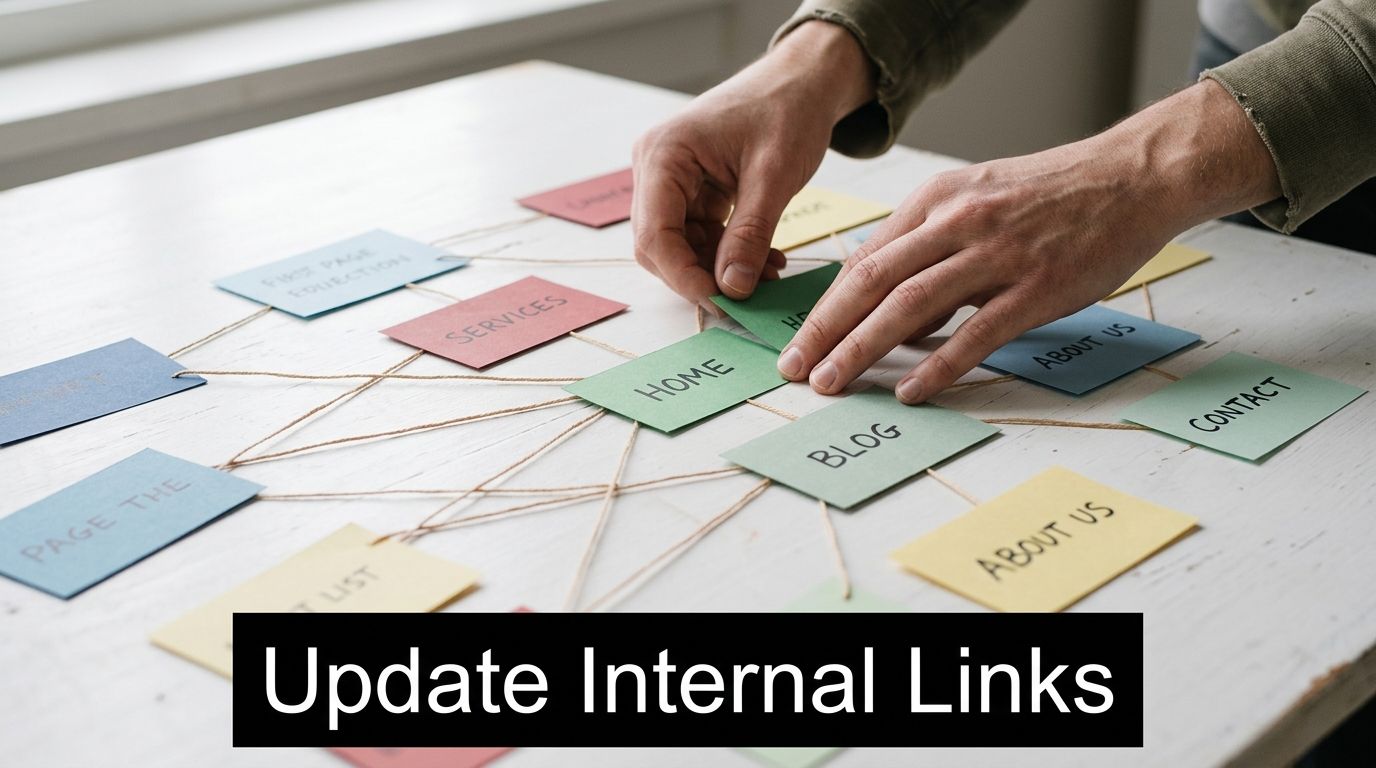
An HVAC company might rename /residential-hvac-services to /hvac-repair-fort-myers. That change has to flow through the top navigation, homepage service blocks, sidebar links, FAQs, and all those "related services" modules at the bottom of pages. A medical practice moving /doctors to /meet-our-physicians should update every internal mention, not just the menu. A paving contractor changing a location service URL should also revise old project pages that still point to the retired path.
Where internal links usually get missed
Template areas catch most of the attention, but body content often gets ignored. That's a mistake. Older blog posts, city pages, and resource articles tend to contain buried links to old services.
Check these areas carefully:
- Header and footer navigation: These are the highest-traffic internal links on the site.
- Breadcrumbs and sidebar modules: CMS templates often generate these automatically, and they can preserve old paths if settings weren't updated.
- Body links inside content: Old blogs frequently link to retired service URLs.
- XML sitemap links: Your sitemap should only contain live canonical URLs.
- Conversion paths: Test homepage to service page to contact page on desktop and mobile.
If you're using WordPress, Shopify, or another mainstream CMS, bulk find-and-replace can help. Still, don't rely on automation alone. Run a crawl after updates and look for internal redirects, orphaned pages, and broken paths.
The practical difference is simple. A redirect says, "we moved this." An updated internal link says, "this is the correct destination now." Search engines prefer the second one.
4. Verify and Update Google Business Profile and Local Citations
For a local service business, migration isn't just a website event. It's a local trust event.
If your website URL changes and your Google Business Profile still points to the old domain or a broken service page, you're creating friction for both users and search engines. A Fort Myers cleaning company should update its Google Business Profile URL first, then move through Yelp, BBB, Facebook, HomeAdvisor, Angi, and any local chamber or neighborhood directory listings. A Naples dental practice should also check Healthgrades, Zocdoc, and niche healthcare directories. A roofing contractor with duplicate listings and inconsistent phone numbers needs to fix those at the same time.
Start with the listings that actually drive visibility
Your first pass should focus on the highest-value citation sources and any platform customers use. Website fields, phone numbers, hours, and address details must match the new site.
Use this Google Business Profile optimization checklist as a working reference while you update local listings.
What usually works best is a simple citation tracker with columns for platform, listing URL, old website URL, new website URL, NAP status, and completion date. That gives you a clean way to confirm what was updated and what still needs attention.
A broken link in your Google Business Profile can waste more lead intent than a minor ranking dip.
Handle partial migrations realistically
Not every local business gets a neat, one-domain migration. Some rebrands split old content across multiple properties. Some consolidate offices. Some retire old microsites but keep the main domain. In those cases, you need practical prioritization.
Update the URLs tied to your primary business listing, your main service pages, and your strongest location pages first. Then revise secondary citations and lower-value listings. If your old Cape Coral emergency service page is linked from your Google Business Profile or top citations, that page deserves immediate redirect coverage and citation updates before lower-priority pages do.
This is also a good time to review local schema, location landing pages, and whether each office or service area still has a clean destination on the new site. Migration often exposes local SEO weaknesses that were already there. Fix them while the site is under review.
5. Resubmit XML Sitemaps, Request Crawl, and Monitor Post-Launch Performance
Launch day isn't the finish line. It's the start of the monitoring phase.
Once the new site is live, generate an updated XML sitemap and submit it in Google Search Console. Then inspect your priority pages one by one. If you're a healthcare practice with separate service and location sections, split those into separate sitemaps if your setup allows it. If you're a brokerage or contractor with a lot of service-area pages, make sure the sitemap only contains the final live URLs.
What to watch in the first few weeks
Google needs clear signals after migration. Submitting sitemaps and requesting crawling helps, but the bigger win is fast error detection. Pressable's migration guidance stresses staging crawls before launch to catch 403, 404, 5xx, canonical, and noindex problems. It also notes that if a small to midsize site under roughly 10k pages shows more than a few dozen 404s in the crawl surface, that usually points to incomplete redirect mapping or content removed without proper replacement (Pressable on pre-launch crawling and error thresholds).
That same discipline matters after launch. Check Google Search Console daily at first, especially page indexing, crawl stats, and individual URL inspection on your most important pages.
A practical post-launch routine looks like this:
- Submit the XML sitemap: Don't wait for discovery alone.
- Inspect priority URLs: Use URL Inspection on your key service, location, and contact pages.
- Watch indexing reports: Look for excluded pages, redirect errors, and unexpected noindex behavior.
- Track rankings and landing pages: Focus on the pages that matter most to leads.
- Set alerts in GA4: Flag unusual drops in organic traffic so you don't discover issues a week late.
For additional crawl-timing context, this local SEO crawl guide is a useful companion.
A Cape Coral cleaning company that notices one top page slipping after launch can often trace the problem to a missing redirect or canonical issue within a day or two. That's manageable. Waiting a month usually isn't.
6. Update Meta Tags, Structured Data, and Open Graph Tags for New URLs
A migration often changes more than page addresses. It changes page context.
If title tags, meta descriptions, canonicals, schema markup, Open Graph tags, and image references still point to old URLs, your new site may look fine to visitors while sending mixed signals behind the scenes. This happens constantly on redesigned WordPress sites, custom builds, and multi-location service sites where old settings were copied forward without a full review.
An HVAC company serving Fort Myers, Cape Coral, and Estero should confirm that LocalBusiness schema references the current domain and the right service-area pages. A law firm should check attorney profile schema, contact data, and profile image URLs. A medical practice should review organization details, business hours, and location references across schema and social sharing tags.
Focus on the fields that influence search and sharing
Meta descriptions don't directly rescue a bad migration, but poor metadata can hurt click-through rate right when you need stability. If you want a stronger process for rewriting them during migration, use this guide on how to write meta descriptions for SEO.
Check these elements on sample pages from each template type:
- Title tags and meta descriptions: Make sure they're unique and still aligned with the page's target intent.
- Canonical tags: They should point to the live preferred URL, not the old version or staging domain.
- Schema markup: Validate homepage, service pages, and location pages in Google's Rich Results Test.
- Open Graph tags: Test shared URLs in Facebook and LinkedIn debuggers so previews show the new domain and correct images.
- Twitter Card tags: Confirm social previews still pull the right title, description, and image.
If schema, canonicals, and social tags still reference the old site, your migration isn't finished, even if the pages load correctly.
What doesn't work is assuming your SEO plugin handled everything. Yoast SEO, Rank Math, and similar tools help, but template overrides, custom fields, and older hardcoded tags often survive the migration unnoticed. Pull a few representative URLs from the homepage, service pages, blogs, and location pages and inspect the source directly.
7. Test Mobile Responsiveness, Page Speed, and Core Web Vitals
A migration can preserve rankings and still hurt leads if the new site becomes clunky on mobile.
That's a common problem for local businesses. The new design looks polished on a desktop in the conference room, but on an iPhone in a parking lot the call button shifts, the hero image loads slowly, and the form takes too long to become usable. For HVAC, legal, dental, and cleaning companies, that's where conversions disappear.

Test the pages people actually visit
Use Google PageSpeed Insights on a mix of page types, not just the homepage. Service pages, location pages, blog posts, and contact forms often behave differently.
Then test on real devices. A Fort Myers roofer's contact page may pass browser emulation but still feel sluggish on a mid-range mobile phone over standard cellular service. A dental office may discover that a sticky appointment widget pushes content downward and makes the page jump. A law firm might find oversized staff photos slowing profile pages far more than expected.
A focused testing checklist helps:
- Check service pages on mobile first: These pages usually carry the lead load.
- Compress oversized images: WebP often helps reduce page weight without obvious quality loss.
- Defer non-critical scripts: Chat widgets, review widgets, and tracking scripts often slow first render.
- Review layout shift: Sticky bars, delayed font loads, and third-party embeds often cause movement.
- Test forms and tap targets: If users can't call or submit easily, rankings won't matter much.
What works and what usually doesn't
Image optimization, deferred JavaScript, trimmed plugins, and a CDN usually help. Massive sliders, autoplay backgrounds, and stacked third-party widgets usually don't.
For local businesses, the trade-off is often visual polish versus speed. A dramatic full-screen homepage video may impress the owner, but a fast service page with a clear headline, trust signals, and a visible phone number usually wins more business. During migration, lean toward performance, especially on pages tied to local search intent.
8. Create a Post-Migration Audit Report and Document Lessons Learned
A website migration is not finished at launch. For a small local business, the true test starts after the new site has been crawled, indexed, and used by actual customers.
That is why the post-migration audit report matters. It gives you a working record of what changed, what broke, what recovered, and what still needs attention. For an HVAC company in Fort Myers, that may mean confirming service-area pages held their rankings. For a dental practice, it may mean checking that appointment pages, review markup, and location details survived the move intact. For a law firm, it often means spotting which attorney bio pages or practice area URLs lost visibility and why.
Build a report the owner, marketer, and developer can all use
Keep it short enough to read and detailed enough to act on. A small service business usually does not need a massive technical document. A clear report with screenshots, traffic snapshots, issue notes, and assigned follow-ups is usually enough to guide the next 30 to 60 days.
Include these sections:
- Executive summary: List what changed, launch date, primary risks, and whether traffic and lead pages stayed stable.
- Before-and-after comparison: Review rankings, organic landing pages, indexed URLs, and conversions against your pre-migration benchmark.
- Issue log: Track redirect gaps, crawl errors, noindex mistakes, broken forms, and template bugs, along with the date each fix went live.
- Local SEO checks: Document Google Business Profile updates, citation corrections, location page reviews, and any NAP inconsistencies found after launch.
- Lessons learned: Record what slowed the project down, such as late redirect mapping, missed internal links, or plugin conflicts.
The local SEO piece deserves special attention. Small businesses often focus on rankings and miss the supporting signals that drive map visibility. If a Naples plumber changes URL structure, updates the website, but leaves old citation data live across directories, confusion can linger well after the migration. The audit report should show whether business name, address, phone number, service areas, and landing page URLs stayed consistent everywhere that matters.
Use the report to make the next migration cheaper and safer
Patterns become clear. A roofing contractor may find that the biggest post-launch problem was outdated links inside old blog posts. A dental office may learn that schema errors on location pages created avoidable indexing issues. A Southwest Florida law firm may discover that practice area pages recovered well, but attorney profile pages needed stronger internal support after the move.
As noted earlier, migrations with a documented process tend to recover faster than migrations handled from memory. The point is not to create paperwork for its own sake. The point is to leave behind a record your team can use when rankings dip, leads slow down, or another redesign comes up two years from now.
A good post-migration report protects more than SEO. It protects operational memory. If your webmaster changes, your agency changes, or your office manager starts fielding calls about disappearing pages, you have a single document that shows what happened and what to check first.
8-Step Website Migration SEO Checklist Comparison
| Item | Implementation Complexity 🔄 | Resource Requirements ⚡ | Expected Outcomes 📊 | Effectiveness ⭐ | Key Tip 💡 |
|---|---|---|---|---|---|
| Audit and Document Your Current SEO Metrics Before Migration | Medium, detailed, time‑consuming for large sites | Analytics & crawl tools (GA4, GSC, Screaming Frog), analyst hours | Baseline metrics, prioritized pages/keywords, faster issue detection | ⭐⭐⭐⭐ | Export 6–12 months GSC data and maintain URL spreadsheet |
| Create and Implement a Complete URL Mapping and Redirect Strategy | High, extensive planning and validation required | Dev time, redirect rules, testing tools, spreadsheet management | Preserves link equity, prevents 404s, maintains rankings | ⭐⭐⭐⭐⭐ | Use one-to-one 301s, avoid redirect chains, test thoroughly |
| Update Internal Links Across All Pages and Navigation | Medium, systematic sitewide updates needed | CMS bulk tools, crawler, QA time | Improved crawl efficiency, reduced server load, better UX | ⭐⭐⭐⭐ | Use CMS find/replace and crawl to verify updates post-change |
| Verify and Update Google Business Profile and Local Citations | Medium, manual verification across directories | Citation tools (BrightLocal/Moz), manual listings updates, time | Consistent NAP, maintained local visibility and Maps rankings | ⭐⭐⭐⭐ | Update GBP first, then prioritize top 10–15 citation sources |
| Resubmit XML Sitemaps, Request Crawl, and Monitor Post-Launch Performance | Medium, ongoing monitoring after launch | Google Search Console, rank/traffic monitoring tools, daily checks | Faster indexing, early detection of indexation or ranking issues | ⭐⭐⭐⭐ | Submit sitemaps in GSC and request crawl for top priority pages |
| Update Meta Tags, Structured Data, and Open Graph Tags for New URLs | Medium, repetitive but scriptable in many CMSs | SEO plugins or dev time, schema testing tools | Improved CTR, correct social previews, clearer content signaling | ⭐⭐⭐⭐ | Validate with Rich Results Test and use header templates for tags |
| Test Mobile Responsiveness, Page Speed, and Core Web Vitals | Medium–High, may require engineering fixes | Performance tools (Lighthouse, PageSpeed), dev effort, CDN | Better mobile UX, improved Core Web Vitals, potential ranking lift | ⭐⭐⭐⭐ | Test on real devices, optimize images, defer non‑critical JS |
| Create a Post-Migration Audit Report and Document Lessons Learned | Low–Medium, compilation and analysis required | Reporting tools, analytics access, analyst time | Documented ROI, lessons, and recommendations for future migrations | ⭐⭐⭐ | Produce an executive summary plus metric comparison graphs |
Navigate Your Migration with Confidence
A migration gets very real the day the phone slows down.
For a small HVAC company in Fort Myers, a dental office in Cape Coral, or a law firm in Naples, even a short ranking drop can mean fewer calls, fewer form leads, and empty spots on the calendar. Large brands can ride out that volatility. Local service businesses usually cannot. That is why a website migration has to be handled like a revenue protection project, not just a redesign.
The businesses that come through a migration in good shape tend to do the same few things well. They record baseline SEO data before launch, map every important URL, fix internal links, protect their Google Business Profile and citations, and watch performance closely after the new site goes live. The process is not glamorous, but it works.
As noted earlier, poorly planned migrations often lead to preventable traffic loss. The pattern is familiar. Pages move without redirects. Internal links still point to old URLs. Location pages lose local signals. Google Business Profile links break. Then rankings slip for branded terms, service terms, and map visibility at the same time.
In Southwest Florida, local SEO details carry extra weight. If a roofer serves Bonita Springs and Estero, or a personal injury firm targets Fort Myers and North Fort Myers, location page structure, service-area content, NAP consistency, and mobile performance all influence whether that business stays visible where nearby customers are searching. A migration can strengthen those signals, or weaken them fast.
The practical approach is straightforward. Protect the pages that drive calls and booked appointments first. Keep the old domain live long enough to support redirects and validation. Test the staging site before launch. Check Search Console daily during the first few weeks. Fix issues while they are still small.
Rushing creates expensive cleanup. Casual URL changes, incomplete redirect maps, missing schema, and neglected citations usually cost more to repair after launch than they would have cost to plan properly up front.
If you need outside help, Polaris Marketing Solutions works with Southwest Florida businesses that cannot afford to lose hard-earned visibility during a redesign, rebrand, CMS change, or domain move. The goal is simple. Keep your rankings, preserve your local search presence, and come out of the migration with a site that performs better than the one you replaced.